
- Posts: 319
- Thank you received: 90
qtvismach, a axis toolpath
- MarkoPolo
- Offline
- Elite Member
-

Less
More
2 years 7 months ago #295584
by MarkoPolo
Replied by MarkoPolo on topic qtvismach, a axis toolpath
I made a small modification to the code and now it works properly.
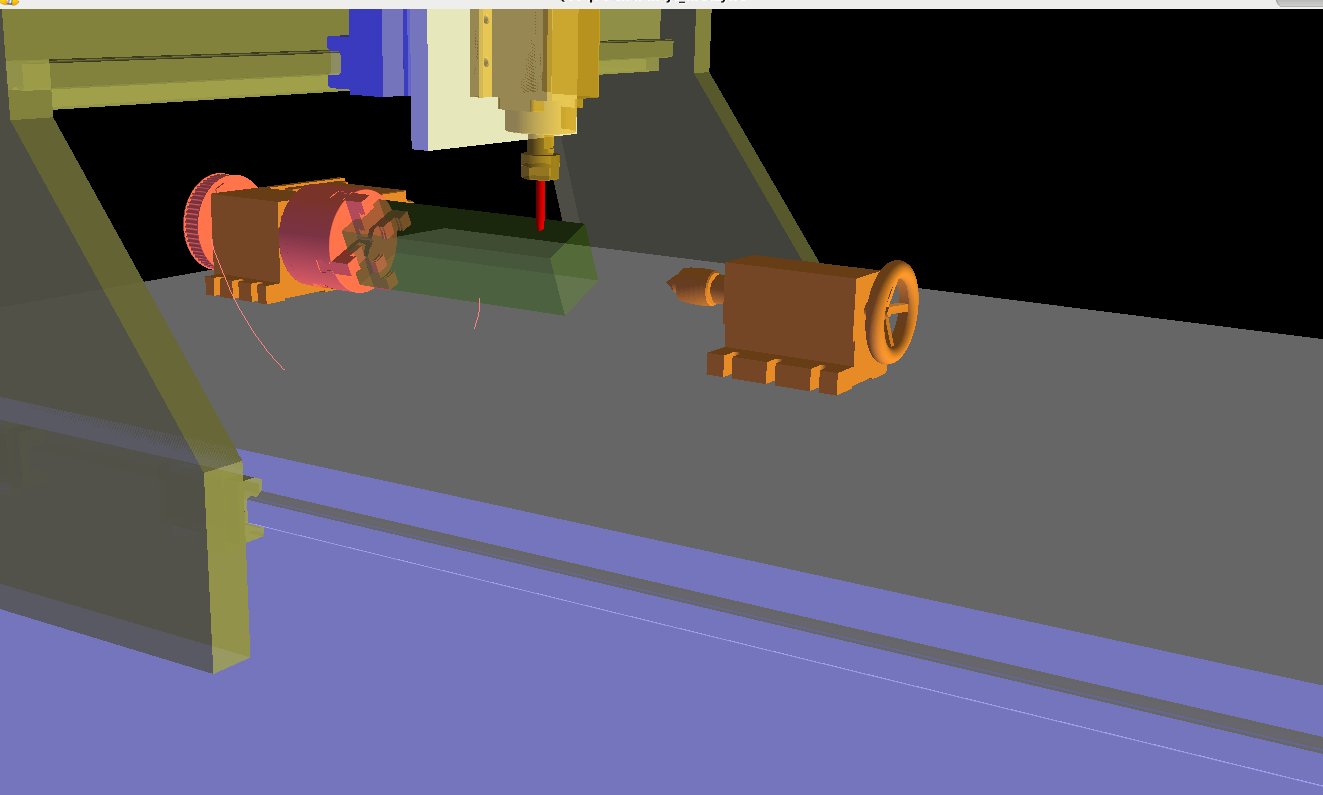
I was hoping that the toolpath would be visible inside the solid, but this is not the case...
Code:
class Color(Collection):
def __init__(self, color, parts):
self.color = color
Collection.__init__(self, parts)
def apply(self):
GL.glPushAttrib(GL.GL_LIGHTING_BIT)
GL.glMaterialfv(GL.GL_FRONT_AND_BACK, GL.GL_AMBIENT_AND_DIFFUSE, self.color)
GL.glEnable(GL.GL_BLEND)
GL.glBlendFunc(GL.GL_SRC_ALPHA, GL.GL_ONE_MINUS_SRC_ALPHA)
def unapply(self):
GL.glPopAttrib()
GL.glDisable(GL.GL_BLEND)
I was hoping that the toolpath would be visible inside the solid, but this is not the case...
Please Log in or Create an account to join the conversation.
- Aciera
- Offline
- Administrator
-

Less
More
- Posts: 4819
- Thank you received: 2177
2 years 7 months ago #295585
by Aciera
Replied by Aciera on topic qtvismach, a axis toolpath
Interesting, the tool seems to be cut off too.
Please Log in or Create an account to join the conversation.
- Aciera
- Offline
- Administrator
-
Less
More
- Posts: 4819
- Thank you received: 2177
2 years 7 months ago - 2 years 7 months ago #295588
by Aciera
Replied by Aciera on topic qtvismach, a axis toolpath
May have something to do with 'depth testing' as seen in this image where some of the background scene is not visible through the red tinted glass:
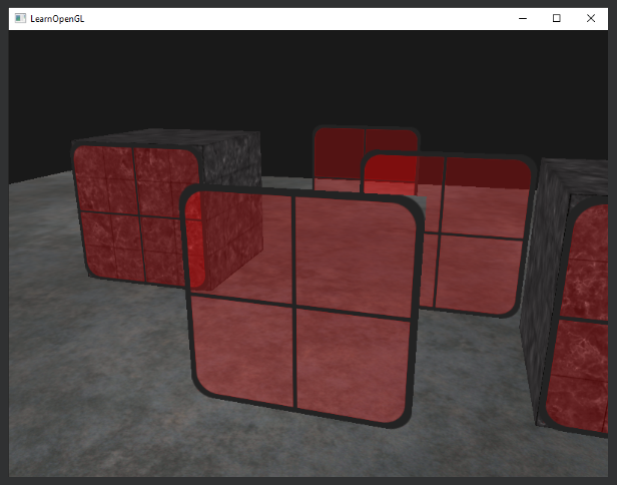
The above image comes from this article which may be useful:
drennonowereve.blogspot.com/2022/03/how-...color-in-opengl.html
[edit]
Just noticed the spelling in the article is a tad strange.
The above image comes from this article which may be useful:
drennonowereve.blogspot.com/2022/03/how-...color-in-opengl.html
[edit]
Just noticed the spelling in the article is a tad strange.
Last edit: 2 years 7 months ago by Aciera.
Please Log in or Create an account to join the conversation.
- MarkoPolo
- Offline
- Elite Member
-
Less
More
- Posts: 319
- Thank you received: 90
2 years 7 months ago #295594
by MarkoPolo
Replied by MarkoPolo on topic qtvismach, a axis toolpath
I just used this article today.
I positioned the two pieces for the test behind the workpiece and only the actual head and countertop are visible.
I don't know much about opengl, I guess it can be configured somehow...

I positioned the two pieces for the test behind the workpiece and only the actual head and countertop are visible.
I don't know much about opengl, I guess it can be configured somehow...
Please Log in or Create an account to join the conversation.
- cmorley
- Offline
- Moderator
-

Less
More
- Posts: 7368
- Thank you received: 2181
2 years 7 months ago #295712
by cmorley
Replied by cmorley on topic qtvismach, a axis toolpath
Maybe the order of the parts can do it.
I see you can see the base and chuck through the material but not the column or other chuck.
probably there is a opengl command to directly set Zdepth but like you i know just enough to get it to mostly work
I see you can see the base and chuck through the material but not the column or other chuck.
probably there is a opengl command to directly set Zdepth but like you i know just enough to get it to mostly work
The following user(s) said Thank You: tommylight
Please Log in or Create an account to join the conversation.
- MarkoPolo
- Offline
- Elite Member
-
Less
More
- Posts: 319
- Thank you received: 90
2 years 7 months ago #295793
by MarkoPolo
Replied by MarkoPolo on topic qtvismach, a axis toolpath
I will leave the topic of transparency for later, I have an idea how to solve it differently.
Please tell me how to easily read the x and y movement values from the "setup/properties" tab? I need these values to automatically generate the dimensions of the workpiece in the A-axis holder.
The second problem is the disappearing tool path in qtvismach. The same thing happens as in the preview window in qtdragon. A longer toolpath history is needed, or it doesn't disappear at all.
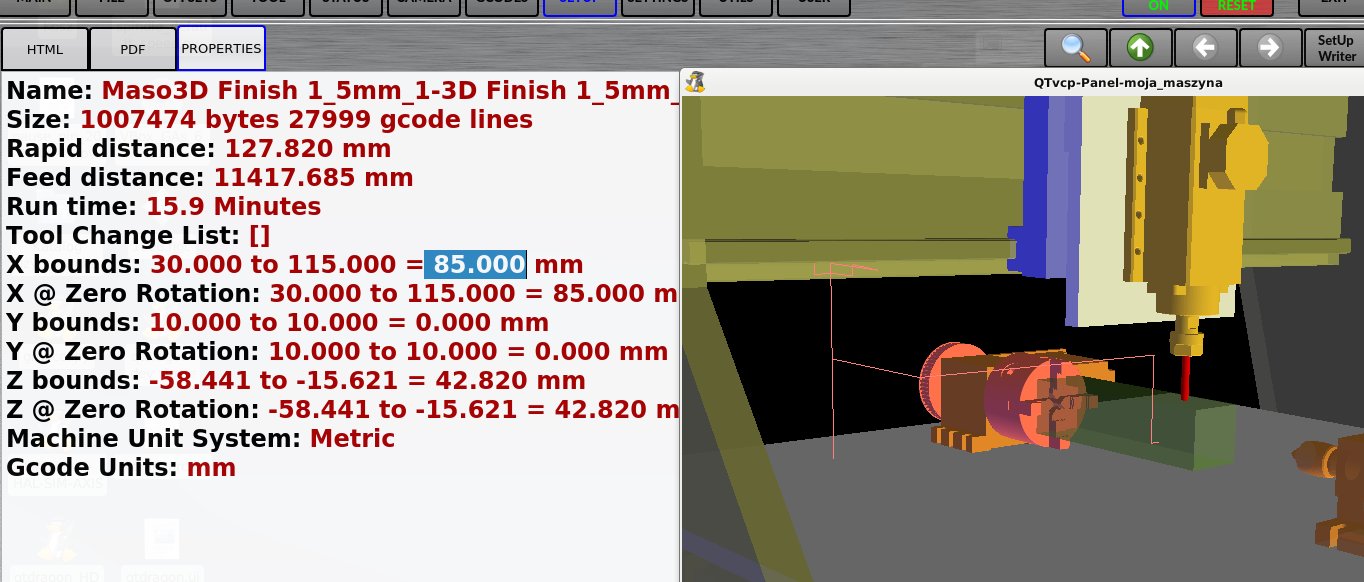
Please tell me how to easily read the x and y movement values from the "setup/properties" tab? I need these values to automatically generate the dimensions of the workpiece in the A-axis holder.
The second problem is the disappearing tool path in qtvismach. The same thing happens as in the preview window in qtdragon. A longer toolpath history is needed, or it doesn't disappear at all.
Please Log in or Create an account to join the conversation.
Moderators: cmorley
Time to create page: 1.712 seconds