TCP 5-axis kinematics

More
4 years 9 months ago - 4 years 9 months ago #232021 by Aciera
Replied by Aciera on topic TCP 5-axis kinematics
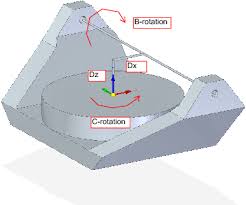
"XYZBC kinematics are still wrong, C axis rotates correctly, but B axis rotates wrong direction ."

I'm fairly sure that xyzbc-trt kinematics follows this convention, which seems correct to me:
 

"Where is motion.switchkins-type connected and do we need it and if, why (as M66 does sync)?"
For custom kinematics it is recommended to use the "userkins.comp" template:
linuxcnc.org/docs/html/man/man9/userkins.9.html

For an example you could have a look at the "millkins" simulation config that uses "millturn.comp" found at
src/hal/components where you will also find the above mentioned "userkins.comp". Comparing the two should give you a good idea how things work. For three kinematics you basically have to expand the case structure in the .comp and add the required forward and backward kinematic model. "switchkins_type" will then select the required kinematic model. So you would need to expand this with a "case 2":

// create case structure for switchable kinematics
switch (switchkins_type) {
     case 0: rtapi_print_msg(RTAPI_MSG_INFO,
            "kinematicsSwitch:TYPE0\n");
            *haldata->kinstype_is_0 = 1;
            *haldata->kinstype_is_1 = 0;
            break;
     case 1: rtapi_print_msg(RTAPI_MSG_INFO,
            "kinematicsSwitch:TYPE1\n");
            *haldata->kinstype_is_0 = 0;
            *haldata->kinstype_is_1 = 1;
            break;
     default: rtapi_print_msg(RTAPI_MSG_ERR,
            "kinematicsSwitch:BAD VALUE <%d>\n",
            switchkins_type);
            *haldata->kinstype_is_1 = 0;
            *haldata->kinstype_is_0 = 0;
            return -1; // FAIL }

And then add the kinematic model further down in the int "kinematicsForward(" and the "int kinematicsInverse("-sections of the code.
Last edit: 4 years 9 months ago by Aciera.

Please Log in or Create an account to join the conversation.

More
4 years 9 months ago - 4 years 9 months ago #232022 by jsskangas
Replied by jsskangas on topic TCP 5-axis kinematics
I was wrong both of those axis  B and C rotates wrong direction.

" I'm fairly sure that xyzbc-trt kinematics follows this convention, which seems correct to me: "

Well, I have build (calculated and coded) machine tool kinematics and postprocessor as a professional for past 10 years for Siemens NX.
So I am pretty sure that B/axis rotation is wrong in that example.
if it is not wrong then Mazak, Grob, Index, Okuma, Doosan, Siemens, roeders, Soraluce, GF, DMG and plus some other manufactures has understood rotation direction of machine axis completely wrong, but I doubt it.
Last edit: 4 years 9 months ago by jsskangas.

Please Log in or Create an account to join the conversation.

More
4 years 9 months ago - 4 years 9 months ago #232023 by Aciera
Replied by Aciera on topic TCP 5-axis kinematics
I don't have experience with 5-axis machining so I really have no idea but if the c-axis rotation follows the "right-hand" rule to define positive rotation direction then why would b-axis suddenly be opposite?
This seems to be in agreement with the current definition:
www.isg-stuttgart.de/kernel-html5/en-GB/296412555.html

Can you maybe provide more information as to the theory of how this is supposed to work?

[edit]

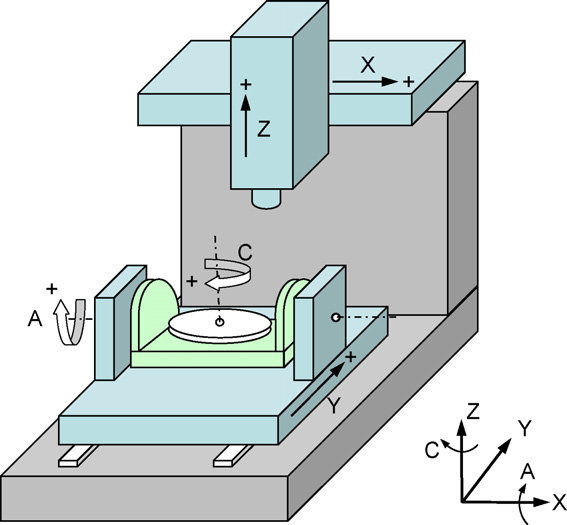
I found this xyzac setup with a and c supposedly rotating in the opposite direction:


As I said I have really no idea so maybe somebody could provide more insight.
Last edit: 4 years 9 months ago by Aciera.

Please Log in or Create an account to join the conversation.

More
4 years 9 months ago - 4 years 9 months ago #232027 by jsskangas
Replied by jsskangas on topic TCP 5-axis kinematics
Ok
Basic idea is that we always program tool movement against part(G54 coordinate offset example).
Lets start with linear axis it is easy to explain.
When we program NC-code example X10.0, this means that tool is now in position X=10.0
Now if this X-axis moves tool, to get tool in to X10.0 position,
axis needs to move positive direction of X axis of G54 coordinate system.
In case of part is moved (table) it need to move negative direction to get tool in X10.0 position.

Same rule applies to rotation:
If tool is rotated, we use right hand rule.
If part is rotated we use left hand rule.


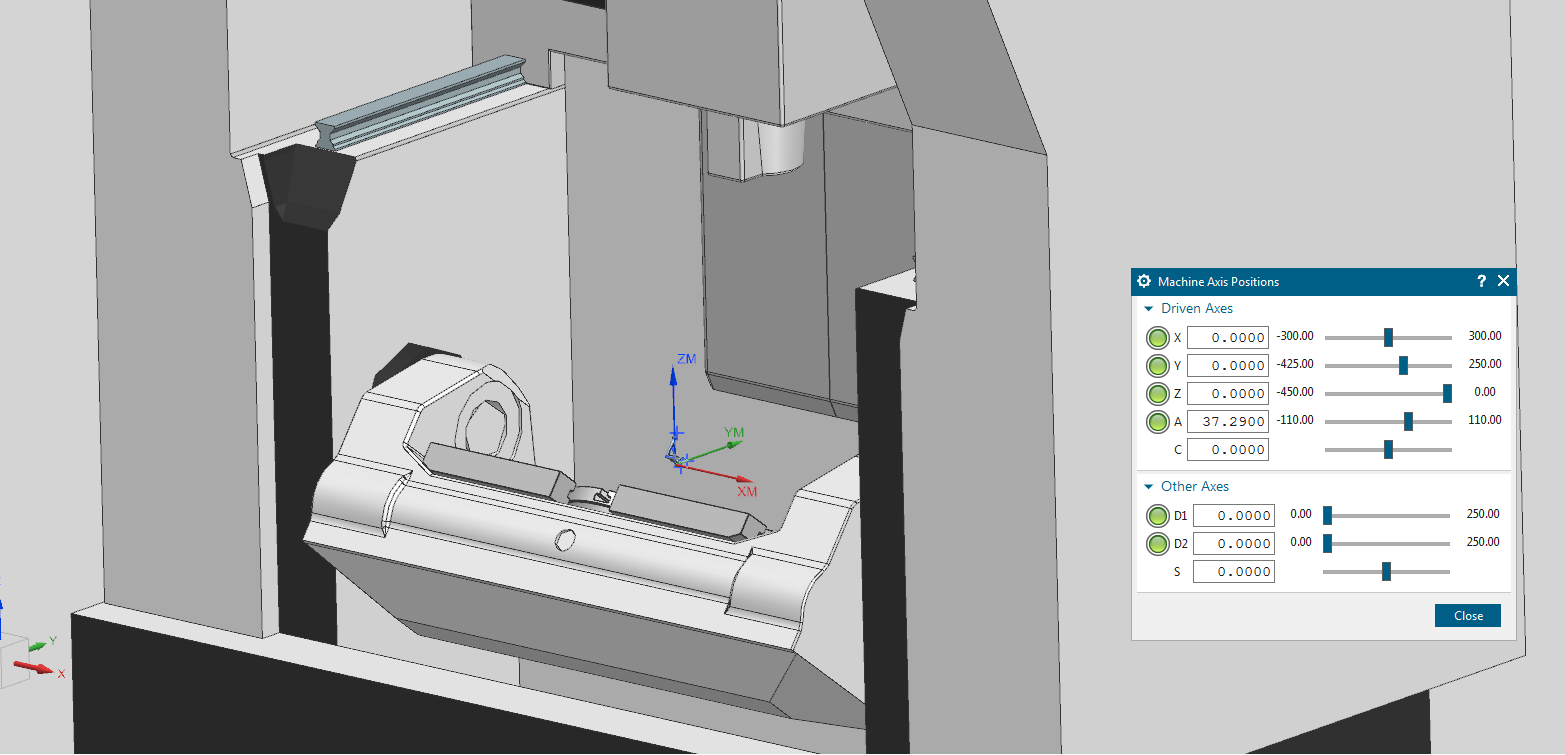
Lets take this A-axis from above machine, when we look along X-axis (not againt it), tool positive rotation is CW (right hand rule for rotating tool).
So if we command A30.0 tool needs to rotate Clock Wise 30 degree to achieve this position.
 But again if we move part it needs to rotate CCW so that tool will achieve A30. position (Left hand rule for rotating part).


Last edit: 4 years 9 months ago by jsskangas.

Please Log in or Create an account to join the conversation.

More
4 years 9 months ago - 4 years 9 months ago #232073 by Aciera
Replied by Aciera on topic TCP 5-axis kinematics
Yes. That makes a lot of sense.

[Edit]

But according to this would the C-axis not also be rotating the wrong way? Ie for the TCP to rotate clockwise the rotary table with the part has to rotate anti-clockwise.

I'm sorry I missed this:
"I was wrong both of those axis  B and C rotates wrong direction."

So what you are saying makes perfect sense to me. Problem now is that there seem to be a number of users out there who have made changes to their CAMs and post processors to get their hardware to work with current kinematics. So maybe we could create a new config with the revised kinematics using the userkins.comp.


Last edit: 4 years 9 months ago by Aciera.

Please Log in or Create an account to join the conversation.

More
4 years 9 months ago #232119 by jsskangas
Replied by jsskangas on topic TCP 5-axis kinematics
Hello

I have already done new kinematics, If you look at start of this thread, my setup and files.

Also there is swiveling sub-program that only shifts workoffset according rotated part.

Please Log in or Create an account to join the conversation.

Time to create page: 0.084 seconds
Powered by Kunena Forum