
- Posts: 36
- Thank you received: 3
Probe panel for Axis GUI
- petmakris
- Offline
- Junior Member
-

Less
More
2 years 10 months ago #288950
by petmakris
Replied by petmakris on topic Probe panel for Axis GUI
I might try this in the next few days. I say default branch is v1.3, but v2.0 exists as well. Which branch do you suggest to get the code from?Hi,
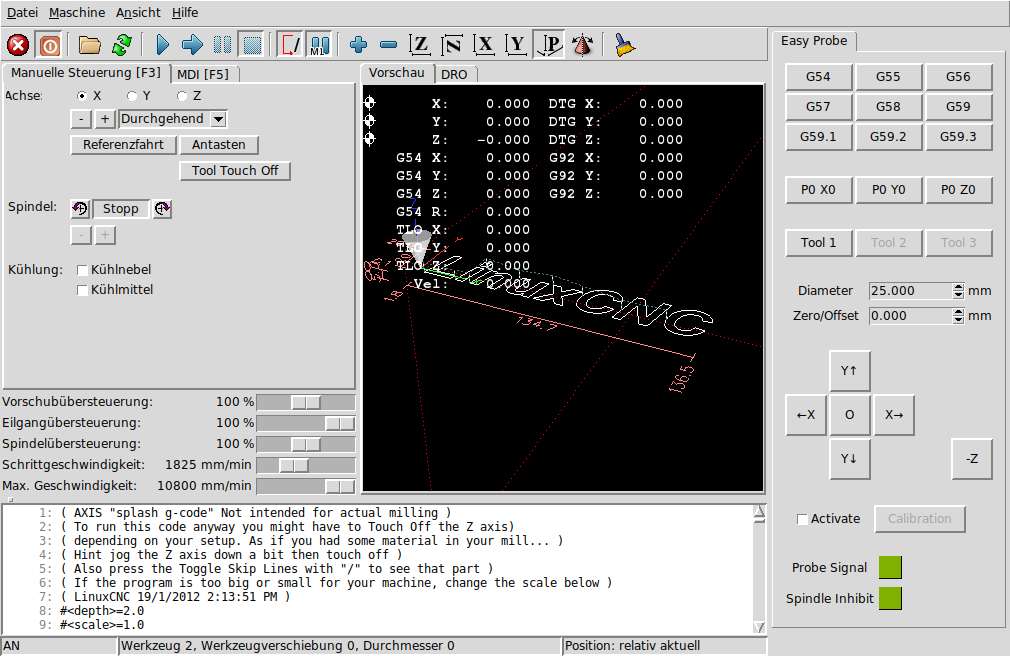
some weeks ago we decided to write a simple probe add-in that works regardless of the LinuxCNC version you use. The panel itself is a simple PyVCP which calls the macros through the halui section of your ini file. In other words: It's not more than a few lines XML and some nc files.
We tried to keep it as simple as possible so there is not much more than the basic functions of a probe add-in. You can use up to three different probe tools which needs to be added to your tool table since the calibration will store the data in the tool table, too. As long as any of the probe tools is active, spindle-inhibit is true so there is no risk of spooling your probe wire by accidently pusing the wrong button while probing.
All hal components are loaded in a seperate hal file so als you need to edit at your running configuration are a few lines of your ini.
Download: github.com/hausen8/EasyProbe
Screenshot of the probe panel:
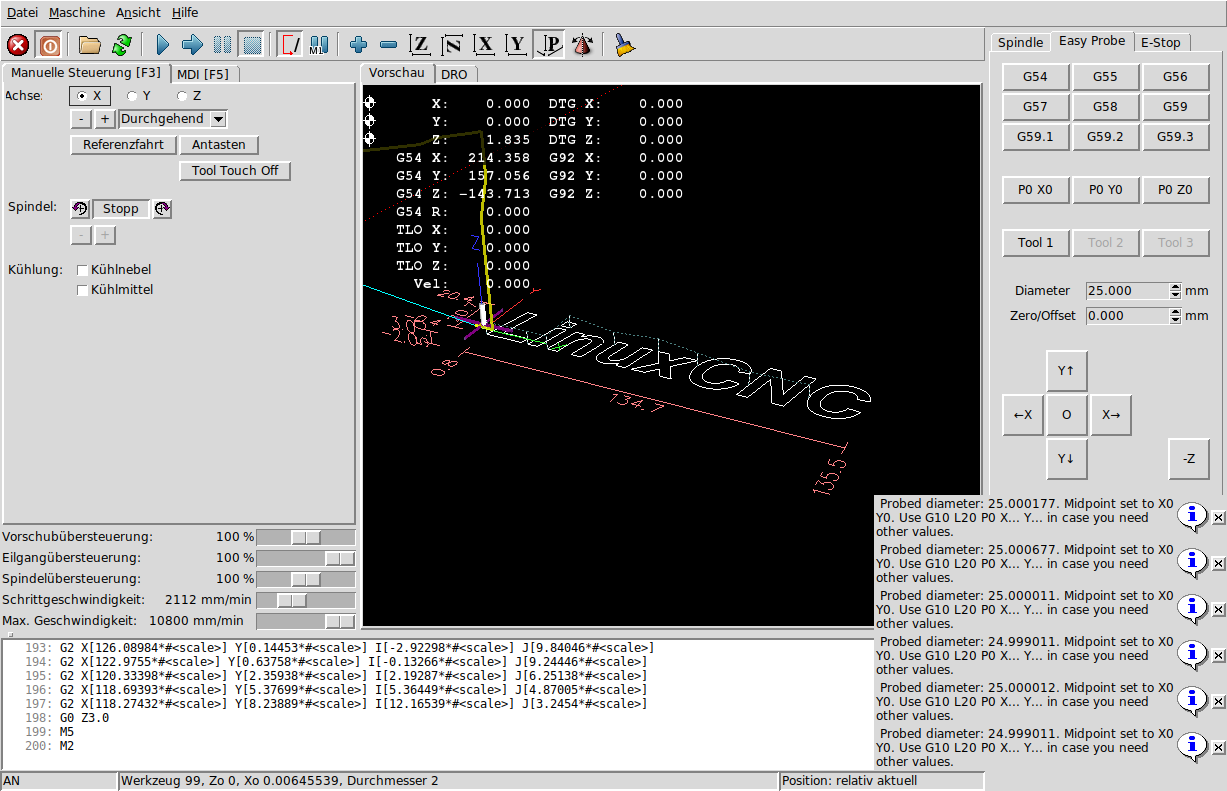
Repeat accuracy of probing the ring gauge after calibration:
Regards,
Tilman
Please Log in or Create an account to join the conversation.
- handsomebeast
- Offline
- Junior Member
-
Less
More
- Posts: 31
- Thank you received: 4
2 years 5 months ago - 2 years 5 months ago #301927
by handsomebeast
Replied by handsomebeast on topic Probe panel for Axis GUI
i am trying to set this up but i have a pyvcp panel for my spindle that takes up all of the pyvcp panel on the right side of the screen in axis, and when i follow the tutorial the prob part appears undrneath th existing panel and cant be seen, and im also running into other problems nut want to get this part figured out first, how do i get the probe panel to display in a seperate tab like the post above has ?, do i ned to create embeded tabs for my spindl and the probe ? i can post my config files if needed, as ive had a lot of troubl getting my router setup with my vfd control via modbus and using a tool height setter m6 remap, any help would b greatly appreciated
Last edit: 2 years 5 months ago by handsomebeast.
Please Log in or Create an account to join the conversation.
- Aciera
- Online
- Administrator
-

Less
More
- Posts: 4819
- Thank you received: 2177
2 years 5 months ago #301930
by Aciera
Replied by Aciera on topic Probe panel for Axis GUI
Try this:
In your 'PRINTNC.ini' replace
PYVCP = Probe_panel.xml
with
EMBED_TAB_NAME = Probe
EMBED_TAB_COMMAND = pyvcp Probe_panel.xml
For more information see section 4:
linuxcnc.org/docs/html/gui/pyvcp.html
In your 'PRINTNC.ini' replace
PYVCP = Probe_panel.xml
with
EMBED_TAB_NAME = Probe
EMBED_TAB_COMMAND = pyvcp Probe_panel.xml
For more information see section 4:
linuxcnc.org/docs/html/gui/pyvcp.html
Please Log in or Create an account to join the conversation.
- handsomebeast
- Offline
- Junior Member
-
Less
More
- Posts: 31
- Thank you received: 4
2 years 5 months ago - 2 years 5 months ago #301935
by handsomebeast
Replied by handsomebeast on topic Probe panel for Axis GUI
thanks for the reply aciera, did what you suggested and i have a floating panel for the probe and now my classicladder doesnt load, also the signal indicators on the floating panel were not responding, my tool height setter and probe are in th sam port on the controller board pin 15
Last edit: 2 years 5 months ago by handsomebeast.
Please Log in or Create an account to join the conversation.
- Aciera
- Online
- Administrator
-
Less
More
- Posts: 4819
- Thank you received: 2177
2 years 5 months ago - 2 years 5 months ago #301947
by Aciera
Replied by Aciera on topic Probe panel for Axis GUI
Not sure. Maybe launch your config from terminal and check for errors:
$ linuxcnc
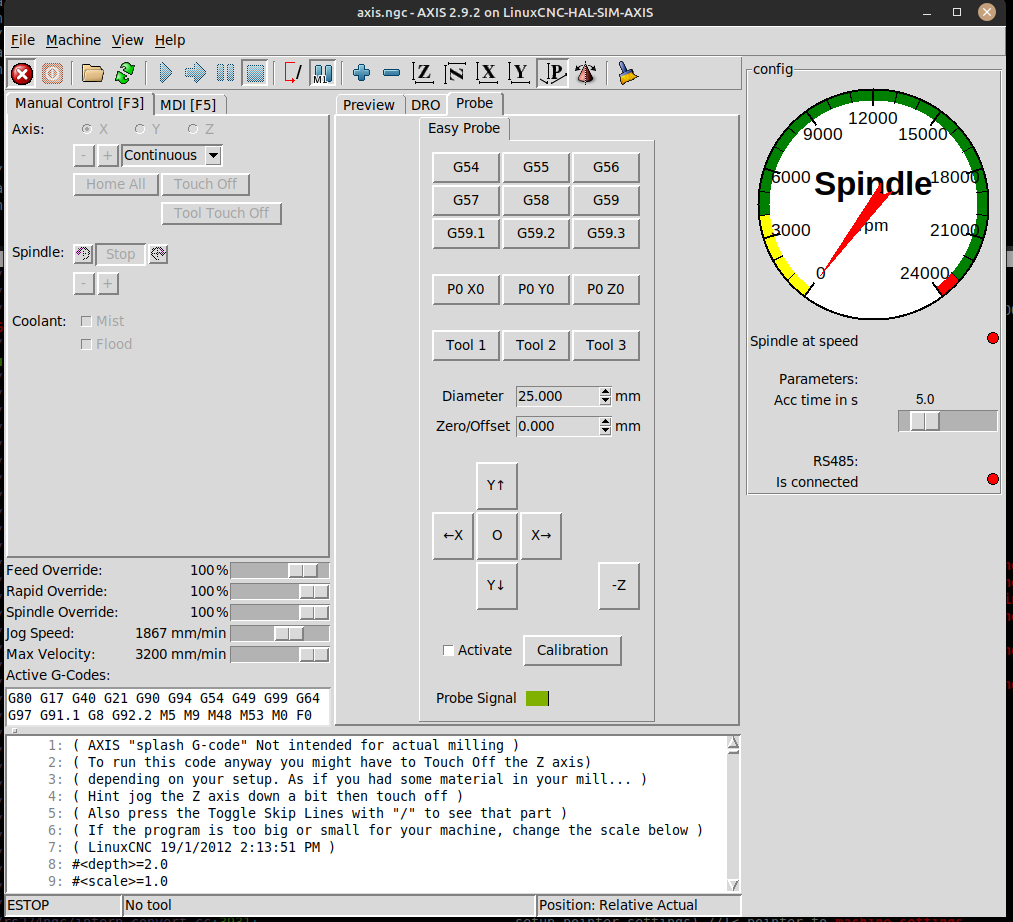
This seems to work for me:
[DISPLAY]
EMBED_TAB_NAME = Probe
EMBED_TAB_COMMAND = pyvcp Probe_panel.xml
PYVCP = vfd.xml
$ linuxcnc
This seems to work for me:
[DISPLAY]
EMBED_TAB_NAME = Probe
EMBED_TAB_COMMAND = pyvcp Probe_panel.xml
PYVCP = vfd.xml
Last edit: 2 years 5 months ago by Aciera.
Please Log in or Create an account to join the conversation.
- handsomebeast
- Offline
- Junior Member
-
Less
More
- Posts: 31
- Thank you received: 4
2 years 5 months ago - 2 years 5 months ago #302041
by handsomebeast
Replied by handsomebeast on topic Probe panel for Axis GUI
tried your suggestion but stil just getting a floating pyvcp panel named probe, like your picture above but floating and the probe tab next to preview and dro is blank when you click on it, ive even resorted to running linuxcnc in a virtual machine to make troubleshooting easier and quicker but having no luck,
Last edit: 2 years 5 months ago by handsomebeast.
Please Log in or Create an account to join the conversation.
Time to create page: 0.463 seconds