linuxcnc trajectory planner

More
2 years 1 week ago - 2 years 1 week ago #312741 by Aciera
Replied by Aciera on topic linuxcnc trajectory planner
[edit]

I guess I haven't really thought through the process yet as it probably starts to reoptimize the validate_<...>.ngc code in the background when I hit the run button with the already optimized code loaded.


Looks cool.

So are you thinking of moving on to the planner now or are you still thinking about representing the clothoid fillets in a more concise form rather than a bunch of G1 line segments? 
Last edit: 2 years 1 week ago by Aciera.
The following user(s) said Thank You: Grotius

Please Log in or Create an account to join the conversation.

More
2 years 1 week ago #312774 by Grotius
Replied by Grotius on topic linuxcnc trajectory planner
Hi Arciera,

Yes once you pressed the run button it optimizes in the background.
Once you see terminal output: file created, you are ready to load the result file "validation_xx.ngc".
If you have the validation file loaded and press run again, it optimzes the validation file.
In theory this should not fail. But i have seen it can fail. So why it should fail i don't know yet.
Have to figur out this.

The pointer is not valid, is a message that the memory is released for the entire operation. This is good.

Looks cool.
Yeah. looks cool. You can write down any bug's related to the algo. For example lines over lines. Are there exceptions to make?
Testing is welcome.

So are you thinking of moving on to the planner now or are you still thinking about representing the clothoid fillets in a more concise form rather than a bunch of G1 line segments? 
Before moving to the planner, testing the scurve algo is now in progress for 2 day's. I had some problems today. So it can take a while.

When we have ready :
1. Filletizer
2. Scurve

Then we move to the trajectory planner itself. In this planner clothoid's are represented by only 2 points and 4 double values.
So the clothoid linestrips as you see now, are just for representation, validation. In the planner you won't see them anymore.

 
The following user(s) said Thank You: akb1212, Lcvette

Please Log in or Create an account to join the conversation.

More
2 years 1 week ago - 2 years 1 week ago #312825 by Aciera
Replied by Aciera on topic linuxcnc trajectory planner
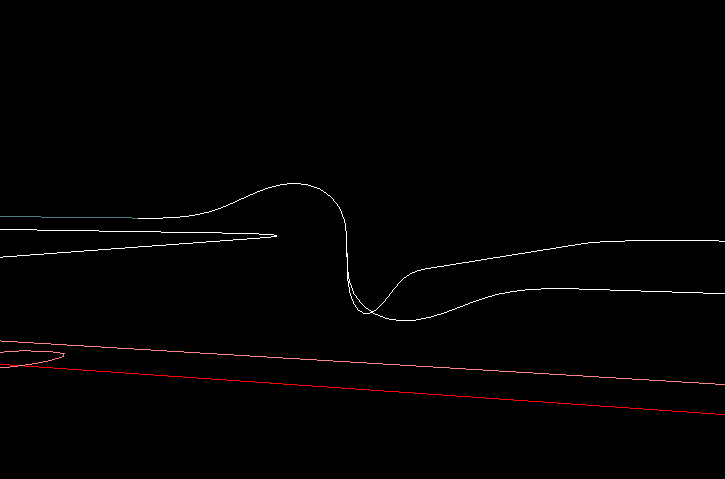
You are likely already aware of this, one issue is that some fillets are extending below the work plane:


My first intuition would make me think that this happens because the vertical line segment is too short to be trimmed back far enough to fit a fillet with the requested G64 Px Qx properties. In this case I would expect the optimizer to either
not cut the segment at all and not create a fillet
or (a more sophisticated path)
cut the segment the way it does now (ie to the minimum length) and create a fillet with adjusted parameters so it does not extend beyond the original segments.

Code:
int optimizer::trimCurve(emcmot_segment& seg, int& trim_front, int& trim_back) {     double trim_distance = G64P; /*seg.tag.fields_float[3];*/  // G64 P..     // Trim conditions.     if(trim_distance<=0){         std::cout<<"no trim distance for segment id:"<<seg.id<<std::endl;         return 0;     }     if (trim_distance >= seg.length / 2.0) {         trim_distance = (seg.length / 2.0)-1e-3;     }     if(trim_distance<=1e-6){         std::cout<<"too short to trim, no trim is done for segment id:"<<seg.id<<std::endl;         return 0;     }     if(seg.canon_motion_type==1 || seg.canon_motion_type==2){         trimLine(seg,trim_distance,trim_front,trim_back,false);     }     if(seg.canon_motion_type==3){         trimCircle(seg,trim_distance,trim_front,trim_back,false);     }     return 0; }
Last edit: 2 years 1 week ago by Aciera.
The following user(s) said Thank You: akb1212

Please Log in or Create an account to join the conversation.

More
2 years 1 week ago - 2 years 1 week ago #312831 by Aciera
Replied by Aciera on topic linuxcnc trajectory planner
Looking at this seems to suggest that you are trimming ALL the segments:

Code:
int optimizer::trimCurves(vector& ptr_vector) { // Trim all the curves back given the G64 P.. value. for (std::size_t i = 0; i < ptr_vector.vec.size(); ++i) { int trim_front=0; int trim_back=0; if(i>0){ trim_front=1; } if(i<ptr_vector.vec.size()-1){ trim_back=1; } // If next segment is colear, dont trim this end. Must be a line-line. if(i<ptr_vector.vec.size()-1){ const struct emcmot_segment &seg = ptr_vector.vec.at(i); const struct emcmot_segment &seg_next = ptr_vector.vec.at(i+1); int res=isColinear(seg.start.tran, seg.end.tran, seg_next.end.tran); if(seg.canon_motion_type!=3 && seg_next.canon_motion_type!=3 && res==1){ trim_back=0; } } // If previous segment is colear, dont trim this start. Must be a line-line. if(i>0){ const struct emcmot_segment &seg = ptr_vector.vec.at(i); const struct emcmot_segment &seg_prev = ptr_vector.vec.at(i-1); int res=isColinear(seg.start.tran, seg.end.tran, seg_prev.start.tran); if(seg.canon_motion_type!=3 && seg_prev.canon_motion_type!=3 && res==1){ trim_front=0; } } if (0 != trimCurve(ptr_vector.vec.at(i),trim_front,trim_back)) { std::cerr << "Failed to trim curve at index " << i << std::endl; return -1; } } std::cout<<"trim curves done."<<std::endl; return 0; } Is there a particular reason for not handling one fillet after the other? In my mind it would be beneficial if the trimming process could actually influence how the filleting was done for a particular intersection which seems difficult in the current code.

[edit]
Anyway, no point in getting carried away by details at this stage. The code seems to give you good enough input to continue with the next step of the project.
Last edit: 2 years 1 week ago by Aciera.
The following user(s) said Thank You: akb1212, Grotius

Please Log in or Create an account to join the conversation.

More
2 years 1 week ago #312835 by Grotius
Replied by Grotius on topic linuxcnc trajectory planner
Hi Arciera,

Post 22 Oct 2024 06:03
This go trough workplane bottom problem can be avoided by checking :

1.If you have a trim lenght of 5mm. And the line is 15mm, then the line will be trimmed at the ends, resulting a netto line length 5mm.
2.In the case of your post, the trim dist is divided to fit. The line is for example 5mm. Trimming 5mm both ends will fail, then the trim is
divided to fit, wich results for example in a trim 2.4mm x 2 = 4.8mm, Then the netto line is 0.2mm.

Related calculation:
Code:
if (trim_distance >= seg.length / 2.0) {     trim_distance = (seg.length / 2.0)-1e-3; }   

Solution:
When a trim distance has to be lowered to fit, this then can be a reason to skip this line trim. Let the line as is.
When a full trim fit can be done, the clothoid has no reason to go trough the bottom of the workplane. This then is valid.

Post 22 Oct 2024 07:50
The function loops to all the segments. Here it sets one exception:
Do not trim this line end if upcoming line is colinear to this.

We can add more exceptions here.

Is there a particular reason for not handling one fillet after the other?
In a other function, we start with a list of segments. (gcode input) .
They then already have a flag if they may be trimmed front & back.
It this point the empty fillet segments are inserted inbetween. This is a vector insert operation.

Once the empty segments are in place. Then we add the values to the fillet by looking, what kind of fillet we are going to produce.
We now have 3 types : line, bspline or clothoid.

Nice you are digging into the code!
Are you using qt for it as viewer and editor? This should be the nice as you can load the cmakelists directly in qt.

Good luck.


Please Log in or Create an account to join the conversation.

More
2 years 1 week ago #312836 by Grotius
Replied by Grotius on topic linuxcnc trajectory planner
So when using the clothoid filles, a divided trim is a signal to not add a trim segment to it. As this can result in going trough
the workplane.
Otherwise when using the bspline fillets, this uses a set off controlpoints. I suggest that bsplines are still valid, as they don't need
to solve the G2 problem.
Line fillets (chamfers) are still valid.

Please Log in or Create an account to join the conversation.

Time to create page: 0.361 seconds
Powered by Kunena Forum