linuxcnc trajectory planner

More
2 years 2 weeks ago - 2 years 2 weeks ago #312166 by juliankoenig87
This is usually the point where I get rid of G2/3 in all my postprocessors of my CAMs... Didnt you had the discussion wheter to use G2/3 or not? I think in the end this whole topic is one reason why a lot of systems use only G1 in small lenght of course. I assume it would make a lot of things easier, or am I wrong?

Best regards
Julian
Last edit: 2 years 2 weeks ago by juliankoenig87.
The following user(s) said Thank You: Grotius

Please Log in or Create an account to join the conversation.

More
2 years 2 weeks ago #312197 by Grotius
Replied by Grotius on topic linuxcnc trajectory planner
@Hi Julian,

As i speak for the programming world, i suggest programmers love to describe a line, arc or spline using a few points.
As memory efficient as can be.
But i get your point.

The error i was getting, i think i figur it out.

The arc function that get's the current point on the arc does this not
by giving it a 0-1 progress.
Instead a 0-arclenght input is the way to do it.
So here i was wrong. But it's also poor commented, so i could not know it so easy.
The following user(s) said Thank You: akb1212, Lcvette, Darium

Please Log in or Create an account to join the conversation.

More
2 years 2 weeks ago - 2 years 2 weeks ago #312253 by Lcvette
Replied by Lcvette on topic linuxcnc trajectory planner
awesome to see this active again!! glad you are ok and back at it image missing /media/kunena/emoticons/laughing.png
Last edit: 2 years 2 weeks ago by Lcvette.
The following user(s) said Thank You: Grotius

Please Log in or Create an account to join the conversation.

More
2 years 2 weeks ago #312292 by Grotius
Replied by Grotius on topic linuxcnc trajectory planner
@Lcvette,

Thank you for your kind words !. image missing /media/kunena/emoticons/wink.png

Had a weird experience. The scene was as follows.
1. Run linuxcnc with the "linuxcnc" splash gcode. Added G64 P1 to the top of gcode file. Then i pressed run.
2. Ok machine run's the file. In the background the traject optimizer was busy and a few moments later image missing /media/kunena/emoticons/whistling.png was ready.
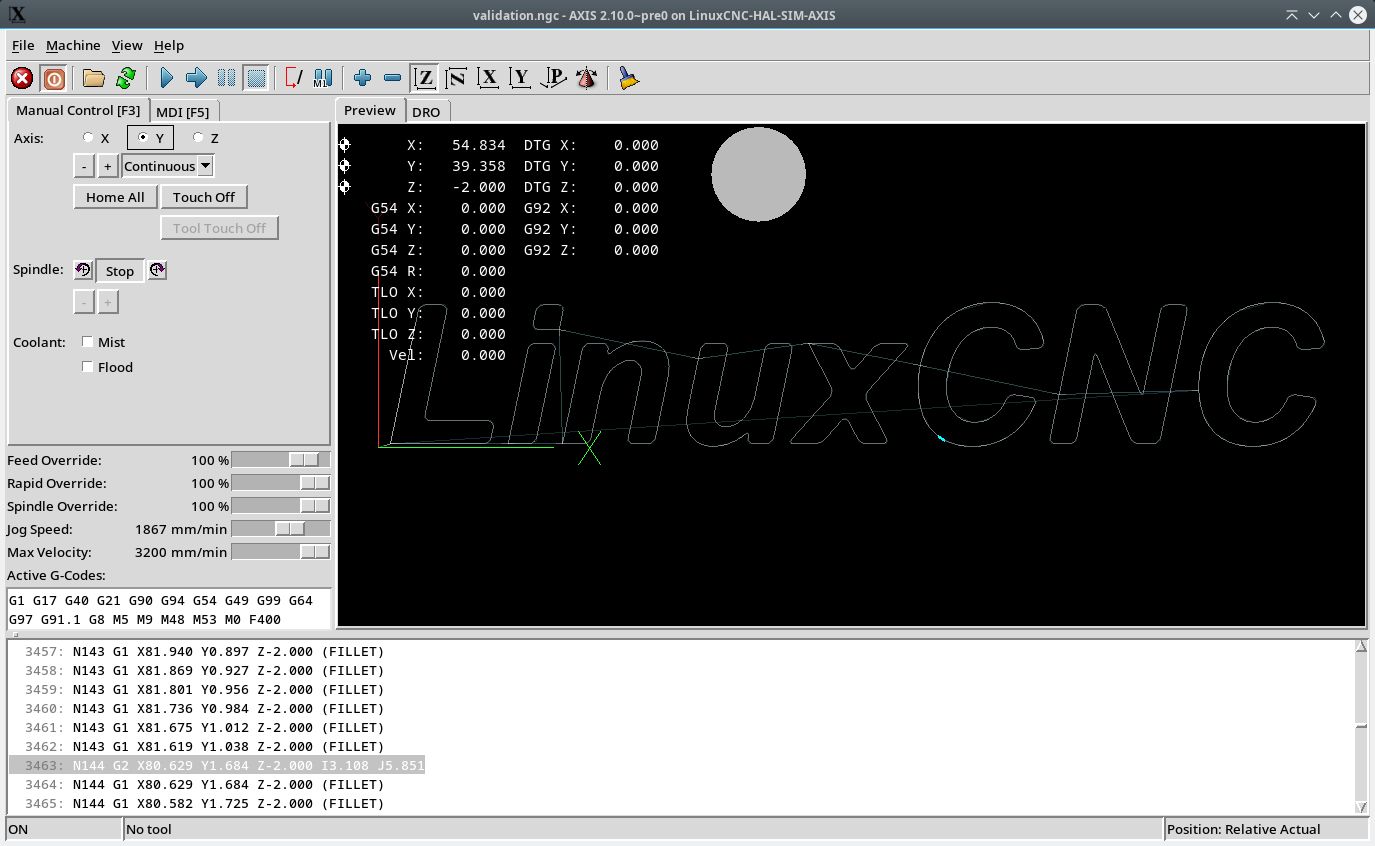
3. Then load the produced file : ~/cmake/ "validate.ngc". into linuxcnc.
4. The gcode preview shows that "arcs" where converted to "lines". So how is this possible. Did i made a typo in the code?
5. Then i was reading online :

link
when the maximum deviation of an arc from a straight line is less than the G64 Q- tolerance, the arc is broken into two lines (from start of arc to midpoint, and from midpoint to end).

Conclusion for the test environment :
The interpreter had transformed the G2 & G3's into G1's. And the optimizer was then reading this false information.
So now to avoid this mismatch the files to blend are loaded with a empty G64 P, Q value, ensuring a valid input to the optimizer.

Then inside the optimizer the G64 P & Q values are set for now.

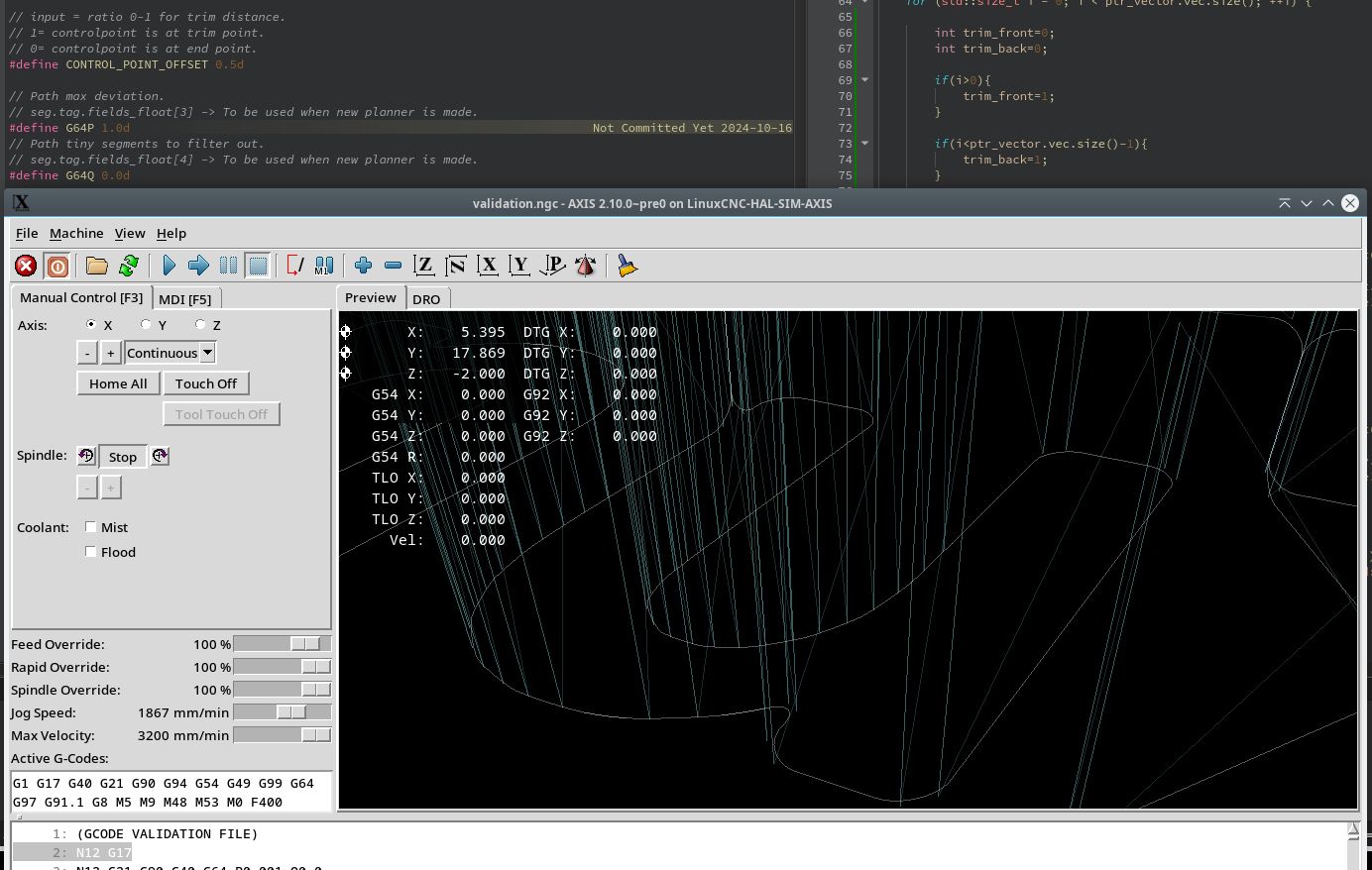
Ok, Then finally :


The vertical lines are for testing. It are spline control points. I had to visualize them to track the previous error.
Ok for now this is looking better.

The following user(s) said Thank You: akb1212, tommylight, Lcvette, Aciera, Darium

Please Log in or Create an account to join the conversation.

More
2 years 2 weeks ago #312296 by Lcvette
Replied by Lcvette on topic linuxcnc trajectory planner
nice! yeah not sure how to get around linuxcnc applying the G64 rules pre optimizer. may need something edited during initial load?
The following user(s) said Thank You: Grotius

Please Log in or Create an account to join the conversation.

More
2 years 2 weeks ago #312303 by Grotius
Replied by Grotius on topic linuxcnc trajectory planner
Hi Lcvette,

I didn't know linuxcnc would do this. When coding and testing i got my head scratched and thought : alien obstruction image missing /media/kunena/emoticons/devil.png

not sure how to get around linuxcnc applying the G64 rules pre optimizer
Yes, indeed. We are screwed. image missing /media/kunena/emoticons/unsure.png

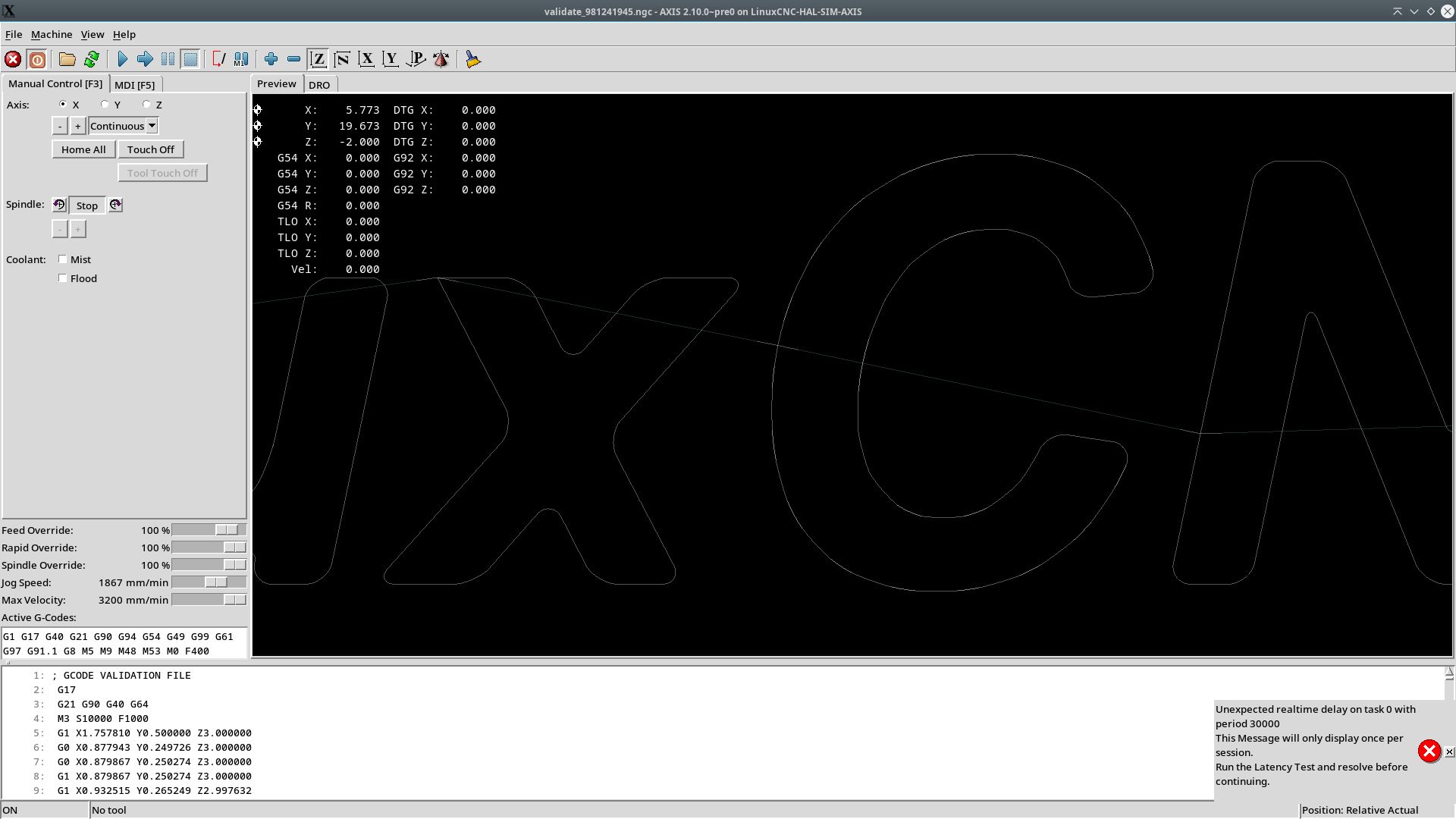
Tested this in top off a linuxcnc gcode file :
G64 P10 Motion blending tolerance
G61 Exact Path Mode
This then resolves the issue.

Wich means this is not applied :
when the maximum deviation of an arc from a straight line is less than the G64 Q- tolerance, the arc is broken into two lines (from start of arc to midpoint, and from midpoint to end).

Another error i was getting:
"same Y word..".
Cause, when running the "validation.ngc" file, when start is pressed, the file overwrites itself.
To avoid this, the filename now get a random number attached.

In the mean time, we learned a lot today.


The following user(s) said Thank You: akb1212, Lcvette, tiagounderground, Darium

Please Log in or Create an account to join the conversation.

Time to create page: 0.103 seconds
Powered by Kunena Forum