linuxcnc trajectory planner

More
2 years 1 week ago - 2 years 1 week ago #312687 by Aciera
Replied by Aciera on topic linuxcnc trajectory planner
Just occured to me that you maybe missed that the error message is not about 'motion.so' anymore but about 'liblinuxcnchal.so.0'.

Code:
motmod: dlopen: liblinuxcnchal.so.0: cannot open shared object file: No such file or directory

[edit]

The file does exist in the usual place so maybe a path issue somewhere:
Code:
user@user-iMac:~/linuxcnc_trajectory_planner$ find ./ -name liblinuxcnchal.* ./lib/liblinuxcnchal.so.0 ./lib/liblinuxcnchal.so
Last edit: 2 years 1 week ago by Aciera.
The following user(s) said Thank You: Grotius

Please Log in or Create an account to join the conversation.
More
2 years 1 week ago - 2 years 1 week ago #312721 by Aciera
Replied by Aciera on topic linuxcnc trajectory planner
I think I may have found the underlying issue, something in the installation process of your repo seems to point motion.so to the 'lib' directory in the root folder (ie where a deb install would put them). Since I only have rip installs on this machine the 'lib' directory in my rootfolder (ie /lib) contains nothing related to linuxcnc (eg there is no ' liblinuxcnchal.so.0' in root/lib/)

As a test I copied it into the root/lib folder:
Code:
user@user-iMac:~/linuxcnc_trajectory_planner/lib$ sudo cp liblinuxcnchal.so.0 /lib

and ran 'build.sh'. There is no longer an error about 'liblinuxcnchal.so.0' but about another one:
Code:
motmod: dlopen: libClothoids.so.3: cannot open shared object file: No such file or directory

If I now also copy that one to the root/lib directory and run ./build.sh I can start the config.

So how would I now make it load the gcode file through the optimizer? Everything looks just like it always does.
Last edit: 2 years 1 week ago by Aciera.
The following user(s) said Thank You: Grotius

Please Log in or Create an account to join the conversation.
More
2 years 1 week ago #312723 by Aciera
Replied by Aciera on topic linuxcnc trajectory planner
Just noticed this looks a bit odd:
Code:
Install the project... -- Install configuration: "" -- Up-to-date: /home/user/linuxcnc_trajectory_planner/cmake/motion/../../rtlib/motmod.so -- Up-to-date: /home/user/linuxcnc_trajectory_planner/cmake/planner/../../rtlib/tpmod.so
I guess this is what made you comment that the install does not work?
The following user(s) said Thank You: Grotius

Please Log in or Create an account to join the conversation.

More
2 years 1 week ago #312727 by Grotius
Replied by Grotius on topic linuxcnc trajectory planner
Hi Arciera,

Nice you can start lcnc now.

So how would I now make it load the gcode file through the optimizer? Everything looks just like it always does.
Start lcnc with open terminal, so you can verify the optimized gcode file is written trough the terminal output.
The gcode is optimized when you press the program run button.
This then starts the optimizer and saves a file in the ~/linuxcnc_trajectory_planner/cmake directory, named validate_xx.ngc. xx=random integer value.

Best worked for me is use a gcode file included a G64 P5 Q0. Then in next line a G61.

Then load the new produced file, and verify content.

I guess this is what made you comment that the install does not work?
Yes that is wrong filepath. The relative attached path"../../rtlib/motmod.so" is ok.


I think I may have found the underlying issue, something in the installation process of your repo seems to point motion.so to the 'lib' directory in the root folder (ie where a deb install would put them).
Maybe, the system would find them always in root lib dirs. I can remember me doing a "export" terminal command adding a
search dir to the system. Something like "sudo ldconfig".

In the link you can set your settings for the G64 P & Q values. With some more settings.
This is now compiled as fixed. To avoid confusion for me in earlyer stages of writing and testing the code.
Link

Good luck. I hope you can get something out. image missing /media/kunena/emoticons/cool.png


The following user(s) said Thank You: Aciera

Please Log in or Create an account to join the conversation.

More
2 years 1 week ago #312737 by Aciera
Replied by Aciera on topic linuxcnc trajectory planner
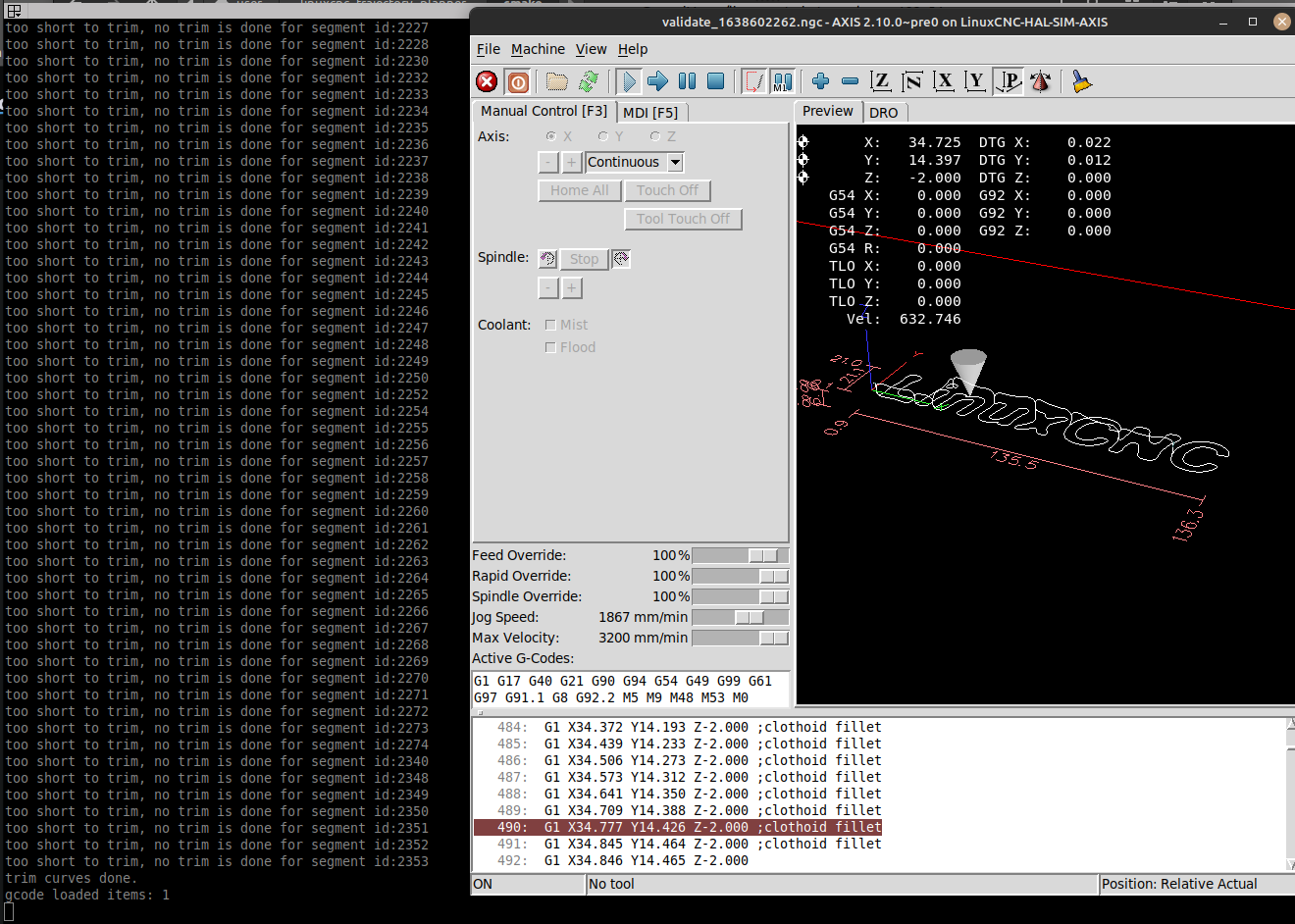
Ok, so just so we are on the same page, here is what I get.

It creates the validate_<...>.ngc :
Code:
gcode loaded items: 1 gcode loaded items: 44 gcode loaded items: 135 gcode ready to be processed in thread. set your gui maxvel to zero. Then the machine won't move when saving the gcode. init curves done. trim curves done. added inbetween segments:178 Gcode file ready, filename:../../../cmake/validate_1048567314.ngc thread completed. vector pointer is not valid. vector pointer is not valid.

Not sure if 'vector pointer is not valid' is a problem but I notice that when I run the created file it gets hung up after having run the first maybe 500 lines (this changes from one try to another). At this point linuxcnc cannot be recovered and has to be restarted.


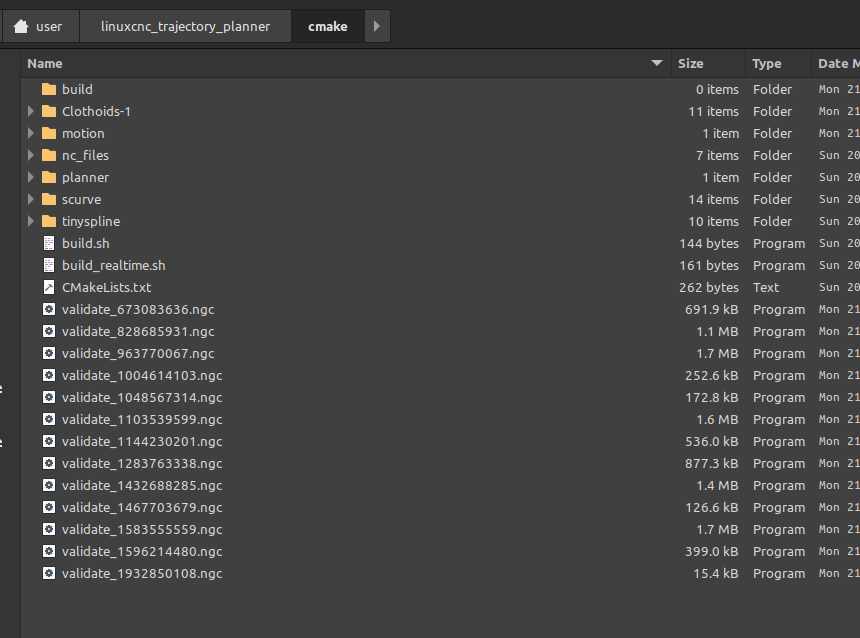
Meanwhile more validate_<...>.ngc files have been created:


Are you seeing these hangups as well?
The following user(s) said Thank You: Grotius

Please Log in or Create an account to join the conversation.

More
2 years 1 week ago - 2 years 1 week ago #312738 by Aciera
Replied by Aciera on topic linuxcnc trajectory planner

 At this point linuxcnc cannot be recovered and has to be restarted


Correction: If I wait long enough after hitting the 'Stop program execution' button it does actually stop the program and the GUI is responsive again but loading another ngc file (not even running it) makes it hang again.

termial output:

Code:
USRMOT: ERROR: command 53 timeout USRMOT: ERROR: command 53 timeout USRMOT: ERROR: command 53 timeout USRMOT: ERROR: command 53 timeout USRMOT: ERROR: command 53 timeout USRMOT: ERROR: command 53 timeout USRMOT: ERROR: command 53 timeout USRMOT: ERROR: command 53 timeout USRMOT: ERROR: command 53 timeout USRMOT: ERROR: command 53 timeout USRMOT: ERROR: command 53 timeout USRMOT: ERROR: command 53 timeout USRMOT: ERROR: command 53 timeout USRMOT: ERROR: command 53 timeout USRMOT: ERROR: command 53 timeout USRMOT: ERROR: command 53 timeout USRMOT: ERROR: command 1 timeout USRMOT: ERROR: command 53 timeout USRMOT: ERROR: command 53 timeout USRMOT: ERROR: command 53 timeout USRMOT: ERROR: command 53 timeout USRMOT: ERROR: command 53 timeout USRMOT: ERROR: command 53 timeout USRMOT: ERROR: command 53 timeout USRMOT: ERROR: command 53 timeout USRMOT: ERROR: command 53 timeout USRMOT: ERROR: command 53 timeout USRMOT: ERROR: command 53 timeout USRMOT: ERROR: command 53 timeout USRMOT: ERROR: command 53 timeout USRMOT: ERROR: command 53 timeout USRMOT: ERROR: command 53 timeout USRMOT: ERROR: command 53 timeout USRMOT: ERROR: command 1 timeout USRMOT: ERROR: command 38 timeout task: main loop took 35.003955 seconds USRMOT: ERROR: command 11 timeout task: main loop took 1.001118 seconds


Last edit: 2 years 1 week ago by Aciera.
The following user(s) said Thank You: Grotius

Please Log in or Create an account to join the conversation.

Time to create page: 0.098 seconds
Powered by Kunena Forum
