
- Posts: 1682
- Thank you received: 784
A Widescreen Blender-Style Interface
- Lcvette
- Offline
- Platinum Member
-

Less
More
8 years 3 months ago #113975
by Lcvette
Replied by Lcvette on topic A Widescreen Blender-Style Interface
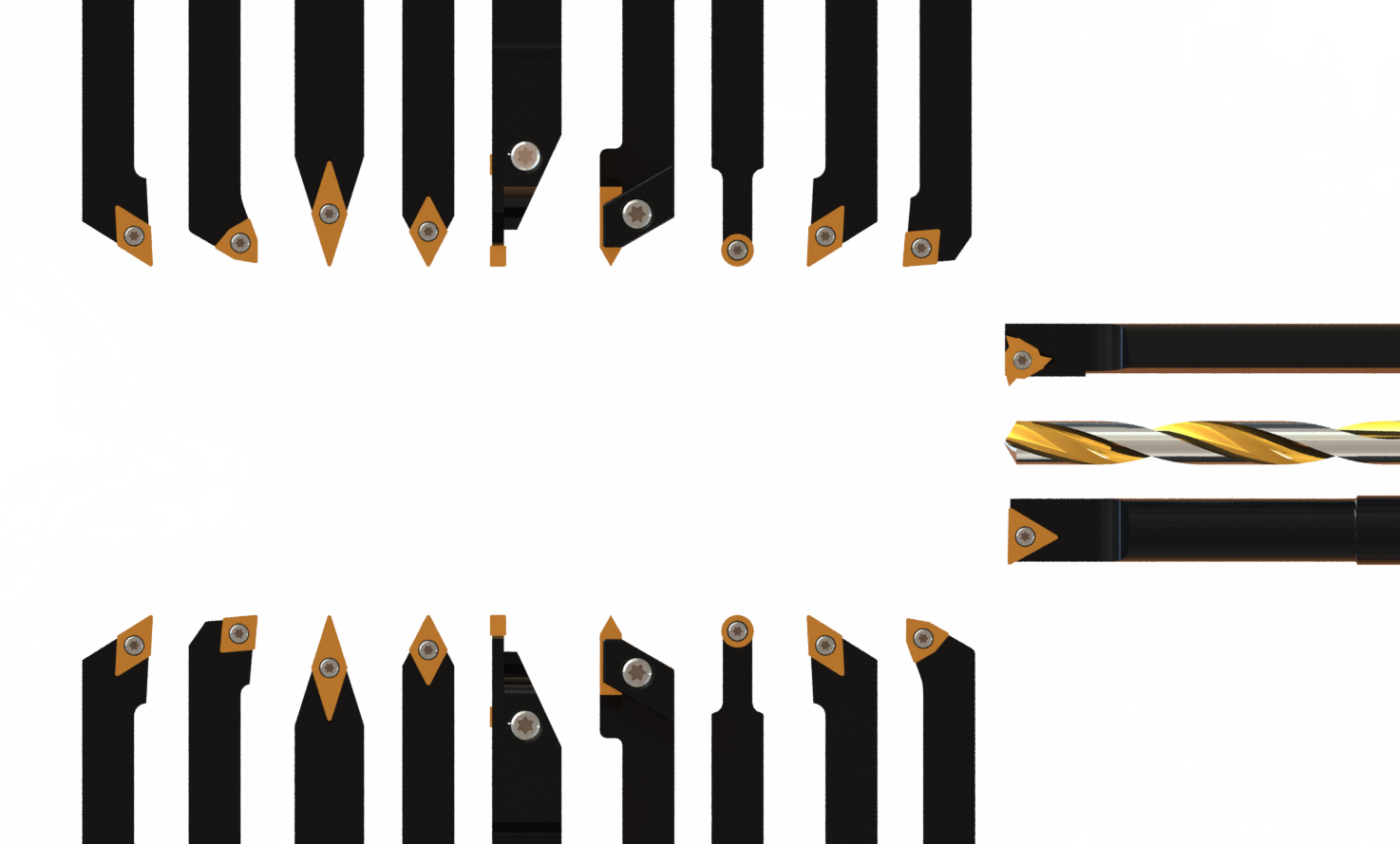
I am unclear at this point how you want to use the graphics but I continued anyway because eventually someone will use them so they are up for use and hopefully will help move things forward, these are not all by any means but are a good start and I will work on more as time is available. tools I know are still needed are grooving tools, some miscellaneous 35* odd angled diamond tools, some neutral diamond tools and i'm sure several more, but here are most of whats available in your average run of the mill starter sets plus a few highly desirable additions. this is a png image.
The following user(s) said Thank You: KCJ, BrendaEM
Please Log in or Create an account to join the conversation.
- BrendaEM
- Offline
- Elite Member
-

Less
More
- Posts: 266
- Thank you received: 120
8 years 3 months ago - 8 years 3 months ago #113976
by BrendaEM
Replied by BrendaEM on topic A Widescreen Blender-Style Interface
Lcvette, those look great.
I think a large part of the issue we had was terminology. There should be a setting for orientation ( for setting the tool position) : )
A few posts back, I proposed that we have a few sets of drawings that include sets for both for tapered ATC tools, and collet tools, if their datum/ordinate zero point is different, or just because it might make you happy : )
I just don't want to make too much work for the person making tool diagrams.
I am pretty fixed to the idea of having tool drawings with lettered dimensions, referring to the table variables. I want user to able to add their own drawings for odd tools, without having to redesign the interface for a new tool.
I think a large part of the issue we had was terminology. There should be a setting for orientation ( for setting the tool position) : )
A few posts back, I proposed that we have a few sets of drawings that include sets for both for tapered ATC tools, and collet tools, if their datum/ordinate zero point is different, or just because it might make you happy : )
I just don't want to make too much work for the person making tool diagrams.
I am pretty fixed to the idea of having tool drawings with lettered dimensions, referring to the table variables. I want user to able to add their own drawings for odd tools, without having to redesign the interface for a new tool.
Last edit: 8 years 3 months ago by BrendaEM.
Please Log in or Create an account to join the conversation.
- Lcvette
- Offline
- Platinum Member
-
Less
More
- Posts: 1682
- Thank you received: 784
8 years 3 months ago #113978
by Lcvette
Replied by Lcvette on topic A Widescreen Blender-Style Interface
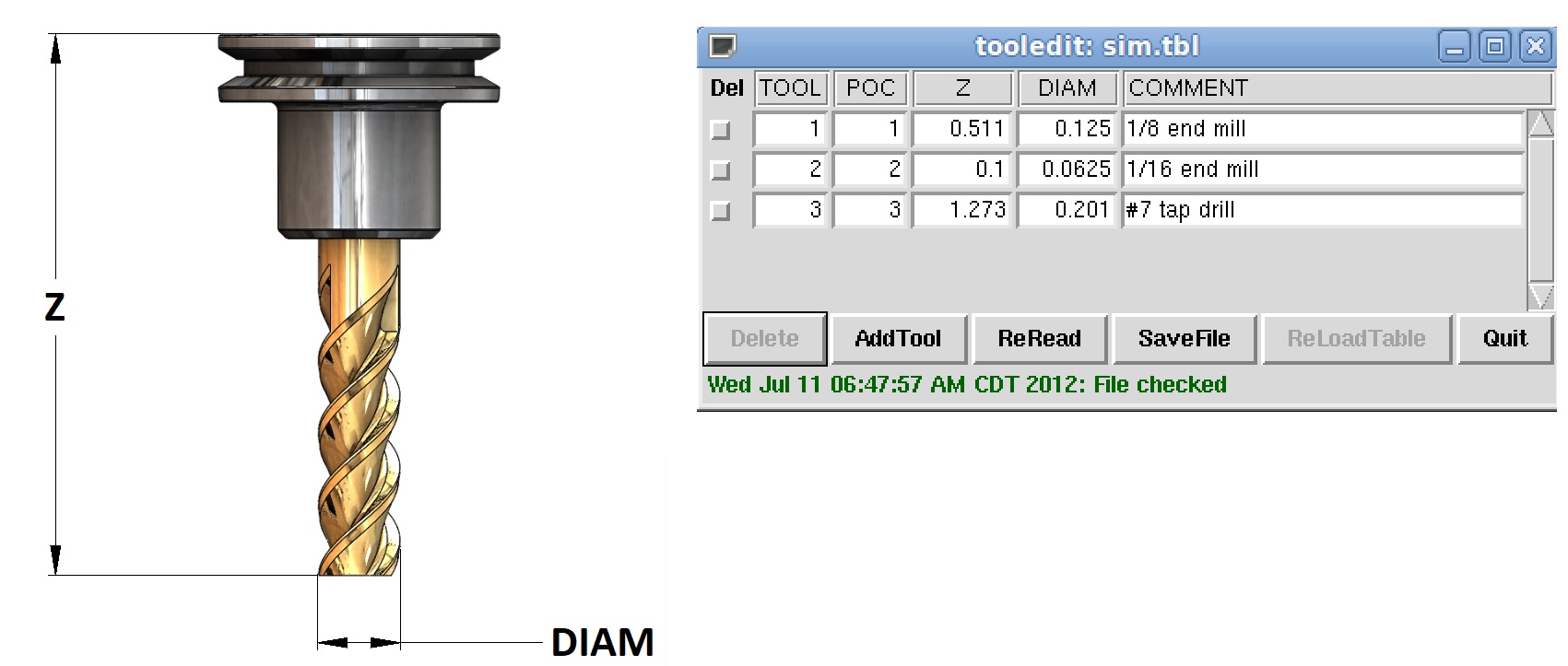
The Mill Tool Table is very basic, I made it just like the table was, see below image:
The following user(s) said Thank You: KCJ, BrendaEM
Please Log in or Create an account to join the conversation.
- BrendaEM
- Offline
- Elite Member
-
Less
More
- Posts: 266
- Thank you received: 120
8 years 3 months ago - 8 years 3 months ago #113980
by BrendaEM
Replied by BrendaEM on topic A Widescreen Blender-Style Interface
I will put a POC thing on the Tool Menu.
It's position on changer, isn't it?
BTW, there was a "Progress Report" a page back, with a full thumbnail set. : )
It's position on changer, isn't it?
BTW, there was a "Progress Report" a page back, with a full thumbnail set. : )
Last edit: 8 years 3 months ago by BrendaEM.
The following user(s) said Thank You: Lcvette, KCJ
Please Log in or Create an account to join the conversation.
- AnnoyingMutt
- Visitor
-

8 years 3 months ago #113985
by AnnoyingMutt
Replied by AnnoyingMutt on topic A Widescreen Blender-Style Interface
What kind a license has this project, I don't recall it being stated.
Please Log in or Create an account to join the conversation.
- Lcvette
- Offline
- Platinum Member
-
Less
More
- Posts: 1682
- Thank you received: 784
8 years 3 months ago #113987
by Lcvette
Replied by Lcvette on topic A Widescreen Blender-Style Interface
I think I understand what you are saying now, you are thinking to just show the tool measurement beneath the "collet" because the router has the er collet as its spindle....
here is why i think that is a bad idea, its one of those situations where it goes one way ok but not the other..iots fine if you have an er collet router spindle... but could cause some big issues if you don't.
if someone new to cnc with a TTS type tool holder sees that and isn't quite clear on what they are doing yet and starts measuring tools the way you want it displayed, but has an er16 tool holder and an er20 tool holder which are different lengths, even though they measure the tools from the er collet nut down, the over all tool length offsets will be wrong. there are many method to measure tools for holder users. some of these methods are offline not on a machine. this is where problems might arise and crashes that could damage the machine or cause harm could come into play. especially someone starting out who may not have the correct tools to measure and may be using calipers or something they really shouldn't be anyhow. I don't think that's a wise idea, as it is going to almost certainly break tools and ruin work pieces at the very least.
the spindle gauge line is ALWAYS the measuring point because its the fixed location on the z axis that never moves and remains constant.
my second argument would be that not all routers have an er collet spindle, so making a "Router" graphic specifically that way wouldn't technically be correct either. many routers have iso20 or bt30 spindles.
Iast, even those with ER collet spindles at least my friends who run them most have adopted some method to try and repeat the tool heights when mounting the tools whether its a collar on the tool or by going to an upgraded spindle taper.
those who are die hard ER collet users and don't upgrade generally use a touch plate of sorts to do an auto touch off after changing the tool which then records the new tool length offset and off they go. in this case, the Z height isn't entered manually to my knowledge or if it is the number is only used as a close estimate.
here is why i think that is a bad idea, its one of those situations where it goes one way ok but not the other..iots fine if you have an er collet router spindle... but could cause some big issues if you don't.
if someone new to cnc with a TTS type tool holder sees that and isn't quite clear on what they are doing yet and starts measuring tools the way you want it displayed, but has an er16 tool holder and an er20 tool holder which are different lengths, even though they measure the tools from the er collet nut down, the over all tool length offsets will be wrong. there are many method to measure tools for holder users. some of these methods are offline not on a machine. this is where problems might arise and crashes that could damage the machine or cause harm could come into play. especially someone starting out who may not have the correct tools to measure and may be using calipers or something they really shouldn't be anyhow. I don't think that's a wise idea, as it is going to almost certainly break tools and ruin work pieces at the very least.
the spindle gauge line is ALWAYS the measuring point because its the fixed location on the z axis that never moves and remains constant.
my second argument would be that not all routers have an er collet spindle, so making a "Router" graphic specifically that way wouldn't technically be correct either. many routers have iso20 or bt30 spindles.
Iast, even those with ER collet spindles at least my friends who run them most have adopted some method to try and repeat the tool heights when mounting the tools whether its a collar on the tool or by going to an upgraded spindle taper.
those who are die hard ER collet users and don't upgrade generally use a touch plate of sorts to do an auto touch off after changing the tool which then records the new tool length offset and off they go. in this case, the Z height isn't entered manually to my knowledge or if it is the number is only used as a close estimate.
The following user(s) said Thank You: KCJ
Please Log in or Create an account to join the conversation.
Time to create page: 0.293 seconds