
- Posts: 286
- Thank you received: 113
Ethercat HAL driver
- CORBETT
- Offline
- Elite Member
-

Less
More
6 years 5 months ago #168552
by CORBETT
Replied by CORBETT on topic Ethercat HAL driver
Ok excellent. I have been to the areas you have screenshots of and mine was not making counts, so I need to focus on resetting the terminal. I will work on this tonight, thanks for sending me in the right direction.
Thanks,
Robert
Thanks,
Robert
- CORBETT
- Offline
- Elite Member
-
Less
More
- Posts: 286
- Thank you received: 113
6 years 5 months ago #168558
by CORBETT
Replied by CORBETT on topic Ethercat HAL driver
@Chimeno
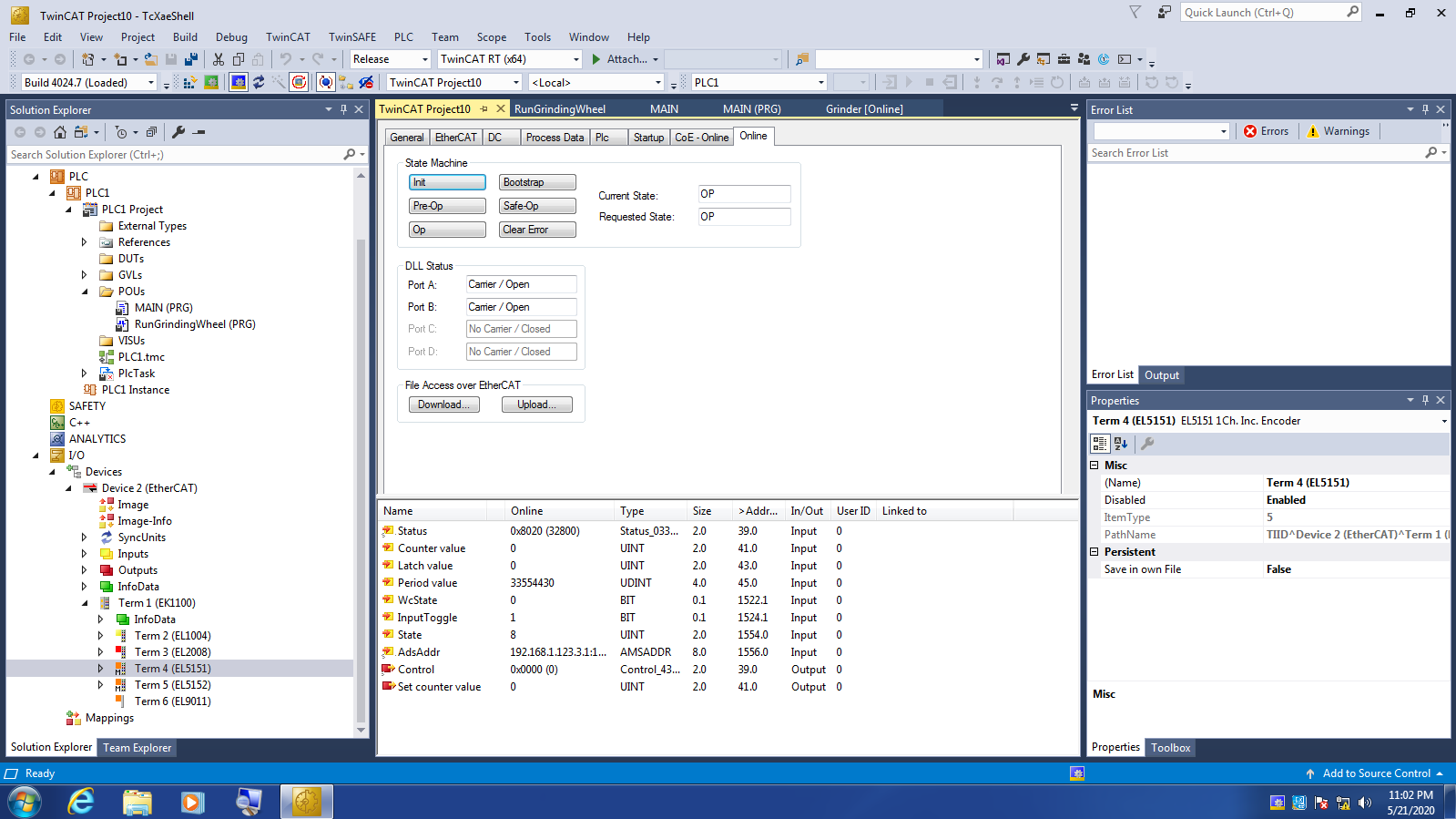
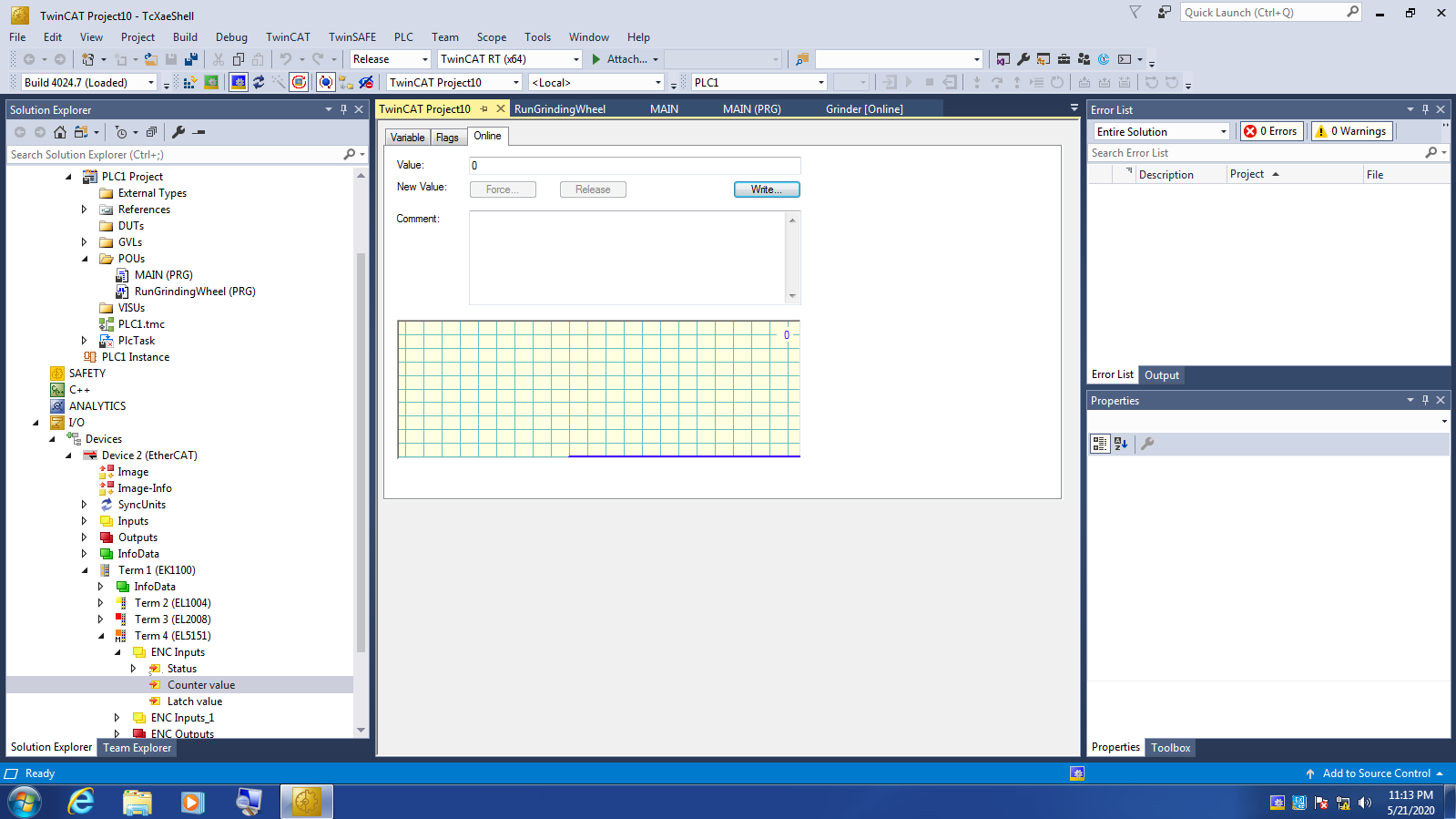
Things are not looking good for me.... I did everything as you listed to reset the terminal and I am still getting 0 for the counter value as you can see in the attached screenshot. By the way, your list was perfect as it worked exactly as you stated:
1 - "ethercat" tab of the device
2 - "advanced settings" tab
3 - "ESC ACCESS" tab
4 - "EPROM" tab
5 - "HEX EDITOR" tab
6 - "download from list" tab
7 - select the device
8 - "Ok" ... recording image.
After selecting the correct model number device and hitting OK, you could see the bar pop up at the bottom of the screen and it would fill up green as it was downloading to the terminal. It did this twice, and the second time was pretty quick. Then the box would disappear and I didn't get any errors in the "errors" box after the process. I did both the EL5151and 52 with no change to either afterwards when going online and checking them out.
Do you have any other thoughts of what to try next?
Thanks,
Robert
Things are not looking good for me.... I did everything as you listed to reset the terminal and I am still getting 0 for the counter value as you can see in the attached screenshot. By the way, your list was perfect as it worked exactly as you stated:
1 - "ethercat" tab of the device
2 - "advanced settings" tab
3 - "ESC ACCESS" tab
4 - "EPROM" tab
5 - "HEX EDITOR" tab
6 - "download from list" tab
7 - select the device
8 - "Ok" ... recording image.
After selecting the correct model number device and hitting OK, you could see the bar pop up at the bottom of the screen and it would fill up green as it was downloading to the terminal. It did this twice, and the second time was pretty quick. Then the box would disappear and I didn't get any errors in the "errors" box after the process. I did both the EL5151and 52 with no change to either afterwards when going online and checking them out.
Do you have any other thoughts of what to try next?
Thanks,
Robert
- theshade
- Offline
- Junior Member
-

Less
More
- Posts: 29
- Thank you received: 5
6 years 5 months ago - 6 years 5 months ago #168587
by theshade
Replied by theshade on topic Ethercat HAL generic on raspberry 4 rt (working with beckhoff)
Dear @Chimeno,
I am still a little lost I think. I received the drives this morning and loaded the ECT60 description file in TWINCAT and I have managed to move the motors using the NC so this is good.
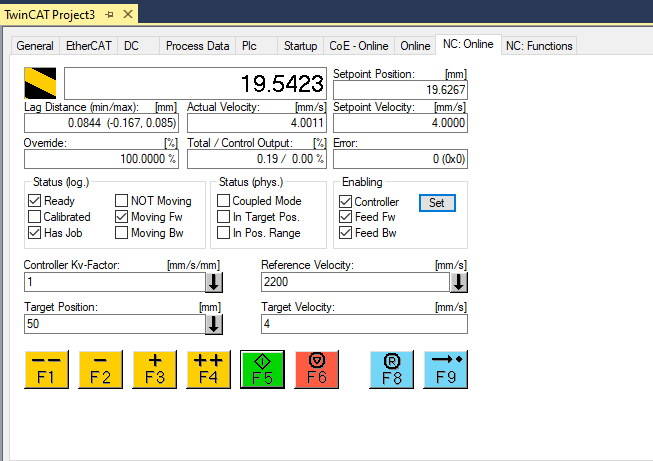
And I have a working config and pdo in twincat. It curently uses CSP (cyclic dynamic position mode). I tried to change to PP but it doesn't work when I do....
Now when I export the "startup" which is much more full of data...
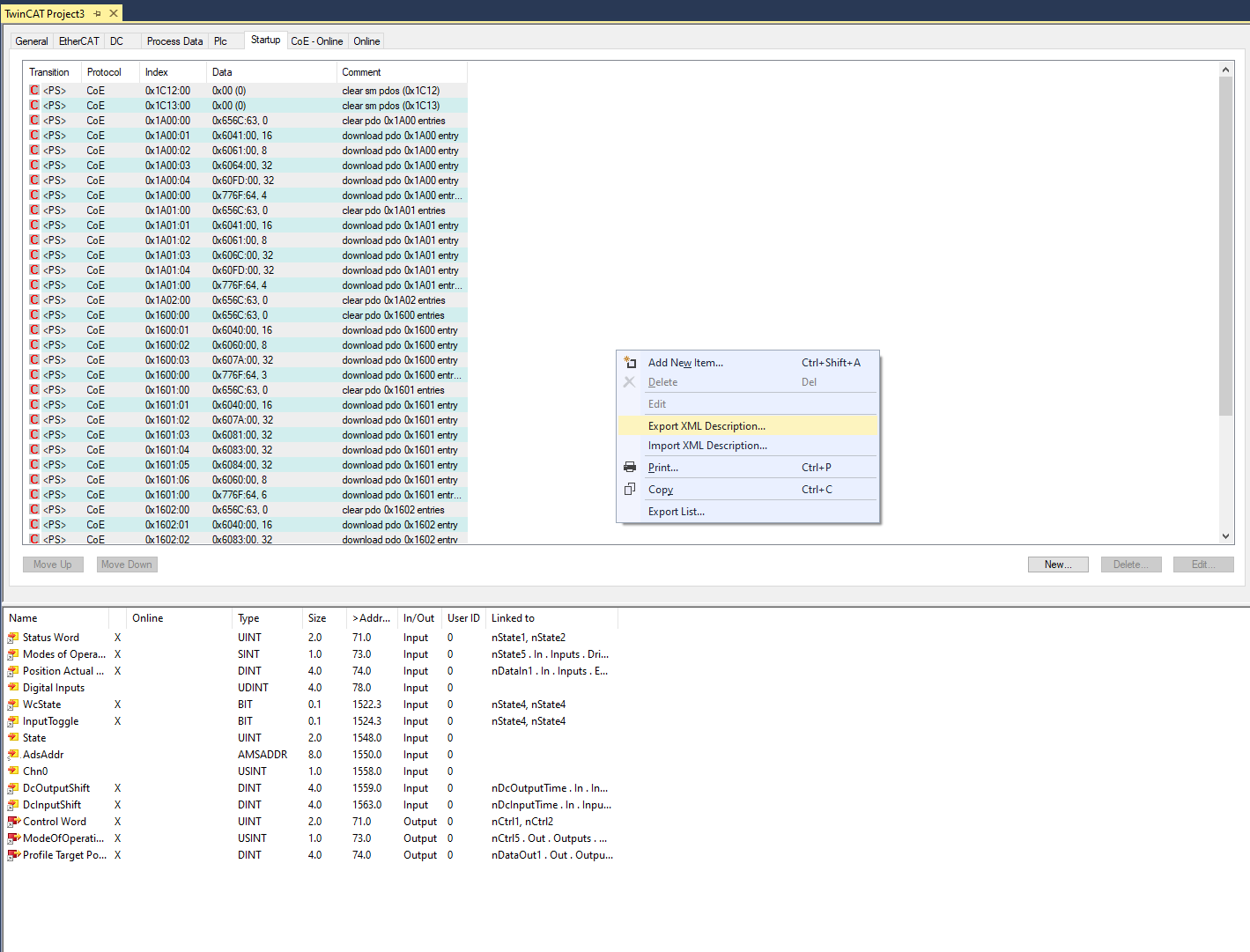
it saves a very generic file with almost no info:
test.xml
So I don't yet understand what I should export in xml from twincat..
Also I don't know how to export pdo's there is no export to xml in this window...
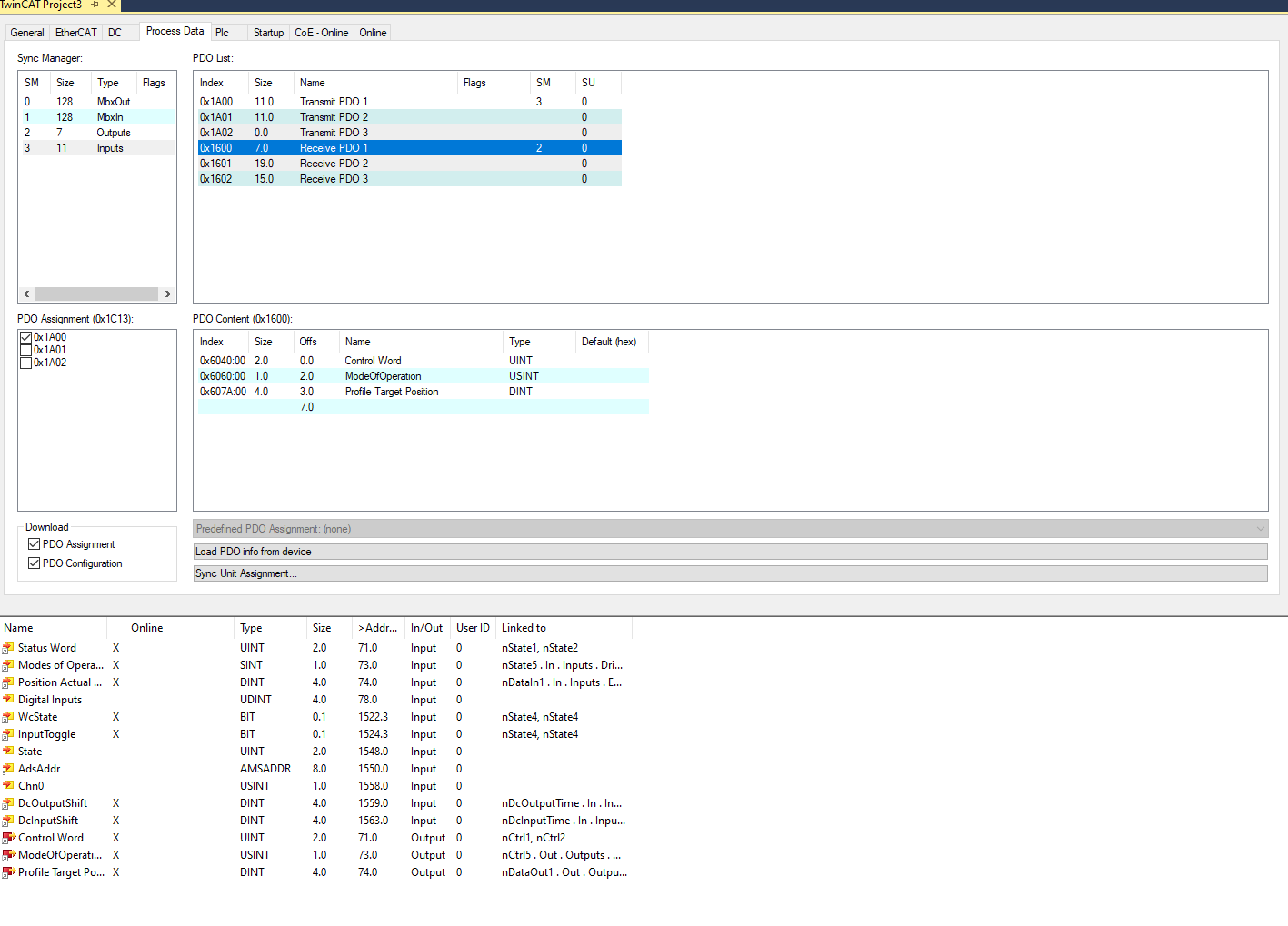
Sorry I can't understand what I need to do to export the two xml files from twincat...
I guess one is for PDOs and one for startup config.
1. Do I need to write the files by hand because export from twincat doesn't seem to work? Did you write the example files you sent me manually?
2. or how did you export them from twincat? Maybe I missunderstood and twincat is only for experimenting on the settings.
Thank you again so much in advance and sorry for being slow to understand.
So I edited manually the .xml from my current understanding:
I only added the PDO with SM2 and SM3... I don't know really know if the others pdo idx are useful, nor the reason they exist in twincat.
So I loaded this xml in linuxcnc and after a few trials I still do get errors which are probably due to the fact that I don't really know what to put in the DC sync config and ref clock sync cycles...
In twincat it seems to work at 2000us...
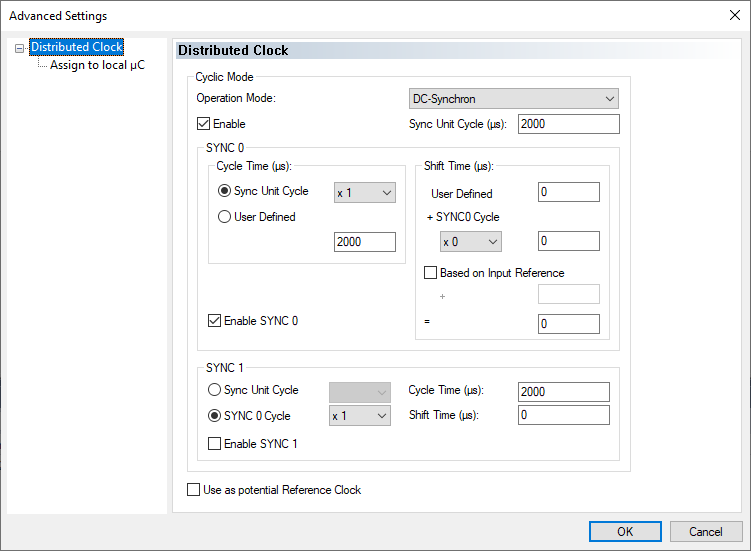
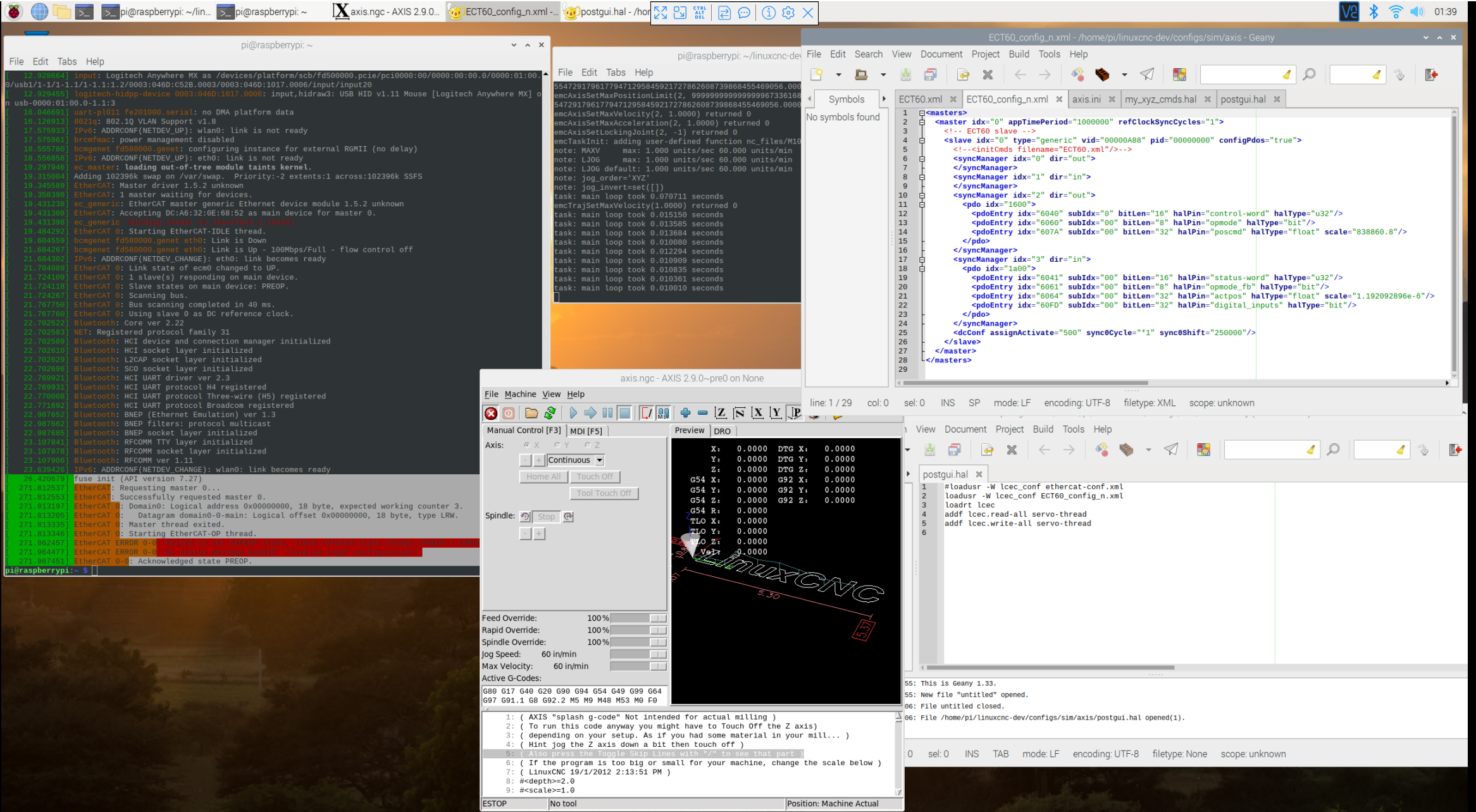
So I changed to:
<master idx="0" appTimePeriod="1000000" refClockSyncCycles="5">
<dcConf assignActivate="500" sync0Cycle="2000000" sync0Shift="1000000"/>
according to the thread here:
forum.linuxcnc.org/38-general-linuxcnc-q...rcat-sync-dc-problem
but then I get this:
[ 2350.778194] EtherCAT WARNING: Datagram e64197b9 (master-fsm) was SKIPPED 1 time.
[ 2385.334576] EtherCAT: Requesting master 0...
[ 2385.334592] EtherCAT: Successfully requested master 0.
[ 2385.335248] EtherCAT 0: Domain0: Logical address 0x00000000, 18 byte, expected working counter 3.
[ 2385.335256] EtherCAT 0: Datagram domain0-0-main: Logical offset 0x00000000, 18 byte, type LRW.
[ 2385.335411] EtherCAT 0: Master thread exited.
[ 2385.335422] EtherCAT 0: Starting EtherCAT-OP thread.
[ 2385.335562] EtherCAT WARNING 0: 1 datagram UNMATCHED!
[ 2385.494210] EtherCAT ERROR 0-0: Failed to set SAFEOP state, slave refused state change (PREOP + ERROR).
[ 2385.496263] EtherCAT ERROR 0-0: AL status message 0x001E: "Invalid input configuration".
[ 2385.500254] EtherCAT 0-0: Acknowledged state PREOP.
I am still a little lost I think. I received the drives this morning and loaded the ECT60 description file in TWINCAT and I have managed to move the motors using the NC so this is good.
And I have a working config and pdo in twincat. It curently uses CSP (cyclic dynamic position mode). I tried to change to PP but it doesn't work when I do....
Now when I export the "startup" which is much more full of data...
it saves a very generic file with almost no info:
test.xml
So I don't yet understand what I should export in xml from twincat..
Also I don't know how to export pdo's there is no export to xml in this window...
Sorry I can't understand what I need to do to export the two xml files from twincat...
I guess one is for PDOs and one for startup config.
1. Do I need to write the files by hand because export from twincat doesn't seem to work? Did you write the example files you sent me manually?
2. or how did you export them from twincat? Maybe I missunderstood and twincat is only for experimenting on the settings.
Thank you again so much in advance and sorry for being slow to understand.
So I edited manually the .xml from my current understanding:
I only added the PDO with SM2 and SM3... I don't know really know if the others pdo idx are useful, nor the reason they exist in twincat.
So I loaded this xml in linuxcnc and after a few trials I still do get errors which are probably due to the fact that I don't really know what to put in the DC sync config and ref clock sync cycles...
In twincat it seems to work at 2000us...
So I changed to:
<master idx="0" appTimePeriod="1000000" refClockSyncCycles="5">
<dcConf assignActivate="500" sync0Cycle="2000000" sync0Shift="1000000"/>
according to the thread here:
forum.linuxcnc.org/38-general-linuxcnc-q...rcat-sync-dc-problem
but then I get this:
[ 2350.778194] EtherCAT WARNING: Datagram e64197b9 (master-fsm) was SKIPPED 1 time.
[ 2385.334576] EtherCAT: Requesting master 0...
[ 2385.334592] EtherCAT: Successfully requested master 0.
[ 2385.335248] EtherCAT 0: Domain0: Logical address 0x00000000, 18 byte, expected working counter 3.
[ 2385.335256] EtherCAT 0: Datagram domain0-0-main: Logical offset 0x00000000, 18 byte, type LRW.
[ 2385.335411] EtherCAT 0: Master thread exited.
[ 2385.335422] EtherCAT 0: Starting EtherCAT-OP thread.
[ 2385.335562] EtherCAT WARNING 0: 1 datagram UNMATCHED!
[ 2385.494210] EtherCAT ERROR 0-0: Failed to set SAFEOP state, slave refused state change (PREOP + ERROR).
[ 2385.496263] EtherCAT ERROR 0-0: AL status message 0x001E: "Invalid input configuration".
[ 2385.500254] EtherCAT 0-0: Acknowledged state PREOP.
Last edit: 6 years 5 months ago by theshade. Reason: update
- chimeno
- Offline
- Elite Member
-
Less
More
- Posts: 295
- Thank you received: 125
6 years 5 months ago #168701
by chimeno
Replied by chimeno on topic Ethercat HAL driver
Hi @CORBETT
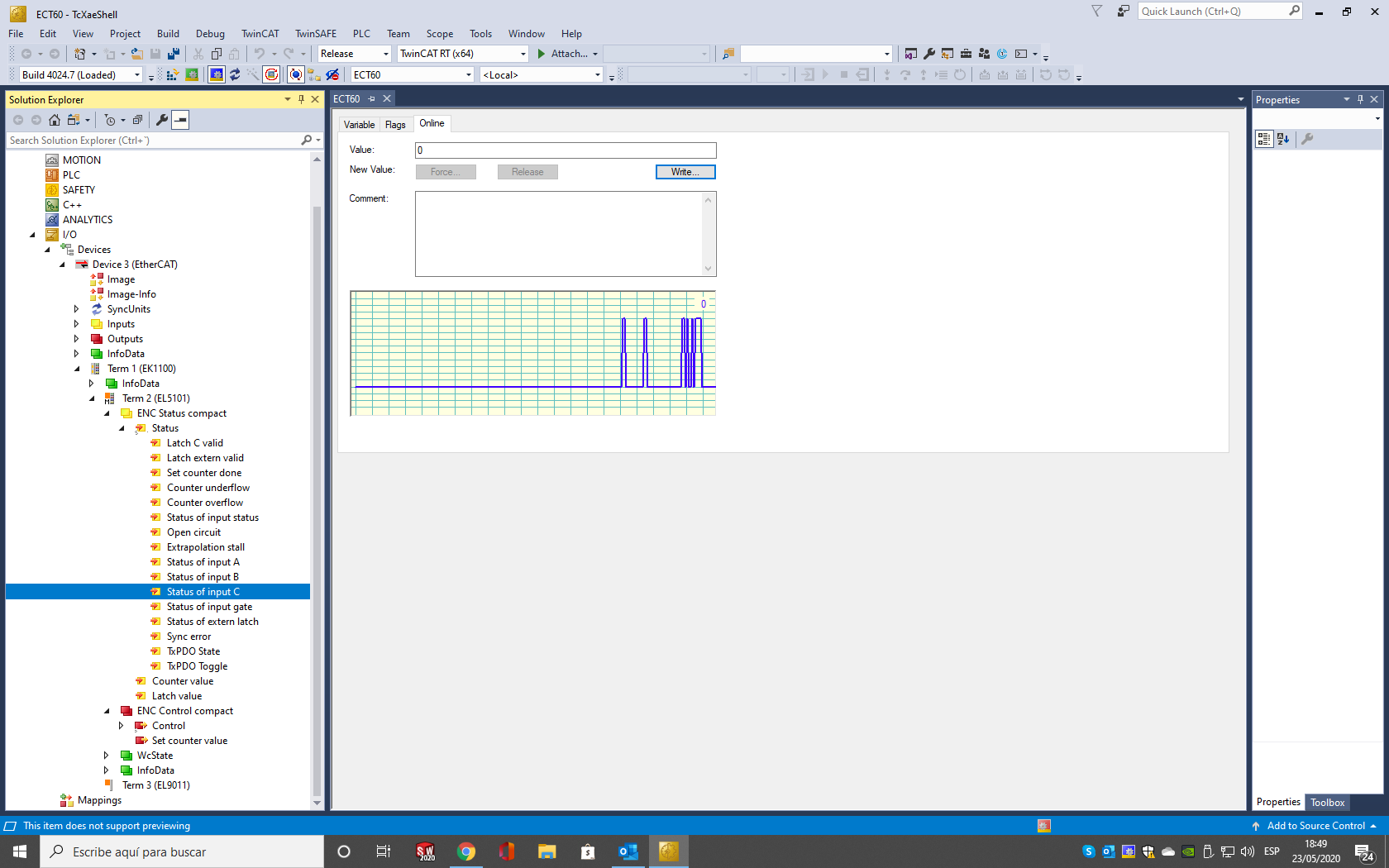
The device seems to be working properly and is in OP mode, that's good, have you connected an encoder to the A / B / C port? Could the encoder not work? Remove the encoder and place a cable making several contacts between the pins port C (pin4) + 24v (pin6), see as in the image that I enclose the status of port C, if this works surely you have the encoder in bad condition.
reguard
Chimeno
The device seems to be working properly and is in OP mode, that's good, have you connected an encoder to the A / B / C port? Could the encoder not work? Remove the encoder and place a cable making several contacts between the pins port C (pin4) + 24v (pin6), see as in the image that I enclose the status of port C, if this works surely you have the encoder in bad condition.
reguard
Chimeno
The following user(s) said Thank You: CORBETT
- chimeno
- Offline
- Elite Member
-
Less
More
- Posts: 295
- Thank you received: 125
6 years 5 months ago - 6 years 5 months ago #168703
by chimeno
Replied by chimeno on topic Ethercat HAL generic on raspberry 4 rt (working with beckhoff)
Hi @theshade
You are progressing a lot, I'm very happy !!
Can it works in another SM-MODE mode ?? no cal activate DC mode
Also check that the PID and VID are correct, you can get them from the terminal
Also check the PDOs that are correct with the terminal.
reguard
Chimeno
You are progressing a lot, I'm very happy !!
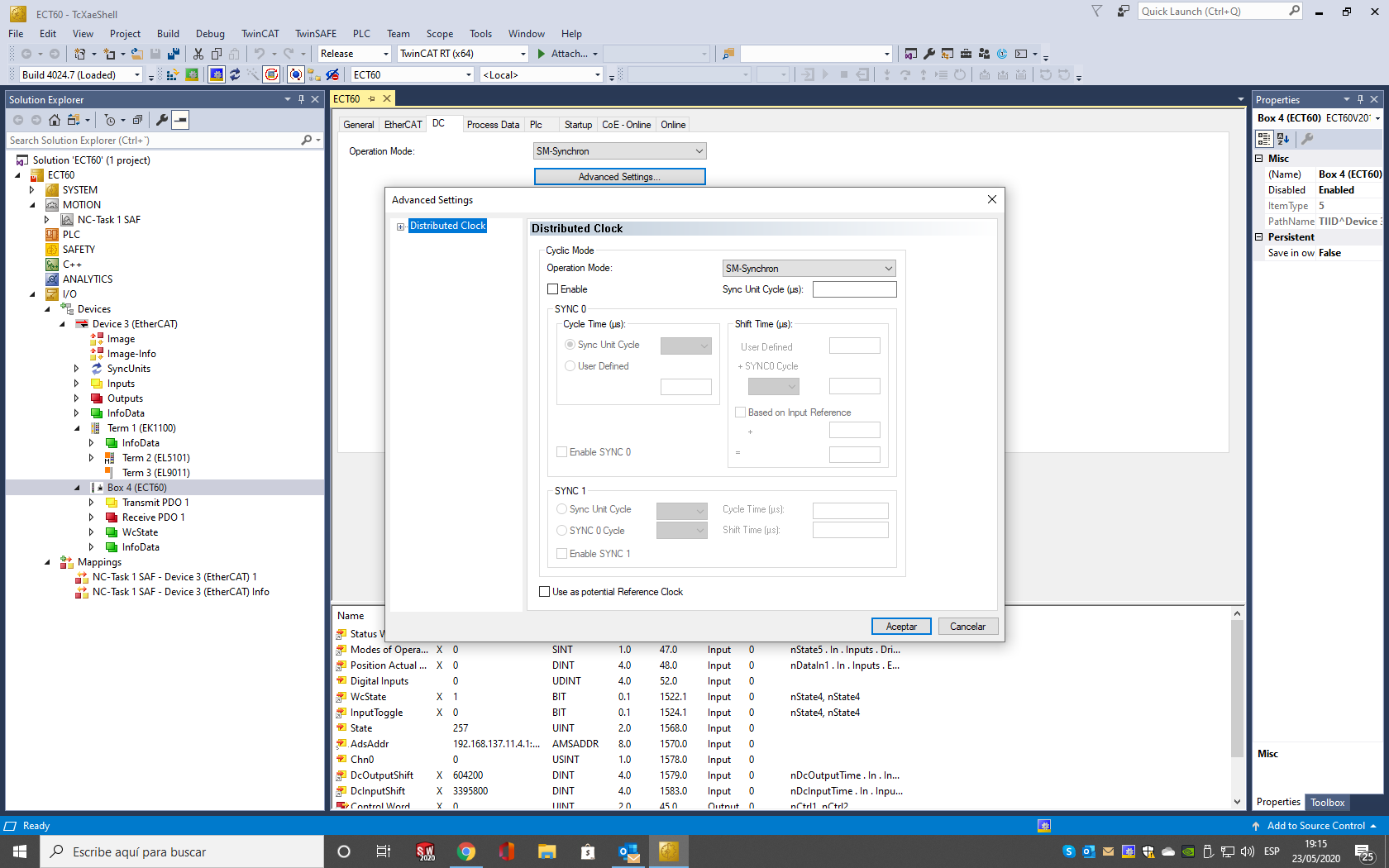
DC mode is sometimes a bit troublesome, try this configuration it helps.So I changed to:
<master idx="0" appTimePeriod="1000000" refClockSyncCycles="5">
<dcConf assignActivate="500" sync0Cycle="2000000" sync0Shift="1000000"/>
according to the thread here:
Code:
<master idx="0" appTimePeriod="1000000" refClockSyncCycles="1000">
<dcConf assignActivate="1000" sync0Cycle="*1" sync0Shift="0"/>
Can it works in another SM-MODE mode ?? no cal activate DC mode
Also check that the PID and VID are correct, you can get them from the terminal
Code:
ethercat slave -v
Also check the PDOs that are correct with the terminal.
Code:
ethercat pdos
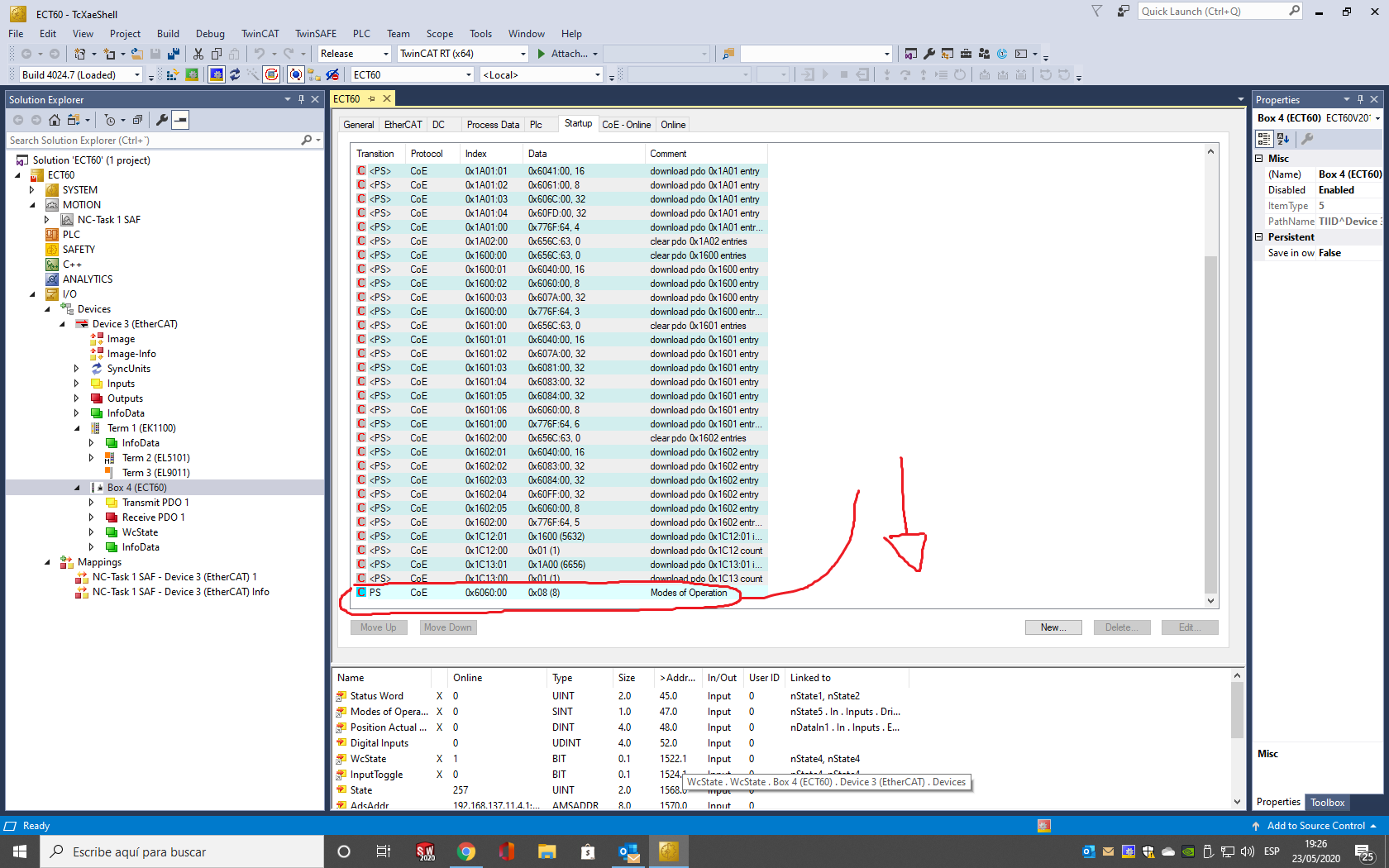
You just have to export the configuration that changes from the default, it is blue.it saves a very generic file with almost no info:
test.xml
This is an error in the PDO registry, some are not well defined[ 2385.496263] EtherCAT ERROR 0-0: AL status message 0x001E: "Invalid input configuration".
reguard
Chimeno
Last edit: 6 years 5 months ago by chimeno. Reason: Edit
- theshade
- Offline
- Junior Member
-
Less
More
- Posts: 29
- Thank you received: 5
6 years 5 months ago - 6 years 5 months ago #168711
by theshade
Replied by theshade on topic Ethercat HAL generic on raspberry 4 rt (working with beckhoff)
Hi @chimeno, most of my progress are thanks to you...
So I changed PID to
and ethercat pdo seem to match my xml except the 0x6040 and 0x6041 are 16bit but the haltype is u32
when I type ethercat xml I get the file here:
I don't know how to change DC mode but I changed the timings according to what you suggested and finally got this:
and the servo light is solid green so I think I am OP. I think this is all good news. but it doesn't seem to be able to sync...
So can you go to OP and not have a sync???
I don't know where to go next... but I went to HAL monitor and found that lcec.0.0.actpos was moving when I rotate the axis with my hand.
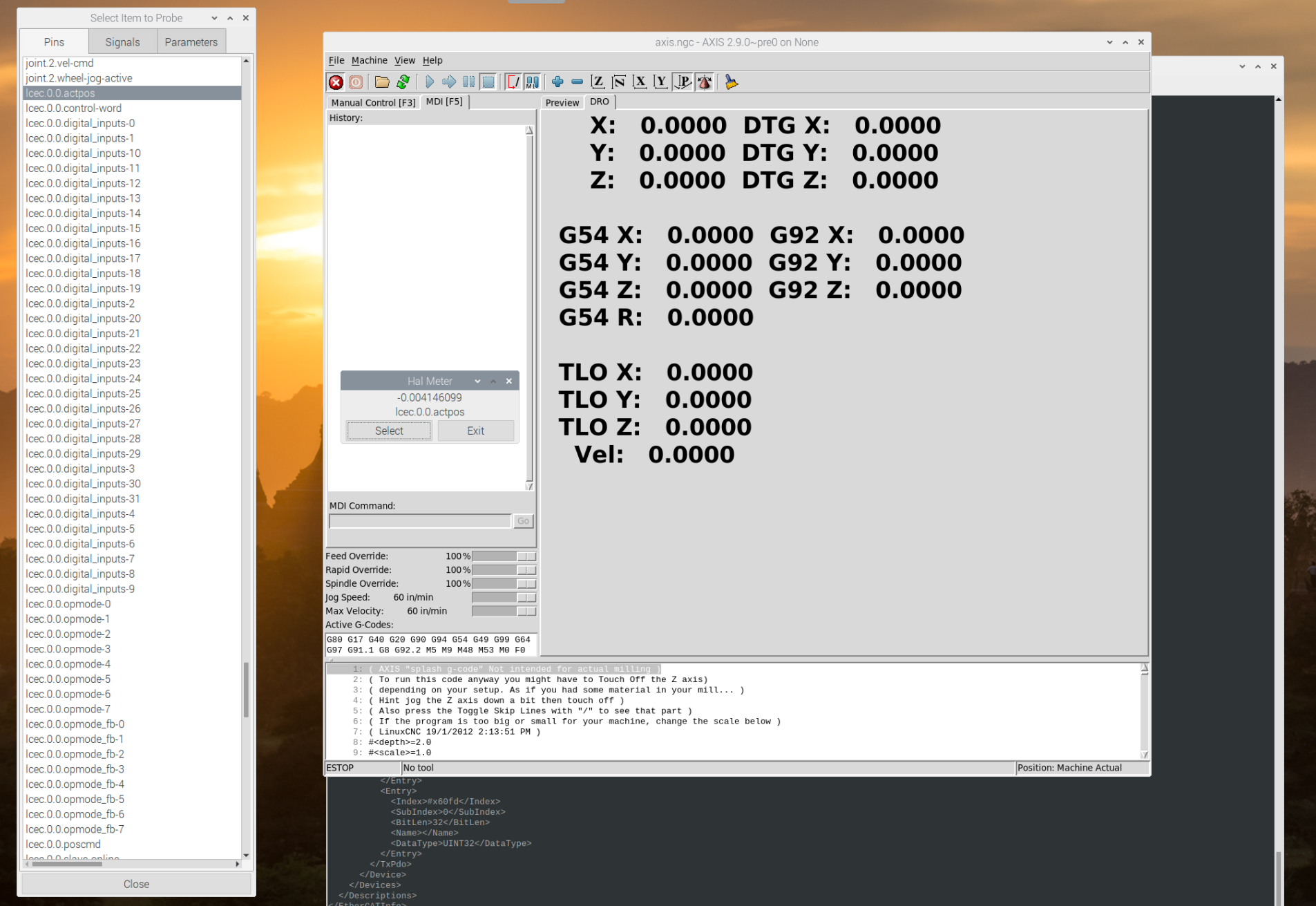
Probably I need to change my hal file. ( I only have 1 axis attached so far for testing)
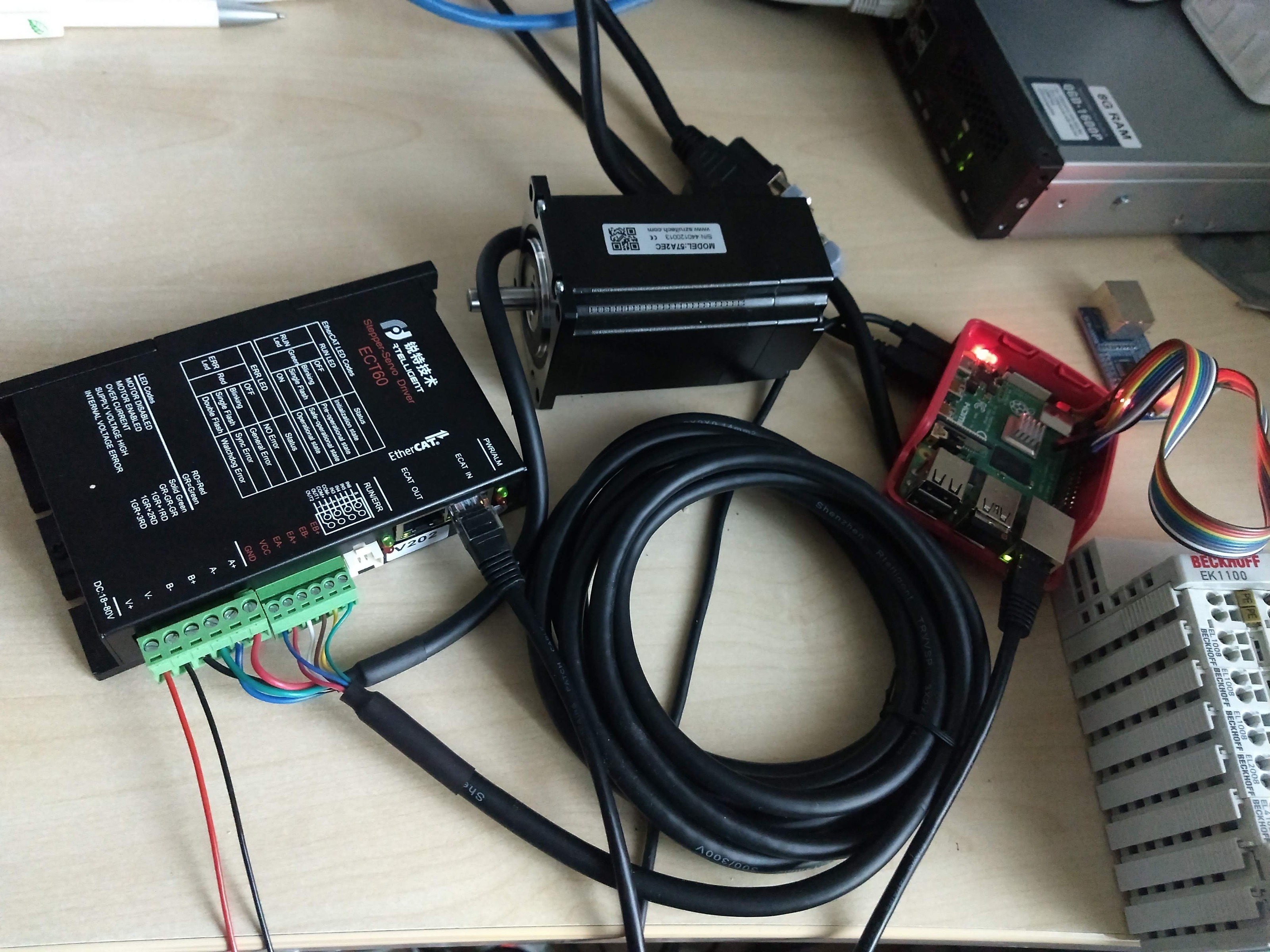
and I see there is a lcec.0.0.poscmd a bit lower but I don't really know how to give it a new position to have the motor move.
So I changed PID to
Code:
pi@raspberrypi:~ $ ethercat slave -v
=== Master 0, Slave 0 ===
Device: Main
State: OP
Flag: +
Identity:
Vendor Id: 0x00000a88
Product code: [b]0x0a880002[/b]
Revision number: 0x00000202
Serial number: 0x00000000
DL information:
FMMU bit operation: no
Distributed clocks: yes, 64 bit
DC system time transmission delay: 0 ns
Port Type Link Loop Signal NextSlave RxTime [ns] Diff [ns] NextDc [ns]
0 MII up open yes - 1832565252 0 0
1 MII down closed no - - - -
2 N/A down closed no - - - -
3 N/A down closed no - - - -
Mailboxes:
Bootstrap RX: 0x0000/0, TX: 0x0000/0
Standard RX: 0x1000/128, TX: 0x1080/128
Supported protocols: CoE
General:
Group: Stepper servo Driver
Image name:
Order number: ECT60
Device name: ECT60(COE)
CoE details:
Enable SDO: yes
Enable SDO Info: yes
Enable PDO Assign: yes
Enable PDO Configuration: yes
Enable Upload at startup: no
Enable SDO complete access: yes
Flags:
Enable SafeOp: no
Enable notLRW: no
Current consumption: 0 mA
and ethercat pdo seem to match my xml except the 0x6040 and 0x6041 are 16bit but the haltype is u32
Code:
SM0: PhysAddr 0x1000, DefaultSize 128, ControlRegister 0x26, Enable 1
SM1: PhysAddr 0x1080, DefaultSize 128, ControlRegister 0x22, Enable 1
SM2: PhysAddr 0x1100, DefaultSize 0, ControlRegister 0x64, Enable 1
RxPDO 0x1600 "RXPDO 1 Mapping Parameter"
PDO entry 0x6040:00, 16 bit, ""
PDO entry 0x6060:00, 8 bit, ""
PDO entry 0x607a:00, 32 bit, ""
SM3: PhysAddr 0x1400, DefaultSize 0, ControlRegister 0x20, Enable 1
TxPDO 0x1a00 "TXPDO 1 Mapping Parameter "
PDO entry 0x6041:00, 16 bit, ""
PDO entry 0x6061:00, 8 bit, ""
PDO entry 0x6064:00, 32 bit, ""
PDO entry 0x60fd:00, 32 bit, ""
I don't know how to change DC mode but I changed the timings according to what you suggested and finally got this:
Code:
pi@raspberrypi:~ $ dmesg
[ 24.004482] bcmgenet fd580000.genet eth0: Link is Up - 100Mbps/Full - flow control off
[ 24.004552] IPv6: ADDRCONF(NETDEV_CHANGE): eth0: link becomes ready
[ 24.014151] EtherCAT 0: Link state of ecm0 changed to UP.
[ 24.034186] EtherCAT 0: 1 slave(s) responding on main device.
[ 24.034207] EtherCAT 0: Slave states on main device: PREOP.
[ 24.034638] EtherCAT 0: Scanning bus.
[ 24.120643] EtherCAT 0: Bus scanning completed in 80 ms.
[ 24.120666] EtherCAT 0: Using slave 0 as DC reference clock.
[ 24.846575] Bluetooth: BNEP (Ethernet Emulation) ver 1.3
[ 24.846586] Bluetooth: BNEP filters: protocol multicast
[ 24.846607] Bluetooth: BNEP socket layer initialized
[ 25.002811] Bluetooth: RFCOMM TTY layer initialized
[ 25.002841] Bluetooth: RFCOMM socket layer initialized
[ 25.002870] Bluetooth: RFCOMM ver 1.11
[ 25.976010] IPv6: ADDRCONF(NETDEV_CHANGE): wlan0: link becomes ready
[ 31.208886] fuse init (API version 7.27)
[ 104.729860] EtherCAT: Requesting master 0...
[ 104.729877] EtherCAT: Successfully requested master 0.
[ 104.730574] EtherCAT 0: Domain0: Logical address 0x00000000, 18 byte, expected working counter 3.
[ 104.730582] EtherCAT 0: Datagram domain0-0-main: Logical offset 0x00000000, 18 byte, type LRW.
[ 104.730738] EtherCAT 0: Master thread exited.
[ 104.730750] EtherCAT 0: Starting EtherCAT-OP thread.
[ 109.926466] EtherCAT WARNING 0-0: Slave did not sync after 5000 ms.
[ 109.933261] EtherCAT 0: Domain 0: Working counter changed to 3/3
[ 109.933269] .
[ 109.955538] EtherCAT 0: Slave states on main device: OP.
pi@raspberrypi:~ $
and the servo light is solid green so I think I am OP. I think this is all good news. but it doesn't seem to be able to sync...
So can you go to OP and not have a sync???
I don't know where to go next... but I went to HAL monitor and found that lcec.0.0.actpos was moving when I rotate the axis with my hand.
Probably I need to change my hal file. ( I only have 1 axis attached so far for testing)
and I see there is a lcec.0.0.poscmd a bit lower but I don't really know how to give it a new position to have the motor move.
Last edit: 6 years 5 months ago by theshade. Reason: added .xml file
The following user(s) said Thank You: besriworld
Time to create page: 0.801 seconds