Advanced Search

Search Results (Searched for: )

  • tommylight
  • tommylight's Avatar
21 Dec 2024 16:20
Replied by tommylight on topic Slag on tight corners

Slag on tight corners

Category: Plasmac

Slow cut speed = plenty of hot slag = hard to clean
Happens due to limited acceleration of the machine as it has to slow down a lot on corners.
Try upping the acceleration for X and Y axis, it should help a lot if you can get the corner speed near the normal cut speed.
  • MrDe
  • MrDe
21 Dec 2024 16:00

Remora - ethernet NVEM / EC300 / EC500 cnc board

Category: Computers and Hardware

Hey Scott,
Sorry to bug you again, but just wanted to let you know I finally managed to flash the firmware and ping 10.10.10.10! Next up is diving into the LinuxCNC side of things.

I’m planning to document everything I did to get it all working and might make a YouTube video showing the steps once my exams are out of the way next week. Also, I was thinking it’d be cool to contribute to the project documentation if there’s any way I can help out.


Thanks again for all your help – really appreciate it!
  • CopperHead
  • CopperHead
21 Dec 2024 15:36
Slag on tight corners was created by CopperHead

Slag on tight corners

Category: Plasmac

Id like to reduce the amount of slag I'm getting on tight corners, I've searched the forum for settings on the THCAD2 and the 7i96s and really haven't found anything related to it. longer cuts and or curves come out perfect its just tight cutbacks it leaves a pile of slag. I'm cutting 12ga Steel and reduced my speed from 120 to 100 for the 12ga settings. So I'm not sure if I'm getting the height control locking at at the right time or its something else. my air quality is consistent and I run a refrigerated drier so I know my air is clean. I did change the Post processor to one of the Updated ones here called Plasmac local materials for setting the material from plasmac instead of sheetcam. it improved quite a few items during cuts. Maybe my motors and drivers aren't tuned correctly? open to anything to reduce the amount of cleanup I have to do after the cuts lol. and i might have left out some speciffics needed so ask away.
  • JR1050
  • JR1050's Avatar
21 Dec 2024 15:35
Yaskawa encoder hack was created by JR1050

Yaskawa encoder hack

Category: Driver Boards

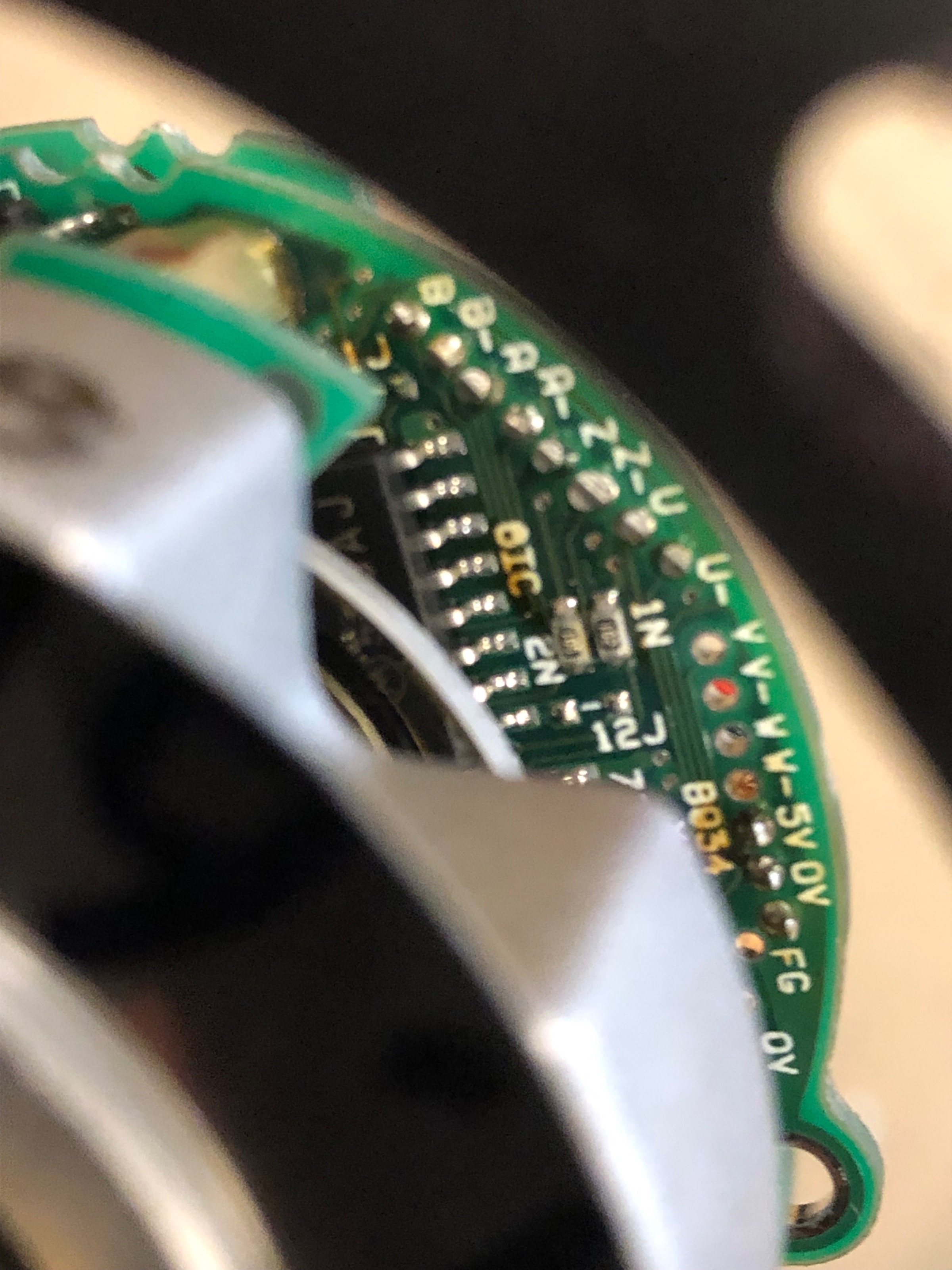
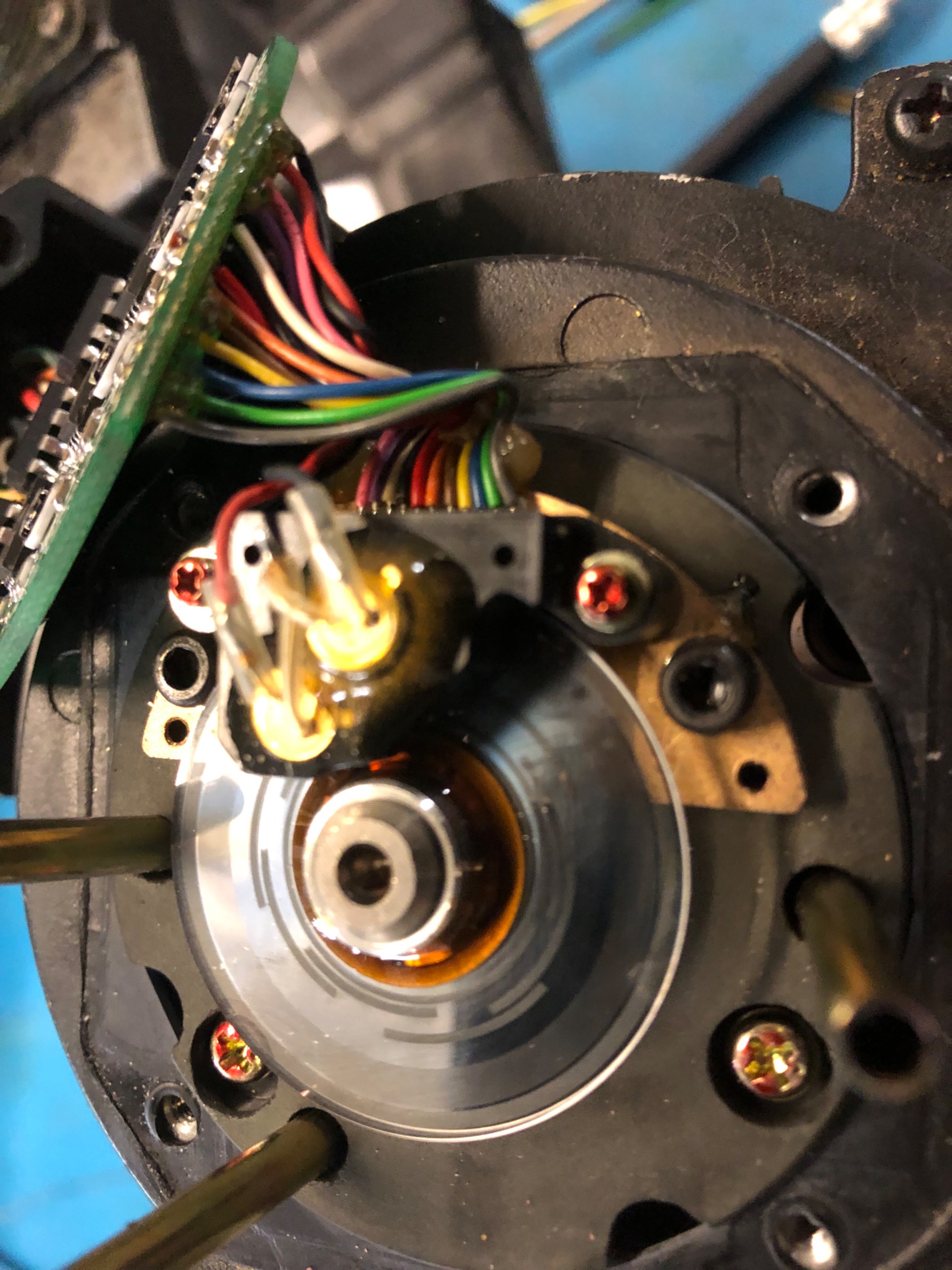
  Hello there. I have a couple of mills with Yaskawa servo systems, mid 1990 BE series analog drives. They are junk, constantly blow up, very little info available, only support from Yaskawa, send us your life savings, in my case about $5 , so not enuff anyway.Using another brand of drive should be doable, the wrinkle here is Yaskawa’s unknown initial magnet sensing. The motors are sinisudialy communtated, sorry for the misspelling. The oldest ac yaz motors used what I suspect is a coded type hall sensing for initial trapezoidal communtation. The output signals were v,-v,u,-u,w,-w. , output from the encoder to the drive.The new motors have the markings on the encoder for the added signals, they are unused. I suspect the circuitry is there. Both encoders have on the glass disk , an inner ring of what I guess could be grey code. See pictures.Does anyone recognize this and have a hypothesis about how these signals would work? My guess is they are similar to the red cap Fanuc bldc signals. I have not put a scope on them  


  • 10K
  • 10K's Avatar
21 Dec 2024 14:40

Threading Index Varies With Speed

Category: General LinuxCNC Questions
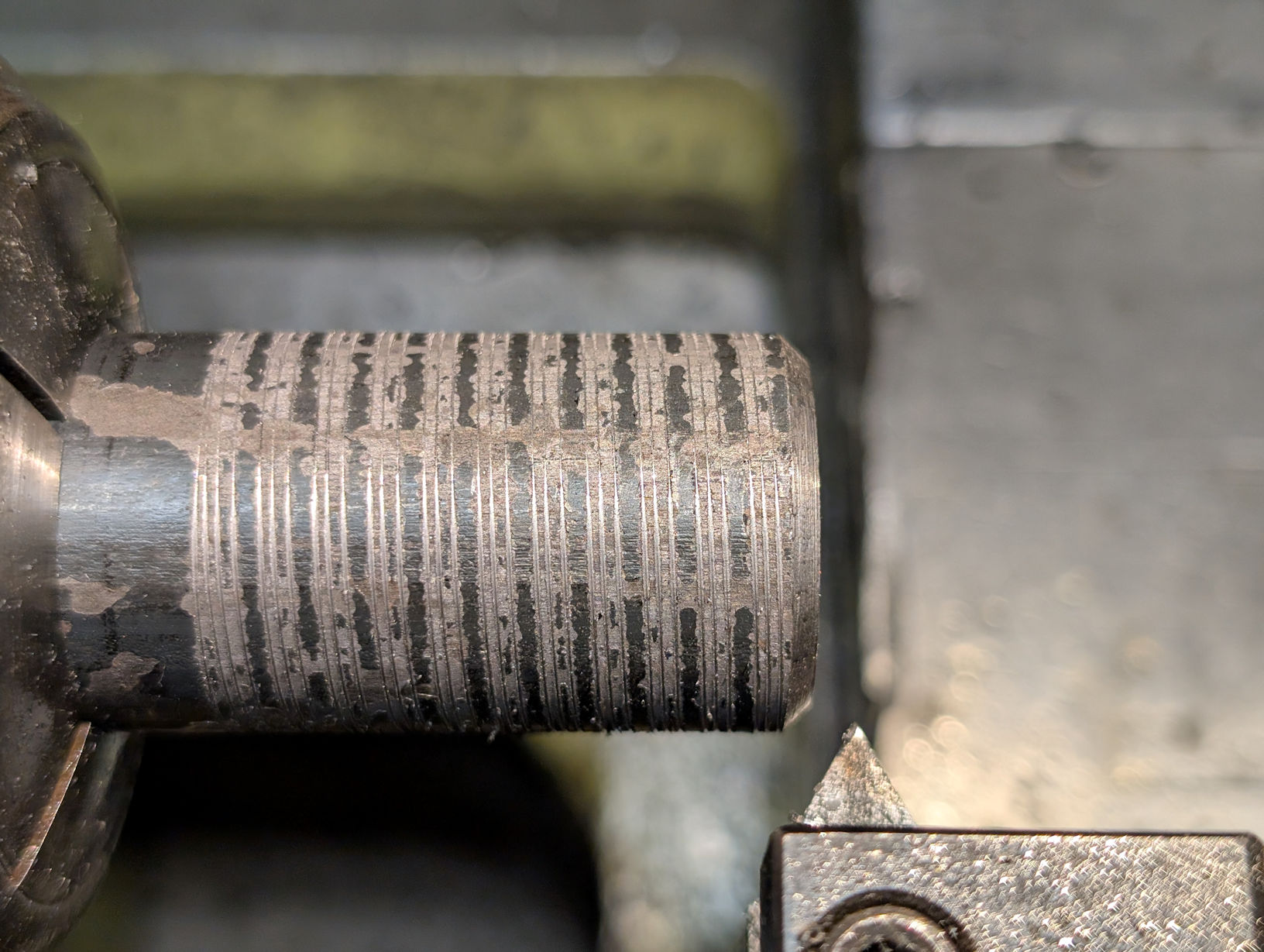
 I'm having an odd problem. I'm running a threading routine using G76. I thought that, while threading, I could change the spindle speed without affecting the operation. Everything seemed to be working fine until I starting threading something a little larger for me - a 1"-8. I started to see bad gouging off and on during the threading. that at times nearly stopped the (7HP) lathe. I was only taking off about 0.002" per pass for most of the operation. I thought something must be moving, and checked all the obvious things. Everything looked OK.

One of the things I tried was making a scratch pass at three different speeds, 100, 150 and 200 RPM. I ran the same program each time without changing the setup. You can see that the cut indexed to a different point for each speed. Conversely, if I ran it three times at the same speed, it would index to the same cut.


This is not good! It means if I cut a thread and then need to recut it, I need to make sure that the spindle speed is exactly the same or I'll get a different thread position. Needing to cut the thread again can be because the piece rotated in the chuck during the cut or I didn't set the tool X position deep enough. I'm also thinking that as the lathe slows down slightly, it might change the Y position of the tool incorrectly and cause the gouging.

Any ideas?

Two indexing signals to LinuxCNC: one pulse per revolution for indexing, and ten pulses per revolution for position
Spindle speed set manually, and not by LinuxCNC
LinuxCNC v2.9.3
  • vibram
  • vibram
21 Dec 2024 13:29
Replied by vibram on topic Another joint 0 on limit switch error

Another joint 0 on limit switch error

Category: Basic Configuration

Hello PCW,

I debounced when using the 7i73 but without success.
I tried with isolated input on the 7i96s and it's working fine.
Do you have some documentation regarding the slow option? I find the input in Hal show but it's always low.

I'm very happy that it's working but I still don't get something. If it's due to the EMI, why I don't see the dot blinking in Hal show? It's strange...
  • agima2
  • agima2
21 Dec 2024 12:23
Replied by agima2 on topic Linux CNC auf Virtualbox Simulation

Linux CNC auf Virtualbox Simulation

Category: Deutsch

OK,

Wenn also eine Refernzfahrt nur nach Maschinenstart zu machen ist, so muss ich wohl mit dieser  Notlösung leben. Ich dachte ich kann mein Programm laden und dann eine simulierte Referenzfahrt machen.

MfG.
  • JT
  • JT's Avatar
21 Dec 2024 12:20
Replied by JT on topic Should I update

Should I update

Category: General LinuxCNC Questions

My Hardinge CHNC lathe runs Ubuntu 10.04 and LinuxCNC 2.7. if it's not broke don't fix it.

JT
  • Sandro
  • Sandro
21 Dec 2024 12:12
Replied by Sandro on topic Probe Basic do not start

Probe Basic do not start

Category: QtPyVCP

Found the issue:

CONFIG_FILE = custom_config.yml

was missing from the INI-File.

Sorry!
  • Hossein74Majidi
  • Hossein74Majidi
21 Dec 2024 12:01 - 21 Dec 2024 12:05
G Code Syntax Check (Python + Qt Designer) was created by Hossein74Majidi

G Code Syntax Check (Python + Qt Designer)

Category: Qtvcp

Hi
I'm going to use Qt Designer for my Display.
In my python handler I have a method as following:
def load_selected_gcode(self):        
if self.modenumber_str != "Auto":             
self.show_message("Invalid Mode", "Switch to Auto Mode.",0)             
return        
index = self.w.listGCodeFiles.currentIndex()        
file_name = self.model.data(index, QtCore.Qt.DisplayRole)         
file_path = os.path.join(self.gcode_directory, file_name)        
self.loaded_gcod = file_path        
with open(file_path, 'r') as file:             
gcode_content = file.read()         
self.w.showGCode.setText(gcode_content)        
self.command.reset_interpreter()         
self.command.program_open(file_path)        
self.show_message("Success", "G Code is loaded successfully", 1)


this method loads the g code file content into a QTextEdit Widget named " showGCode" now before self.command.reset_interpreter() command and self.command.program_open(file_path) which load the G Code into linuxcnc, I want to check the gcode file syntax. How can I do it? How do I know if my G Code file is ok.
  • Sandro
  • Sandro
21 Dec 2024 11:52
Replied by Sandro on topic Probe Basic do not start

Probe Basic do not start

Category: QtPyVCP

Hello everyone

I am having a different error when trying to start Probe Basic. I am coming from a currently working Gmoccapy machine. The error message is as follows:
Traceback (most recent call last):
  File "/usr/lib/python3/dist-packages/qtpyvcp/actions/__init__.py", line 62, in bindWidget
    method = getattr(method, item)
             ^^^^^^^^^^^^^^^^^^^^^
AttributeError: module 'qtpyvcp.actions' has no attribute 'settings'

During handling of the above exception, another exception occurred:

Traceback (most recent call last):
  File "/usr/lib/python3/dist-packages/qtpyvcp/widgets/form_widgets/main_window.py", line 198, in getMenuAction
    actions.bindWidget(menu_action, action_name)
  File "/usr/lib/python3/dist-packages/qtpyvcp/actions/__init__.py", line 67, in bindWidget
    raise InvalidAction("Could not get action method: %s" % item)
qtpyvcp.actions.InvalidAction: Could not get action method: settings
2024-12-21 12:36:01,809 - qtpyvcp.widgets.form_widgets.main_window - ERROR - Error binding menu action settings.backplot.show-program-ticks
Traceback (most recent call last):
  File "/usr/lib/python3/dist-packages/qtpyvcp/actions/__init__.py", line 62, in bindWidget
    method = getattr(method, item)
             ^^^^^^^^^^^^^^^^^^^^^
AttributeError: module 'qtpyvcp.actions' has no attribute 'settings'

During handling of the above exception, another exception occurred:

Traceback (most recent call last):
  File "/usr/lib/python3/dist-packages/qtpyvcp/widgets/form_widgets/main_window.py", line 198, in getMenuAction
    actions.bindWidget(menu_action, action_name)
  File "/usr/lib/python3/dist-packages/qtpyvcp/actions/__init__.py", line 67, in bindWidget
    raise InvalidAction("Could not get action method: %s" % item)
qtpyvcp.actions.InvalidAction: Could not get action method: settings
2024-12-21 12:36:01,998 - qtpyvcp.app.launcher - INFO - Loading POSTGUI_HALFILE: /home/cnc/linuxcnc/configs/ethercat_milling_machine_csv_probe_basic/probe_basic_postgui.hal

Greetings
Sandro

 
  • MaHa
  • MaHa
21 Dec 2024 09:19
Replied by MaHa on topic Linux CNC auf Virtualbox Simulation

Linux CNC auf Virtualbox Simulation

Category: Deutsch

Wenn man über den Configpicker eine axis.sim ersellt, hat es in der .ini unter anderem folgende Einträge:
HALFILE = core_sim.hal
HALFILE = sim_spindle_encoder.hal
HALFILE = axis_manualtoolchange.hal
HALFILE = simulated_home.hal
HALFILE = cooling.hal

Da wird die Hardware simuliert.
Dann kann auch HOME , MIN_LIMIT und MAX_LIMIT eingestellt werden und Referenzfahren nur nach Maschinenstart.

 
  • CNC_ANDI
  • CNC_ANDI
21 Dec 2024 08:41
Replied by CNC_ANDI on topic Probe_Basic Bugs?

Probe_Basic Bugs?

Category: QtPyVCP

yes i have used your how to but it won´t work... it work with ref all but single ref won´t work correctly.

i think i have to get a new machine like a vmc xD
  • MrDe
  • MrDe
21 Dec 2024 07:58 - 21 Dec 2024 08:05

Remora - ethernet NVEM / EC300 / EC500 cnc board

Category: Computers and Hardware

Yay, I managed to get the CMSIS-DAP probes to work with PyOCD! However, when I tried to flash the firmware, I encountered an error: E Error during board uninit: [session]

I've attached some pictures with more details of the issue. Any guidance on how to resolve this would be greatly appreciated!

Thanks again for your support!

Edit: For anyone facing the same issue where the CMSIS-DAP (WCH-Link) doesn't work as a DAP Probe, I was able to fix it using the "WCH-LinkUtility."  
  • IronManDylan
  • IronManDylan
21 Dec 2024 06:00
Replied by IronManDylan on topic Fast Hole EDM from Hacked Parts

Fast Hole EDM from Hacked Parts

Category: General LinuxCNC Questions

PCW, 

Thank you.  Sorry for the crazy number of posts today.  I was trying to keep things up to date and wasn't sure which problems I would figure out and which I wouldn't be able to. 

This is what I have in M101:
#!/bin/bash
halcmd setp hm2_7i96s.0.ssr.00.out-00 1
chmod +x M101
exit 0

I also have this in the .ini file.  But I understand how its unnecessary so maybe I'll remove it:
setp hm2_7i96s.0.ssr.00.out-00 false

This is now working to turn the pumps on and I have a code similar to M101 called M102 that turns them off. 

The base of all this code came form chatgpt.  Chatgpt can do porgraming in C pretty well from what I've seen. But it struggles on LinuxCNC obviously, gave me a bunch of unnecessary stuff.  


So I am going to get some of the other things that need similar control working, work on the post processor and get the buck converter set up.  This might take few days as I am celebrating Christmas tomorrow.  

In the meantime, does anyone have any idea how I should program the PID loop based on the PWM signal? Has anyone written a program like this in LinuxCNC before?  I can get the M52 Pn command into my post processor but I dont have a clue how to do the PID loop right now. I am wondering if it needs to be written in the .ini file, should it be a script thats written in python and placed somewhere else, or...?

Thank you and best,
-Dylan
Displaying 21301 - 21315 out of 21942 results.
Time to create page: 0.428 seconds
Powered by Kunena Forum