Advanced Search

Search Results (Searched for: )

  • PCW
  • PCW's Avatar
08 Mar 2025 01:42 - 08 Mar 2025 15:32
Replied by PCW on topic Joint Error After large rotary move

Joint Error After large rotary move

Category: General LinuxCNC Questions

What version of LinuxCNC?

I don't recall any encoder bugs of that type, is it possible
there is a 32 bit wrap (that's a lot of turns though unless you
have a very high res encoder)

Also could be some kind of failing hardware (PC memory, PCI, FPGA card etc)
  • djdelorie
  • djdelorie
08 Mar 2025 00:49
Replied by djdelorie on topic Power failure/flicker best practices?

Power failure/flicker best practices?

Category: General LinuxCNC Questions

The 7i76E is in (or eventually will be) the same enclosure (and same power cord) as everything else, except the PC, which is elsewhere. Putting just it (24V) on a UPS would be a technical challenge.
As for the motors, to keep the encoders powered that means another power supply (16V) in that enclosure that needs a UPS, and I'd have to get around to testing the following-error code ;-)
The motor's big power supply has pretty beefy capacitors - so much so that I have a discharge circuit on it's contactor for when I power it down.
My machine homes pretty accurately, at least enough for my purposes (woodworking) so a following error is not much better than a reset.
The spindle vfd is already monitored for faults (modbus).

Now I get to research tiny din-rail UPSs for 24V and 16V... ;-)
  • andypugh
  • andypugh's Avatar
08 Mar 2025 00:43
Replied by andypugh on topic Commander SK VFD

Commander SK VFD

Category: General LinuxCNC Questions

If you have a Mesa card, then mesa_modbus might let you control it in realtime.
This isn't really worth worrying about with a mill, but ought to be better with CSS on a lathe.
  • andypugh
  • andypugh's Avatar
08 Mar 2025 00:30
Replied by andypugh on topic Power failure/flicker best practices?

Power failure/flicker best practices?

Category: General LinuxCNC Questions

Maybe you could power the 7i76E from the UPS too? The spindle VFD can probably handle a sub-second power interruption on the bus capacitors.
The servos may stall, but there is some chance that they might recover position if the encoders remain powered. And if not, then you will get an f-error report, and still have a live system to recover with.
  • robh
  • robh
08 Mar 2025 00:22

Joint Error After large rotary move

Category: General LinuxCNC Questions

Hi

when i am running a job and it incolves some 5 axis moves so C axis becomes quote a large count. as there is no unwind code i do a quick G10 L2 calc and run the next part

after running 5/6 parts i get a following error on C axis every time, if i rehome the joint (c axis) and G10 L20 to zero the joint error problems go awayi and i can carry on running parts untill the next 4/5 are done same joint error right at the same program point each time

ia this todo with some max count being reached?
what i have noticed is the raw count pin is counting right but the PID feedback is going from a - number jumping to a + number giving the joint error trigger,
-32767.84 to +32767.86
 
  • jtrantow
  • jtrantow
07 Mar 2025 23:18
Replied by jtrantow on topic Commander SK VFD

Commander SK VFD

Category: General LinuxCNC Questions

When the EIA485 adapter arrives, I may give your code at try. mb2hal works but it isn't as nice to use as gs2_vfd that your code is based on.
  • jtrantow
  • jtrantow
07 Mar 2025 23:13
Replied by jtrantow on topic Commander SK VFD

Commander SK VFD

Category: General LinuxCNC Questions

I'm waiting on a RS232/EIA485 adapter for the Commander SK. The GS2 is nice in that it has dip switches settings to work with either.
While waiting, I tested out GS2-VFD.ini that allows me to control the GS2 using mb2hal. Now that I understand mb2hal it shouldn't take long to test out my CommanderSK.ini.

This is pretty much a drop in replacement for the gs2_vfd component. gs2_vfd is nicer as it doesn't need some conv_bit_s32 conversions and some scaling. gs2_vfd also handles braking which would need additional transactions to implement. 

When the adapter arrives, I will post a working CommanderSK.ini for mb2hal.
  • JTknives
  • JTknives's Avatar
07 Mar 2025 23:07
Replied by JTknives on topic What’s causing this slag on -move on x axis

What’s causing this slag on -move on x axis

Category: Plasmac
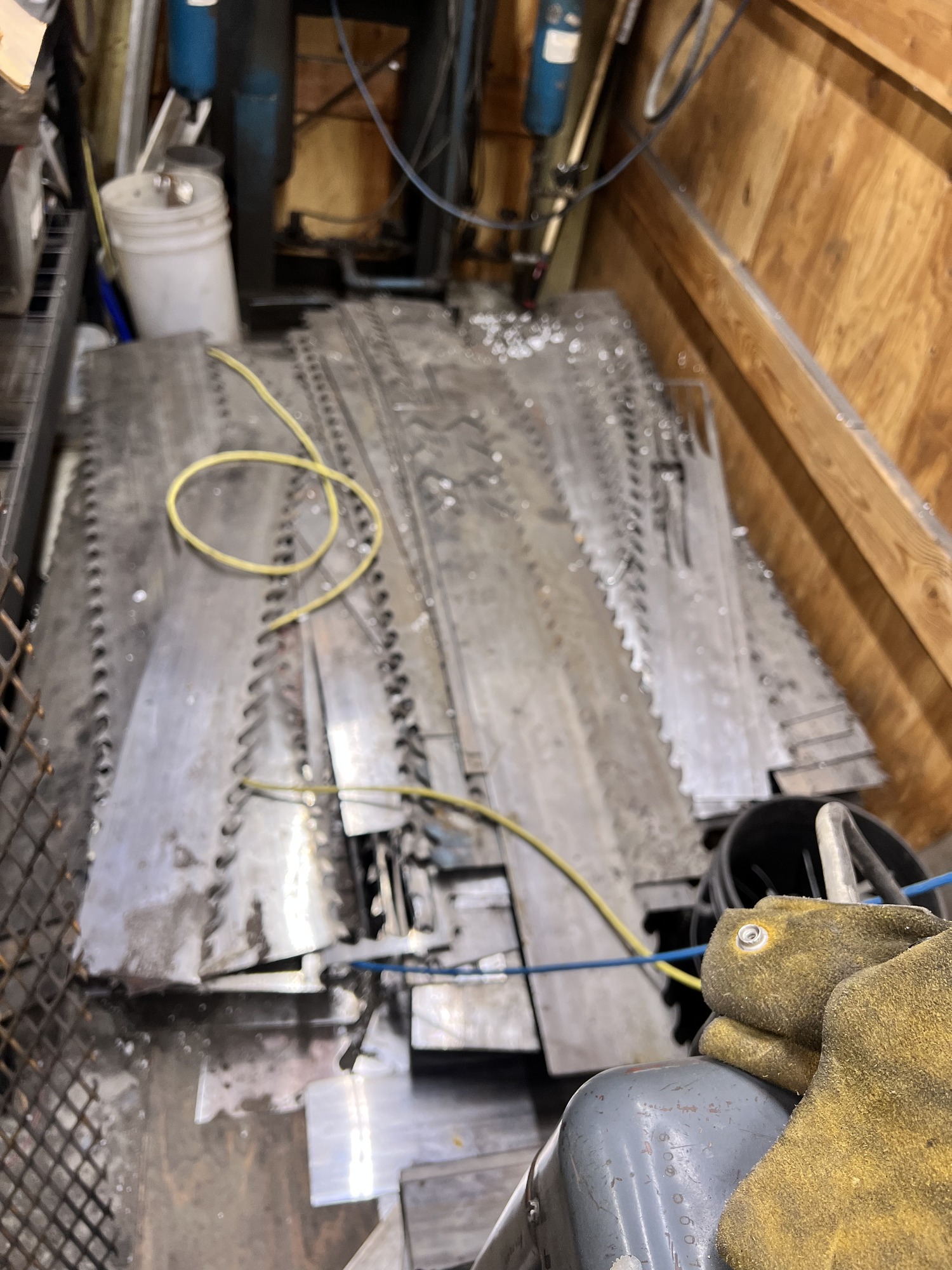
I will try that, thankyou. The material is 15n20, it’s the steel used to make large bandsaw blades and I cut knives out of it for knife makers.

 
  • djdelorie
  • djdelorie
07 Mar 2025 22:39
Power failure/flicker best practices? was created by djdelorie

Power failure/flicker best practices?

Category: General LinuxCNC Questions

Other than sourcing a 240v/50a UPS, what should I be doing if I'm using my CNC in an environment prone to power flickers?  We had a short outage this morning due to high winds, and often have sub-second "flickers", and I'm worried about running long jobs.
Note: my system was built with forum advice, where a 24v power supply feeds contactors for the motor and spindle power, with estops on the positive side and software-controlled relays on the negative side.  I don't know how long each of the supplies will last without power, but I assume that no matter what the specific value is, eventually there will be outages both shorter than and longer than that ;-)
I do have a UPS on the PC running linuxcnc, but not on the power that runs the Mesa 7i76E board.  I figure worst case, the PC will stop and tell me the line number it was on before all hell broke loose ;-)

So is there anything I can do or change to make dealing with such power flickers/outages less stressful?

(more info: the motors are servos but the drivers are step/dir, and the spindle has its own vfd.  The setup has a single power cord with internal breakers for each power supply)
  • JTknives
  • JTknives's Avatar
07 Mar 2025 22:03

updating to QtPlasmac, copying setting from plasmaC?

Category: Plasmac

Here are all the files i think from my old installation. if i'm missing any please let me know and i will upload the missing ones. thankyou 


File Attachment:

File Name: Black_Hole...07-2.ini
File Size:4 KB


File Attachment:

File Name: machine_20...3-07.hal
File Size:10 KB


File Attachment:

File Name: plasmac_config.hal
File Size:3 KB


File Attachment:

File Name: plasmac_co...ions.hal
File Size:2 KB
  • royka
  • royka
07 Mar 2025 21:56
Replied by royka on topic Can the OPI5 be Configured to Run LCNC?

Can the OPI5 be Configured to Run LCNC?

Category: Computers and Hardware

FYI in contrast of what some in this topic said, it's possible to connect a controller via SPI with the spider driver. I did some tests with a TangNano9k with Riocore and it works great over SPI with the vendor kernel 6.1.75
  • PCW
  • PCW's Avatar
07 Mar 2025 21:42
Replied by PCW on topic 7i96s Watchdog Ethernet

7i96s Watchdog Ethernet

Category: Deutsch

Not sure whats going on, possibly a hardware issue on the PC?

Does dmesg show anything?

Reboot,  LinuxCNC untill you get an error and then:

sudo dmesg > log.txt

and post log.txt here
 
  • red97corvette
  • red97corvette
07 Mar 2025 21:28
Remora - Panucatt Re-Arm was created by red97corvette

Remora - Panucatt Re-Arm

Category: Computers and Hardware

Hi!  I have been looking to upgrade from my existing cheap parallel port BOB and while reading the docs on the amazing Remora firmware was surprised to see mention of the Panucatt Re-Arm board as "Under Test" as I just happen to have one of those lying around.  Is there any status update or additional docs available on using Remora with these boards?  I believe I was able to get my board flashed with the LPC1768 firmware from github, at least after boot firmware.bin was renamed to firmware.cur.

What are my next steps?  I have the ethernet widget for the board, but the link light only flashes, it never maintains a solid link.  I have an available RPi 4 and 5 so I believe SPI should be an option, but right now I'm just guessing on the pinout.  Then I will need a step/dir config and again kinda guessing on the pin names.

Any documentation available that I might have missed or am I better off going a different direction for driving my 3 axis CNC mill?

Thanks for any input!
  • JTknives
  • JTknives's Avatar
07 Mar 2025 21:10

updating to QtPlasmac, copying setting from plasmaC?

Category: Plasmac

I'm starting over with a fresh install of the new QtPlasmaC on a new HD. I'm wondering if there is a way to just copy over my config data as its been so long that all these questions in the pncconf are greek now. Here is my old file 
# Generated by PNCconf at Sun Jan 10 18:01:51 2021
# Using LinuxCNC version:  2.8
# If you make changes to this file, they will be
# overwritten when you run PNCconf again

[EMC]
MACHINE = IMPERIAL_PLASMAC
DEBUG = 0
VERSION = 1.1

[DISPLAY]
DISPLAY = gmoccapy
POSITION_OFFSET = RELATIVE
POSITION_FEEDBACK = ACTUAL
MAX_FEED_OVERRIDE = 2.000000
MAX_SPINDLE_OVERRIDE = 1.000000
MIN_SPINDLE_OVERRIDE = 0.500000
INTRO_GRAPHIC = linuxcnc.gif
INTRO_TIME = 5
PROGRAM_PREFIX = /home/jtknives/linuxcnc/nc_files
INCREMENTS = .1in .05in .01in .005in .001in .0005in .0001in
POSITION_FEEDBACK = ACTUAL
DEFAULT_LINEAR_VELOCITY = 0.250000
MAX_LINEAR_VELOCITY = 1.000000
MIN_LINEAR_VELOCITY = 0.016670
DEFAULT_ANGULAR_VELOCITY = 12.000000
MAX_ANGULAR_VELOCITY = 180.000000
MIN_ANGULAR_VELOCITY = 1.666667
EDITOR = gedit
GEOMETRY = xyz

[FILTER]
PROGRAM_EXTENSION = .png,.gif,.jpg Greyscale Depth Image
PROGRAM_EXTENSION = .py Python Script
png = image-to-gcode
gif = image-to-gcode
jpg = image-to-gcode
py = python

[TASK]
TASK = milltask
CYCLE_TIME = 0.010

[RS274NGC]
PARAMETER_FILE = linuxcnc.var

[EMCMOT]
EMCMOT = motmod
COMM_TIMEOUT = 1.0
SERVO_PERIOD = 1000000

[HMOT]
# **** This is for info only ****
CARD0=hm2_7i76e.0

[HAL]
HALUI = halui
HALFILE = machine.hal
HALFILE = plasmac.hal
POSTGUI_HALFILE = postgui_call_list.hal
SHUTDOWN = shutdown.hal

[HALUI]

[KINS]
JOINTS = 3
KINEMATICS = trivkins coordinates=XYZ

[TRAJ]
COORDINATES =  XYZ
LINEAR_UNITS = inch
ANGULAR_UNITS = degree
DEFAULT_LINEAR_VELOCITY = 0.83
MAX_LINEAR_VELOCITY = 8.3300

[EMCIO]
EMCIO = io
CYCLE_TIME = 0.100
TOOL_TABLE = tool.tbl

#******************************************
[AXIS_X]
MAX_VELOCITY = 8.3333333
MAX_ACCELERATION = 150.0
MIN_LIMIT = -60.0
MAX_LIMIT = .001

[JOINT_0]
TYPE = LINEAR
HOME = 0.0c
FERROR = 0.5
MIN_FERROR = 0.05
MAX_VELOCITY = 8.33333333
MAX_ACCELERATION = 150.0
# The values below should be 25% larger than MAX_VELOCITY and MAX_ACCELERATION
# If using BACKLASH compensation STEPGEN_MAXACCEL should be 100% larger.
STEPGEN_MAXVEL = 10.42
STEPGEN_MAXACCEL = 187.50
P = 1000.0
I = 0.0
D = 0.0
FF0 = 0.0
FF1 = 1.0
FF2 = 0.0
BIAS = 0.0
DEADBAND = 0.0
MAX_OUTPUT = 0.0
# these are in nanoseconds
DIRSETUP   = 10000
DIRHOLD    = 10000
STEPLEN    = 5000
STEPSPACE  = 5000
STEP_SCALE = 1940.17
MIN_LIMIT = -60.0
MAX_LIMIT = .001
HOME_OFFSET = 0.0
#******************************************

#******************************************
[AXIS_Y]
MAX_VELOCITY = 8.33333333
MAX_ACCELERATION = 150.0
MIN_LIMIT = -26.0
MAX_LIMIT = .001

[JOINT_1]
TYPE = LINEAR
HOME = 0.0
FERROR = 0.5
MIN_FERROR = 0.05
MAX_VELOCITY = 8.33333333
MAX_ACCELERATION = 150.0
# The values below should be 25% larger than MAX_VELOCITY and MAX_ACCELERATION
# If using BACKLASH compensation STEPGEN_MAXACCEL should be 100% larger.
STEPGEN_MAXVEL = 10.42
STEPGEN_MAXACCEL = 187.50
P = 1000.0
I = 0.0
D = 0.0
FF0 = 0.0
FF1 = 1.0
FF2 = 0.0
BIAS = 0.0
DEADBAND = 0.0
MAX_OUTPUT = 0.0
# these are in nanoseconds
DIRSETUP   = 10000
DIRHOLD    = 10000
STEPLEN    = 5000
STEPSPACE  = 5000
STEP_SCALE = 1940.17
MIN_LIMIT = -0.26.0
MAX_LIMIT = .001
HOME_OFFSET = 0.0
#******************************************

#******************************************
[AXIS_Z]
MAX_VELOCITY = 16.666
MAX_ACCELERATION = 300.0
MIN_LIMIT = -.001
MAX_LIMIT = 4.0

[JOINT_2]
TYPE = LINEAR
HOME = 0.0
FERROR = 0.5
MIN_FERROR = 0.05
MAX_VELOCITY = 8.3333333
MAX_ACCELERATION = 150.0
# The values below should be 25% larger than MAX_VELOCITY and MAX_ACCELERATION
# If using BACKLASH compensation STEPGEN_MAXACCEL should be 100% larger.
STEPGEN_MAXVEL = 10.42
STEPGEN_MAXACCEL = 187.50
P = 1000.0
I = 0.0
D = 0.0
FF0 = 0.0
FF1 = 1.0
FF2 = 0.0
BIAS = 0.0
DEADBAND = 0.0
MAX_OUTPUT = 0.0
# these are in nanoseconds
DIRSETUP   = 10000
DIRHOLD    = 10000
STEPLEN    = 5000
STEPSPACE  = 5000
STEP_SCALE = 6400.0
MIN_LIMIT = -.001
MAX_LIMIT = 4.0
HOME_OFFSET = 0.0
#******************************************

[SPINDLE_9]
P = 0
I = 0
D = 0
FF0 = 1
FF1 = 0
FF2 = 0
BIAS = 0
DEADBAND = 0
MAX_OUTPUT = 2000
Displaying 17761 - 17775 out of 18716 results.
Time to create page: 0.437 seconds
Powered by Kunena Forum