
- Posts: 51
- Thank you received: 10
Gmoccapy - A new screen for linuxcnc
- spangledboy
- Offline
- Senior Member
-

Less
More
13 years 3 months ago #37167
by spangledboy
Replied by spangledboy on topic Gmoccapy - A new screen for linuxcnc
I just finished re-installing the whole linuxcnc-dev and I still have the same problem. I've not made any changes to anything within that folder since the re-install but the Axis Sim moves 4 times faster than the Gmoccapy Sim even though they both report the same speed.
Is there anywhere else that would be able to influence the actual move speed?
I'm going to try installing Master on a physical machine next to see if the problem manifests itself there too.
Ben
Is there anywhere else that would be able to influence the actual move speed?
I'm going to try installing Master on a physical machine next to see if the problem manifests itself there too.
Ben
- spangledboy
- Offline
- Senior Member
-
Less
More
- Posts: 51
- Thank you received: 10
13 years 3 months ago #37247
by spangledboy
Replied by spangledboy on topic Gmoccapy - A new screen for linuxcnc
Hi Norbert
I have some good news - the slow moves only seem to be happening on Gmoccapy when it's running in a virtual machine. I tried installing Gmoccapy on my workshop PC (which was installed using the LinuxCNC disk) as well as on the machine which runs my mill and both of them (running in simulation) move at the correct speed, the same as Axis.
I also tried installing master in a VM on my work PC (which already had v2.5.2) and the moves were slow for Gmoccapy but the correct speed for Axis.
Based on what I've found I'm not really bothered as the VM is only ever going to be used for testing. As long as the speed is always correct in the real world it doesn't matter!
I have no idea what might be causing this issue - perhaps someone else can try to replicate it so I can be sure I'm not going mad! :blink:
Ben
I have some good news - the slow moves only seem to be happening on Gmoccapy when it's running in a virtual machine. I tried installing Gmoccapy on my workshop PC (which was installed using the LinuxCNC disk) as well as on the machine which runs my mill and both of them (running in simulation) move at the correct speed, the same as Axis.
I also tried installing master in a VM on my work PC (which already had v2.5.2) and the moves were slow for Gmoccapy but the correct speed for Axis.
Based on what I've found I'm not really bothered as the VM is only ever going to be used for testing. As long as the speed is always correct in the real world it doesn't matter!
I have no idea what might be causing this issue - perhaps someone else can try to replicate it so I can be sure I'm not going mad! :blink:
Ben
- newbynobi
- Offline
- Moderator
-

Less
More
- Posts: 1931
- Thank you received: 394
13 years 3 months ago #37267
by newbynobi
Replied by newbynobi on topic Gmoccapy - A new screen for linuxcnc
I don't know, what happened to your machine? What have you done to your poor computer, that it doesn't like gmoccapy?
I just have set up a complete new VM with VirtualBox and the linuxcnc CD (10.04), than I updated the complete sytsme, than I made git clone and all teh steps to compile gmoccapy.
I started gmoccapy one with 3 axis and also with 4 axis. Because of the VM I got realtime errors at start up, than I tested
G21
G0X0
F1000
G1X250
axis = 15 sec
gmoccapy = 15 sec
gmoccapy_4_axis = 15 sec
I can not reproduce the behavior of your system!
Norbert
I just have set up a complete new VM with VirtualBox and the linuxcnc CD (10.04), than I updated the complete sytsme, than I made git clone and all teh steps to compile gmoccapy.
I started gmoccapy one with 3 axis and also with 4 axis. Because of the VM I got realtime errors at start up, than I tested
G21
G0X0
F1000
G1X250
axis = 15 sec
gmoccapy = 15 sec
gmoccapy_4_axis = 15 sec
I can not reproduce the behavior of your system!
Norbert
- spangledboy
- Offline
- Senior Member
-
Less
More
- Posts: 51
- Thank you received: 10
13 years 3 months ago #37278
by spangledboy
Replied by spangledboy on topic Gmoccapy - A new screen for linuxcnc
Hi Norbert
Well, finally I've found a difference - you were using VirtualBox, while I used VMware Player. I would never have guessed that there would be any real difference, but I've worked long enough in IT to know that you can never be sure until you test, so I installed Virtualbox, then built a completely fresh LinuxCNC machine in that and another one in VMware at the same time and in exactly the same way, installing all the updates, the VM tools for each etc.
Once I'd installed Gmoccapy on each of them I ran the test and.....
....in Virtualbox it runs at the correct speed, the same as Axis and...
...in VMware it runs at 1/4 speed, while Axis runs at the correct speed.
Who would have guessed that?! If you feel like losing some time, try it for yourself, but I don't really think it's that important as the physical machines I've tried it on were fine. Just for the record, I'm using VMware Player v4.03 running on Windows 7 64bit.
Thanks for checking anyway!
Ben
Well, finally I've found a difference - you were using VirtualBox, while I used VMware Player. I would never have guessed that there would be any real difference, but I've worked long enough in IT to know that you can never be sure until you test, so I installed Virtualbox, then built a completely fresh LinuxCNC machine in that and another one in VMware at the same time and in exactly the same way, installing all the updates, the VM tools for each etc.
Once I'd installed Gmoccapy on each of them I ran the test and.....
....in Virtualbox it runs at the correct speed, the same as Axis and...
...in VMware it runs at 1/4 speed, while Axis runs at the correct speed.
Who would have guessed that?! If you feel like losing some time, try it for yourself, but I don't really think it's that important as the physical machines I've tried it on were fine. Just for the record, I'm using VMware Player v4.03 running on Windows 7 64bit.
Thanks for checking anyway!
Ben
- newbynobi
- Offline
- Moderator
-
Less
More
- Posts: 1931
- Thank you received: 394
13 years 2 months ago - 13 years 2 months ago #37419
by newbynobi
Replied by newbynobi on topic Gmoccapy - A new screen for linuxcnc
gmoccapy - ver. 0.9.6.1
- fixed a bug editing a tool while G43 is active!
- added a feature, that will update G43 after a tool-change if it was active on tool-change start
Attention, that will only happen in manual and MDI mode, in Auto you will have to take care about that!
- tooloffset in Information frame does now show the real pin values motion.tooloffset.z if
connected to gscreen.tooloffset_z in postgui.hal file (for lathe also x values), not the ones from tooledit widget.
So you will see immediately if the length correction is active!
- cleared the code from some unnecessary ".gscreen."
Norbert
- fixed a bug editing a tool while G43 is active!
- added a feature, that will update G43 after a tool-change if it was active on tool-change start
Attention, that will only happen in manual and MDI mode, in Auto you will have to take care about that!
- tooloffset in Information frame does now show the real pin values motion.tooloffset.z if
connected to gscreen.tooloffset_z in postgui.hal file (for lathe also x values), not the ones from tooledit widget.
So you will see immediately if the length correction is active!
- cleared the code from some unnecessary ".gscreen."
Norbert
Last edit: 13 years 2 months ago by newbynobi. Reason: layout
- newbynobi
- Offline
- Moderator
-
Less
More
- Posts: 1931
- Thank you received: 394
13 years 2 months ago #38060
by newbynobi
Replied by newbynobi on topic Gmoccapy - A new screen for linuxcnc
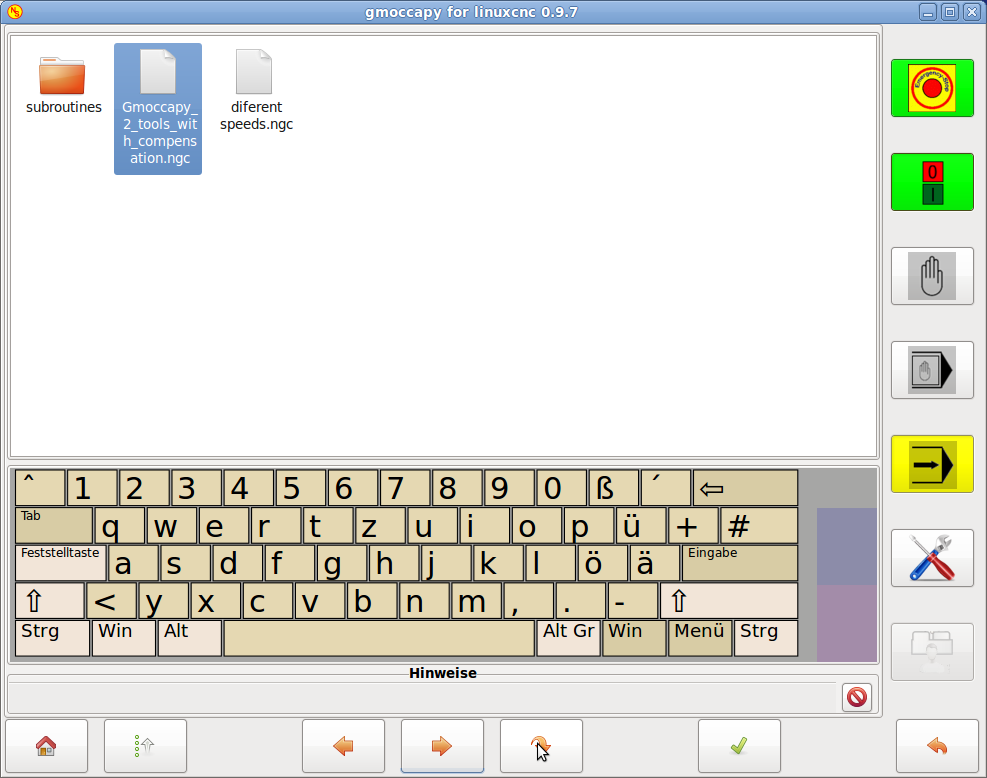
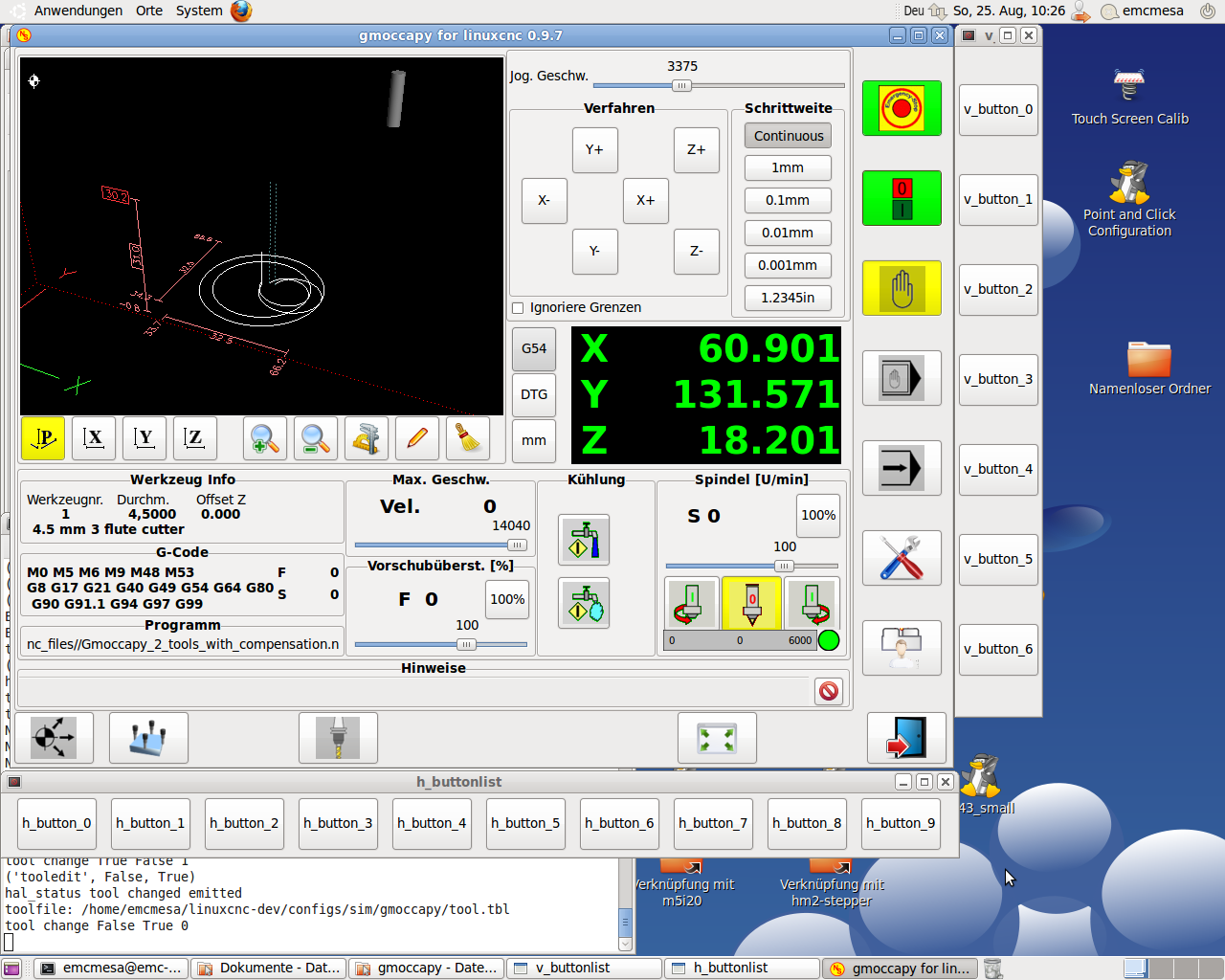
gmoccapy 0.9.7 - has been released
What is new?
ver 0.9.7
- added a file selection dialog, for touch screen use
- in MDI mode it is now possible to add more commands, even if the interpreter is running
- do not block any more the spindle buttons while the interpreter is running, so spindle can be switched
on and of at any time
- added a selection for show keyboard on file selection at settings page
- changes button home_4 to show different icon, depending on INI settings of 4th axis
- moved some code "G95 related" from periodic to _update_vel
- corrected some align values in glade file
- removed units from max_vel_label (glade file)
- corrected hardware button behavior
- added again a sim hardware ini file
- uniform usage of "" instead of sometime '' (just to clear python style)
- user can select on settings page, if he want the offsettab or the preview tab to be displayed as default,
the tabs are shown, so changing is possible at any time
- prepared to get later our own error handling, introduced Notification Class, at the moment disabled
- corrected an error if setting the coordinate system after setting axis values in touch off dialog
Do you miss a feature?
Let me know!
Next will be an own error handling using an Notification way similar to axis.
Norbert
What is new?
ver 0.9.7
- added a file selection dialog, for touch screen use
- in MDI mode it is now possible to add more commands, even if the interpreter is running
- do not block any more the spindle buttons while the interpreter is running, so spindle can be switched
on and of at any time
- added a selection for show keyboard on file selection at settings page
- changes button home_4 to show different icon, depending on INI settings of 4th axis
- moved some code "G95 related" from periodic to _update_vel
- corrected some align values in glade file
- removed units from max_vel_label (glade file)
- corrected hardware button behavior
- added again a sim hardware ini file
- uniform usage of "" instead of sometime '' (just to clear python style)
- user can select on settings page, if he want the offsettab or the preview tab to be displayed as default,
the tabs are shown, so changing is possible at any time
- prepared to get later our own error handling, introduced Notification Class, at the moment disabled
- corrected an error if setting the coordinate system after setting axis values in touch off dialog
Do you miss a feature?
Let me know!
Next will be an own error handling using an Notification way similar to axis.
Norbert
Moderators: newbynobi, HansU
Time to create page: 0.930 seconds