
- Posts: 425
- Thank you received: 81
qtvcp issues
- auto-mation-assist
- Offline
- Platinum Member
-

Less
More
7 years 11 months ago #121250
by auto-mation-assist
Replied by auto-mation-assist on topic qtvcp issues
Chris,
I have attached file with some versa code and notes on the history line that is each measurement button. When you get a chance can you look at the attached history.txt file and tell me what you think about potentially eliminating that code.
I have attached file with some versa code and notes on the history line that is each measurement button. When you get a chance can you look at the attached history.txt file and tell me what you think about potentially eliminating that code.
Please Log in or Create an account to join the conversation.
- cmorley
- Offline
- Moderator
-

Less
More
- Posts: 7368
- Thank you received: 2181
7 years 11 months ago #121254
by cmorley
Replied by cmorley on topic qtvcp issues
QtVCP has logging functions available.
It would be easy to get versa_probe to use them.
In qtdefault, logged text is shown when in manual mode (for instance)
I would assume it's used to confirm what has been done.
I'm working long hours and have a technical problem to solve for versa_probe error handling. Your screen looks great - but the widget naming is different from what I am using - so I will wait to include it till I have major functions working.
Chris M
It would be easy to get versa_probe to use them.
In qtdefault, logged text is shown when in manual mode (for instance)
I would assume it's used to confirm what has been done.
I'm working long hours and have a technical problem to solve for versa_probe error handling. Your screen looks great - but the widget naming is different from what I am using - so I will wait to include it till I have major functions working.
Chris M
Please Log in or Create an account to join the conversation.
- auto-mation-assist
- Offline
- Platinum Member
-
Less
More
- Posts: 425
- Thank you received: 81
7 years 11 months ago - 7 years 11 months ago #121360
by auto-mation-assist
Replied by auto-mation-assist on topic qtvcp issues
Chris,
I have done more work on conversion of the verser code, including the v2 additions so they are not producing errors and will need to move on to testing them on my machine but that will likely need some additional work in a post gui hal file.
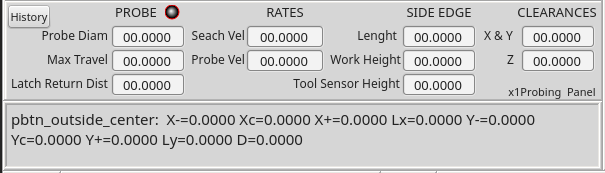
I did some work for the preparation to write probing data to a history file but for now have that just showing up the a display window in a stacked widget in my normal status area as show in the attached picture. I will display the the probing result that would write to a history file for the button that was pushed.
I have seen some coding errors in the verser tool diameter measurements related to attempting to do math inside strings. I have have changed the code just a bit to eliminate those problems.
I will need to update my standalone version on the probing panel which I think could be usable as a popup if there is not a interface problem. After that I should start work on a tool table and tool chooser panel.
I have done more work on conversion of the verser code, including the v2 additions so they are not producing errors and will need to move on to testing them on my machine but that will likely need some additional work in a post gui hal file.
I did some work for the preparation to write probing data to a history file but for now have that just showing up the a display window in a stacked widget in my normal status area as show in the attached picture. I will display the the probing result that would write to a history file for the button that was pushed.
I have seen some coding errors in the verser tool diameter measurements related to attempting to do math inside strings. I have have changed the code just a bit to eliminate those problems.
I will need to update my standalone version on the probing panel which I think could be usable as a popup if there is not a interface problem. After that I should start work on a tool table and tool chooser panel.
Last edit: 7 years 11 months ago by auto-mation-assist. Reason: added
Please Log in or Create an account to join the conversation.
- scotta
- Offline
- Platinum Member
-
Less
More
- Posts: 959
- Thank you received: 489
7 years 11 months ago - 7 years 11 months ago #121399
by scotta
Replied by scotta on topic qtvcp issues
Hi Chris,
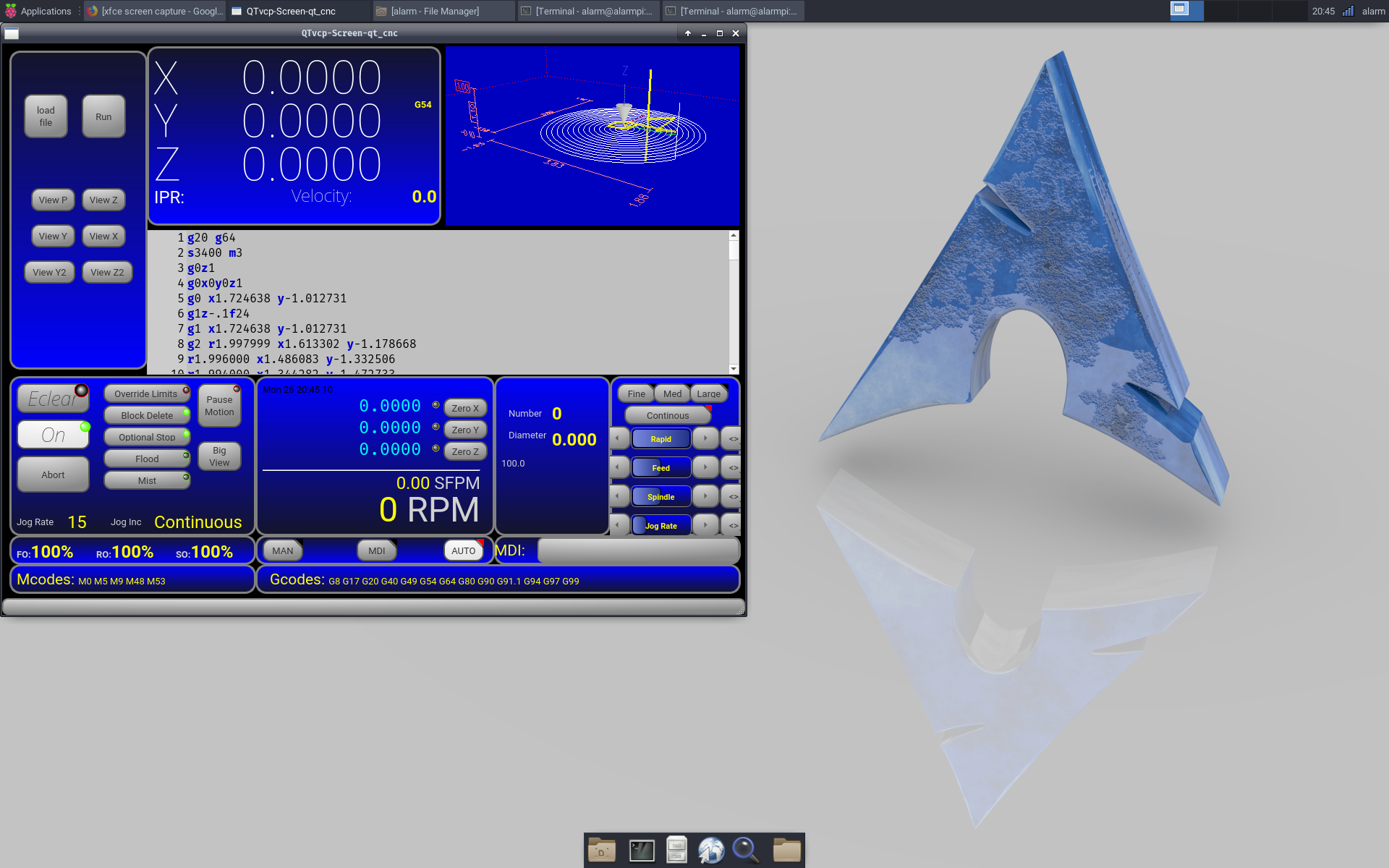
I have had some luck, albeit after some work to build a new system. Just shows how out of date the raspbian distro is. A Arch Linux build for the RPi and the work to build the dependencies for a Linuxcnc build on Arch Linux and qt5vcp is working 100%. Great! BTW Arch Linux seems to be faster than raspbian or mate.
Just need to build pyqt5 from scratch now to get the widgets showing up in designer and then I'll be one step closer to a custom 3D Printer GUI.
Thanks again for all your great hard work. Greatly appreciated!
BR
Scott
I have had some luck, albeit after some work to build a new system. Just shows how out of date the raspbian distro is. A Arch Linux build for the RPi and the work to build the dependencies for a Linuxcnc build on Arch Linux and qt5vcp is working 100%. Great! BTW Arch Linux seems to be faster than raspbian or mate.
Just need to build pyqt5 from scratch now to get the widgets showing up in designer and then I'll be one step closer to a custom 3D Printer GUI.
Thanks again for all your great hard work. Greatly appreciated!
BR
Scott
Last edit: 7 years 11 months ago by scotta.
Please Log in or Create an account to join the conversation.
- cmorley
- Offline
- Moderator
-
Less
More
- Posts: 7368
- Thank you received: 2181
7 years 11 months ago #121417
by cmorley
Replied by cmorley on topic qtvcp issues
Thats great Scott - If you post the pyqt library after you compile it, I will add it to the project so others don't have to compile it.
Chris M
Chris M
Please Log in or Create an account to join the conversation.
- auto-mation-assist
- Offline
- Platinum Member
-
Less
More
- Posts: 425
- Thank you received: 81
7 years 11 months ago #121419
by auto-mation-assist
Replied by auto-mation-assist on topic qtvcp issues
This makes me want to get a 3D printer. It looks great.
Please Log in or Create an account to join the conversation.
Moderators: cmorley
Time to create page: 0.441 seconds