
- Posts: 22011
- Thank you received: 7491
Сustomization QTvcp
- tommylight
- Offline
- Moderator
-

Less
More
6 years 5 months ago #169305
by tommylight
Replied by tommylight on topic Сustomization QTvcp
Sim do not like jogging before homing.
Open sim, home all, then jog.
Open sim, home all, then jog.
Please Log in or Create an account to join the conversation.
- hottabich
- Offline
- Platinum Member
-

Less
More
- Posts: 574
- Thank you received: 96
6 years 5 months ago #169313
by hottabich
Replied by hottabich on topic Сustomization QTvcp
Thanks for the tip! When working with the machine, this is not observed. Excuse for troubling.
Please Log in or Create an account to join the conversation.
- hottabich
- Offline
- Platinum Member
-
Less
More
- Posts: 574
- Thank you received: 96
6 years 4 months ago #170487
by hottabich
Replied by hottabich on topic Сustomization QTvcp
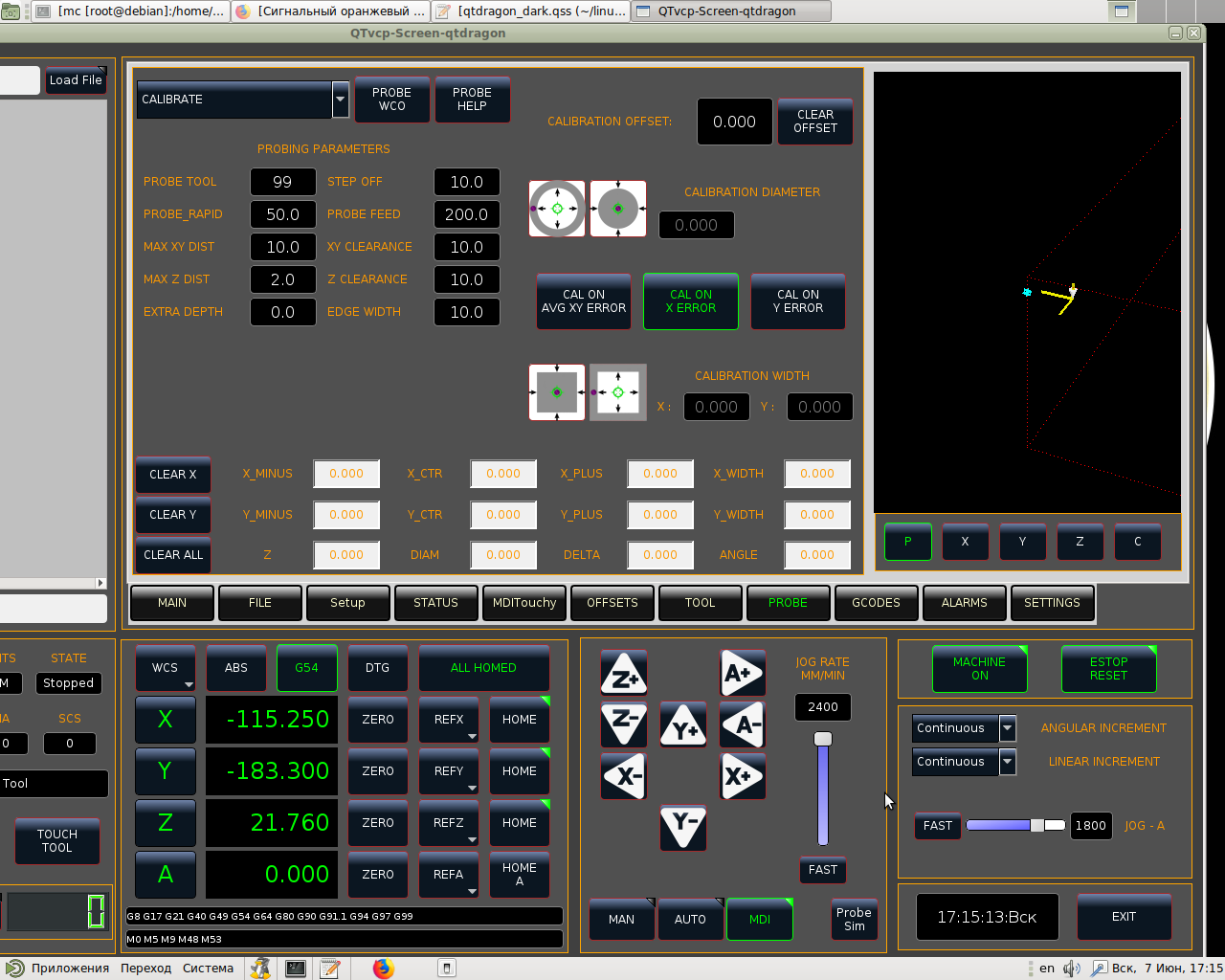
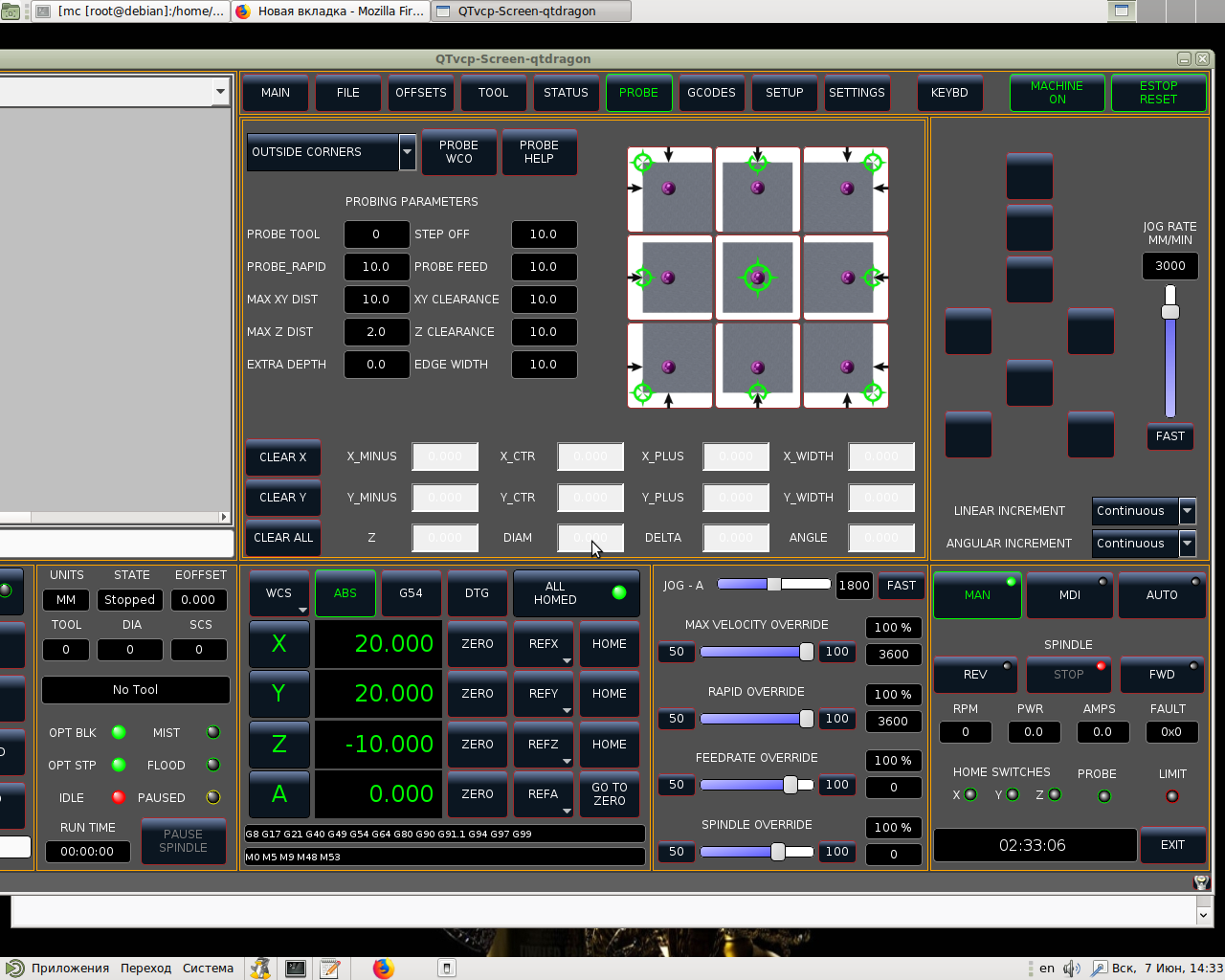
Hello! In the latest edition of QtDragon, replace the qtdragon_dark.qss file with the attached one. It will become like in the screenshot.
The following user(s) said Thank You: tommylight
Please Log in or Create an account to join the conversation.
- hottabich
- Offline
- Platinum Member
-
Less
More
- Posts: 574
- Thank you received: 96
6 years 1 month ago #182511
by hottabich
Replied by hottabich on topic Сustomization QTvcp
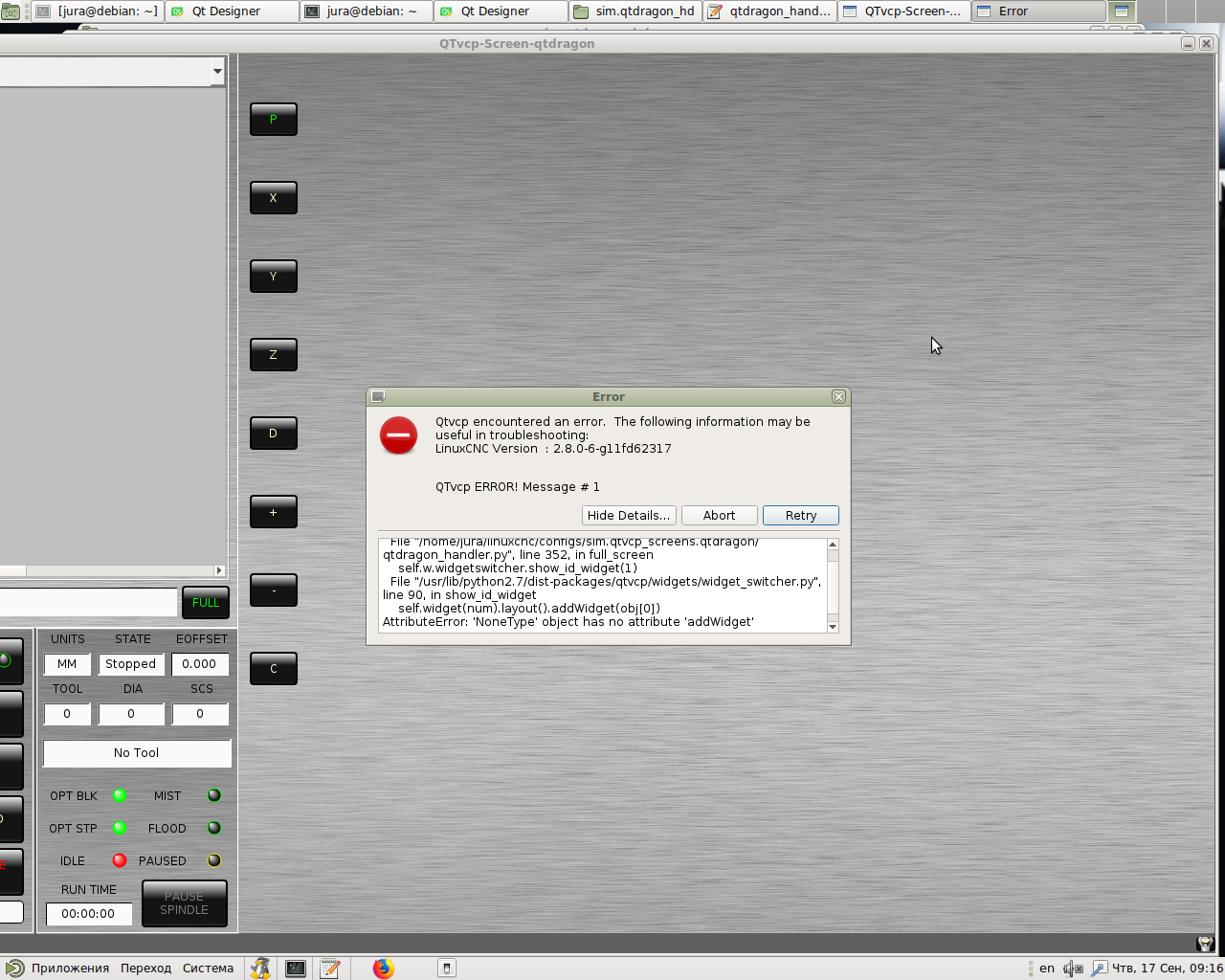
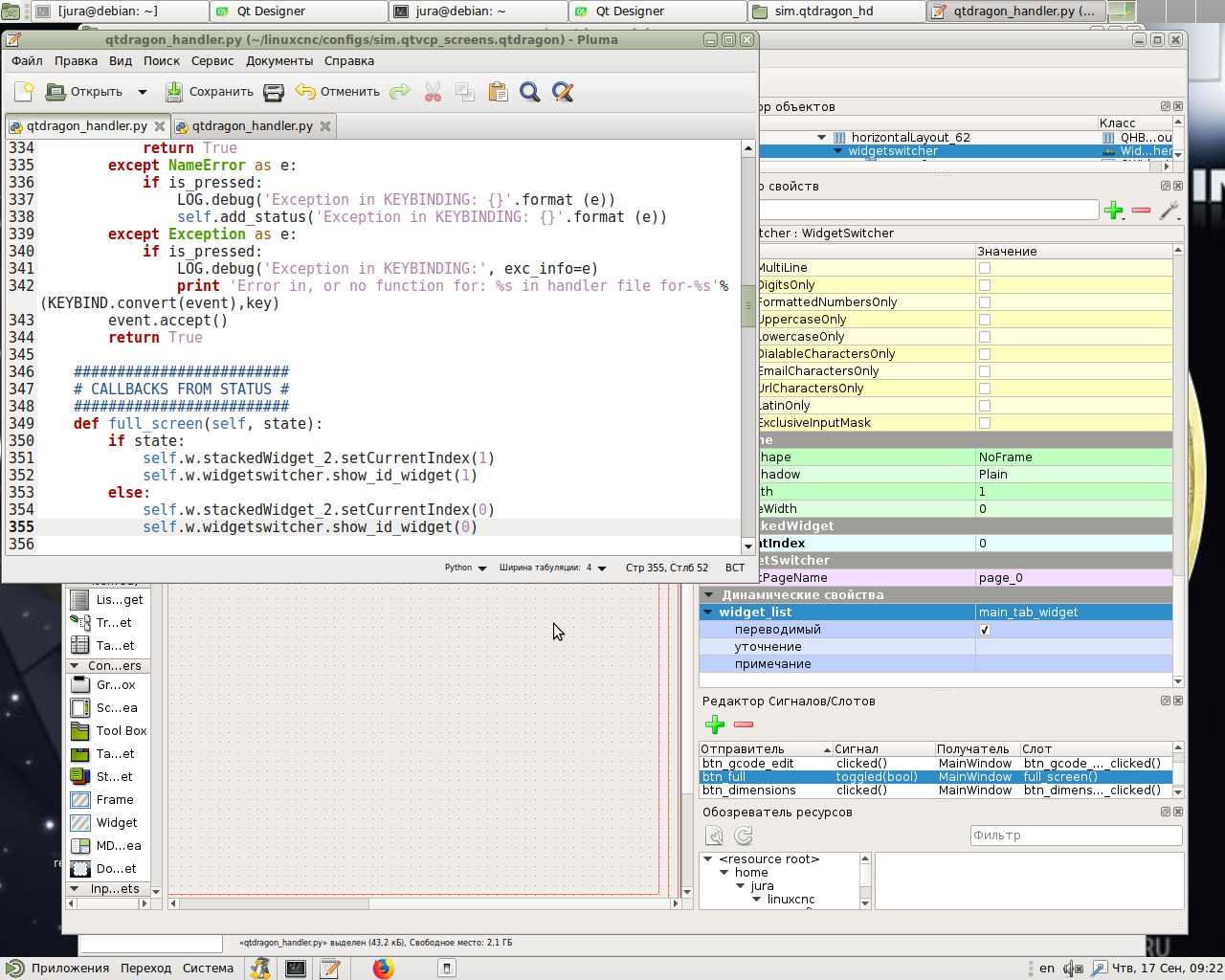
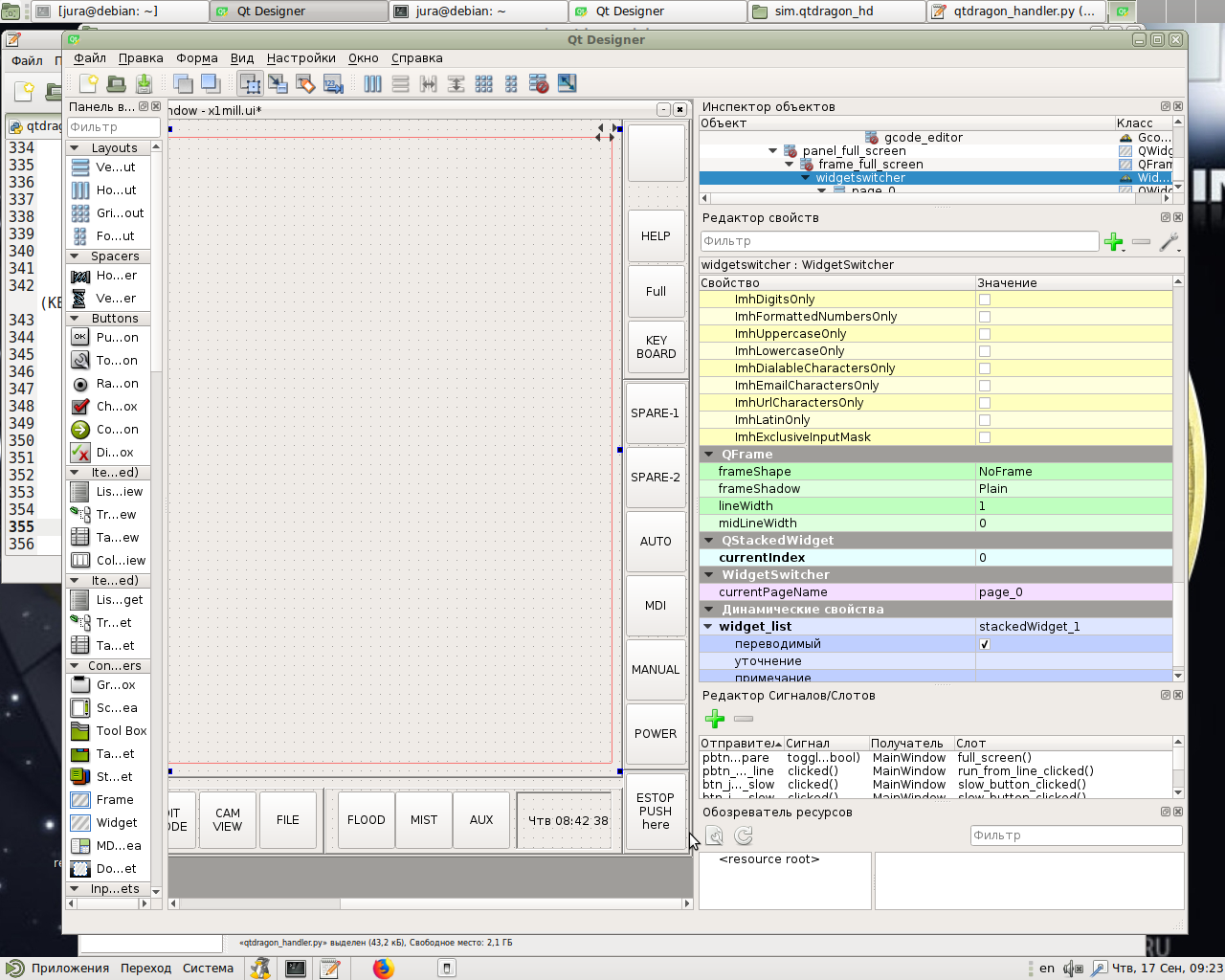
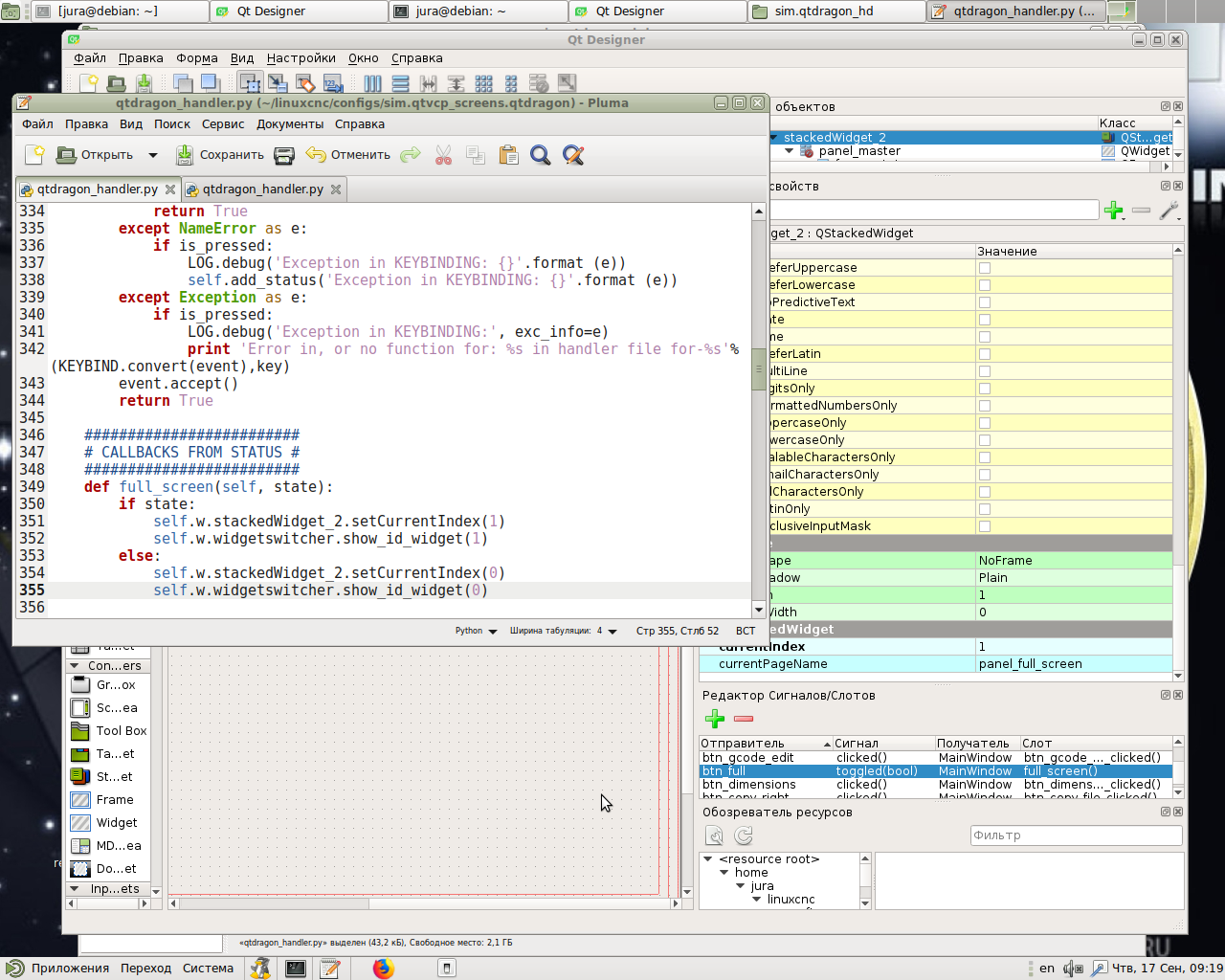
It seems like a simple task but I can't do it. I decided to add Fullscreen in QtDragon. Please tell me what I'm doing wrong? As a sample I took from x1mill.
Please Log in or Create an account to join the conversation.
- cmorley
- Offline
- Moderator
-
Less
More
- Posts: 7368
- Thank you received: 2181
6 years 1 month ago #182609
by cmorley
Replied by cmorley on topic Сustomization QTvcp
Seems the error indicates there is a layout missing.
The widget that gets moved must be in a layout in the original position.
The layout is a placeholder so the moved widget can go back in the same place.
The widget that gets moved must be in a layout in the original position.
The layout is a placeholder so the moved widget can go back in the same place.
Please Log in or Create an account to join the conversation.
- hottabich
- Offline
- Platinum Member
-
Less
More
- Posts: 574
- Thank you received: 96
6 years 1 month ago - 6 years 1 month ago #182638
by hottabich
Replied by hottabich on topic Сustomization QTvcp
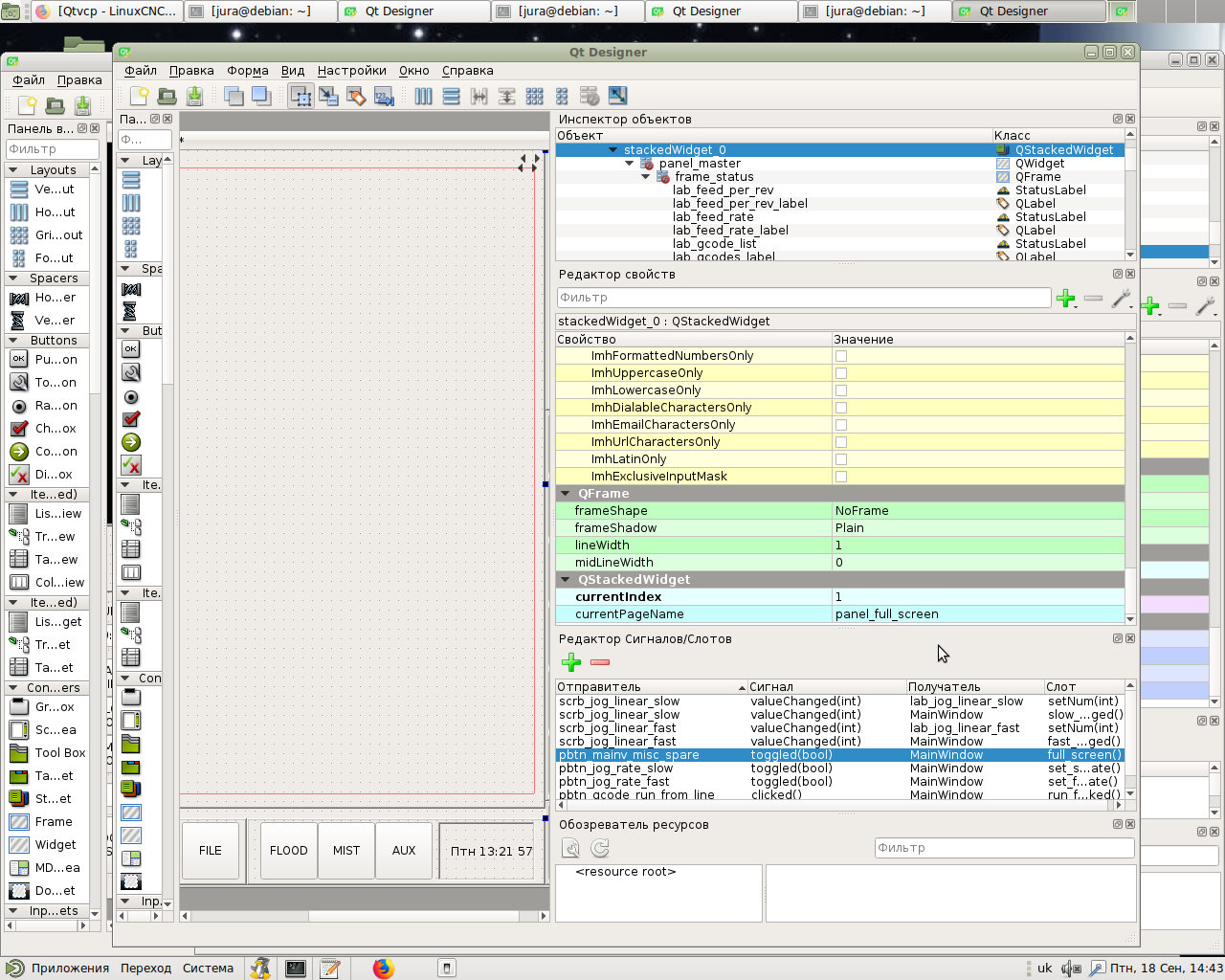
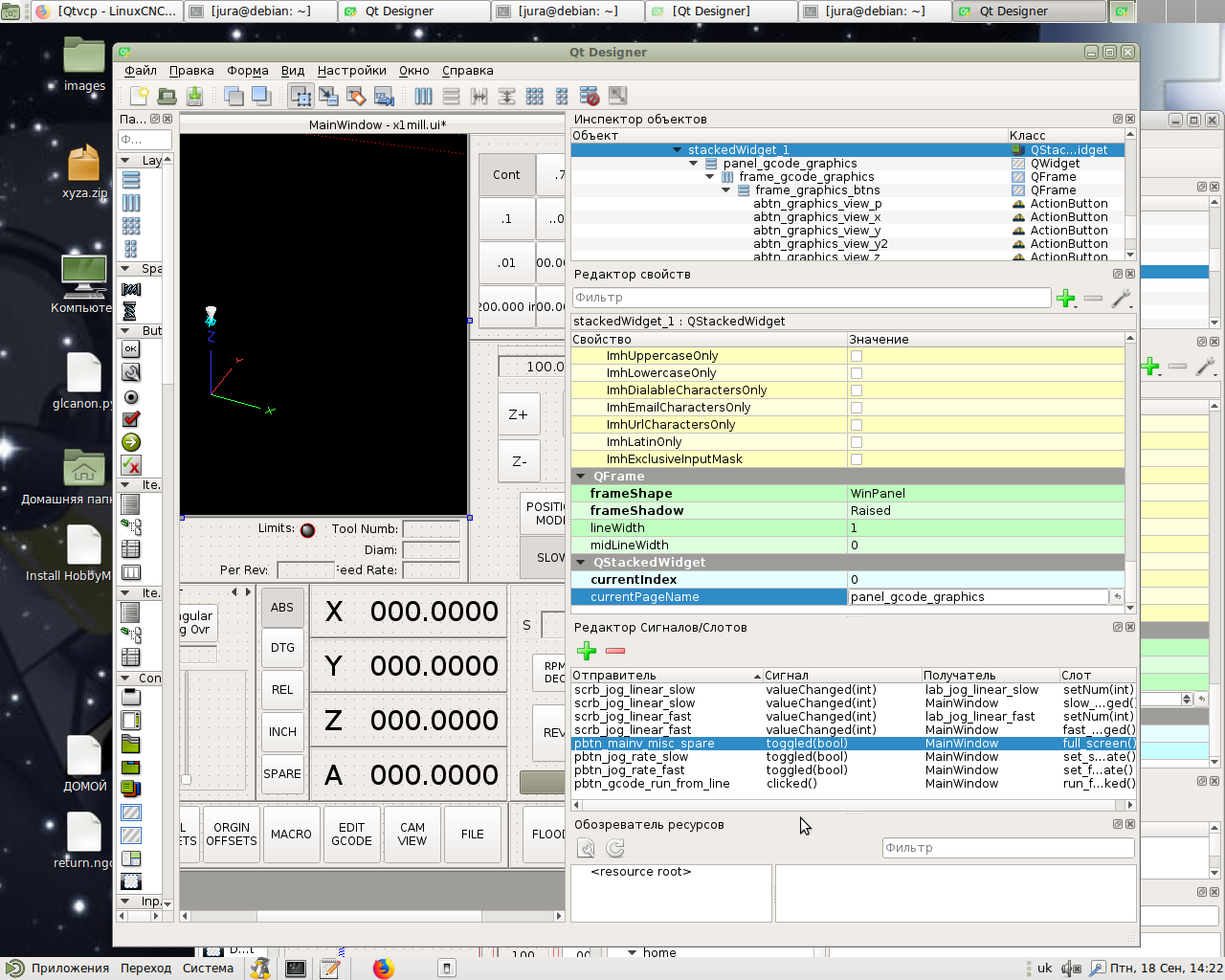
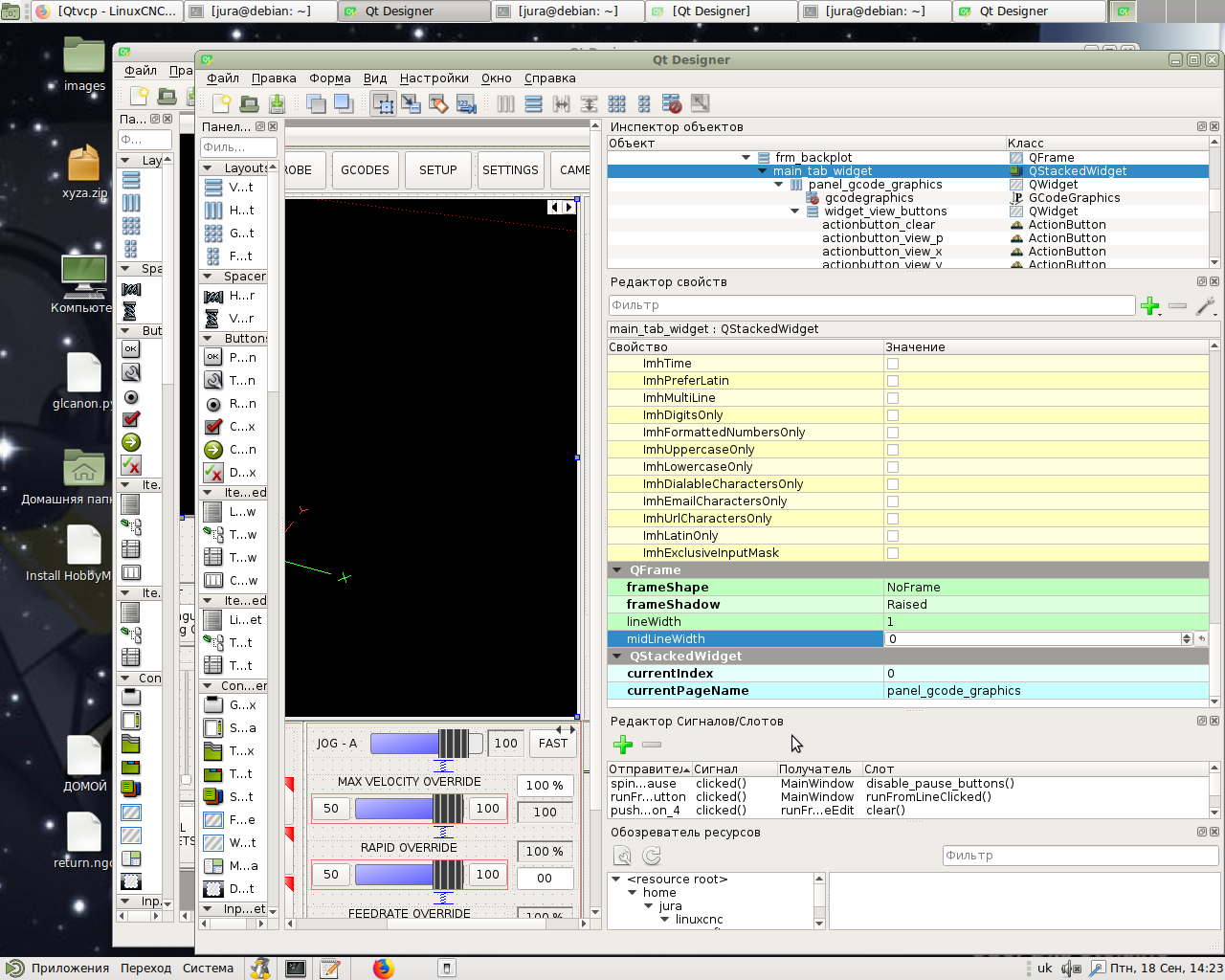
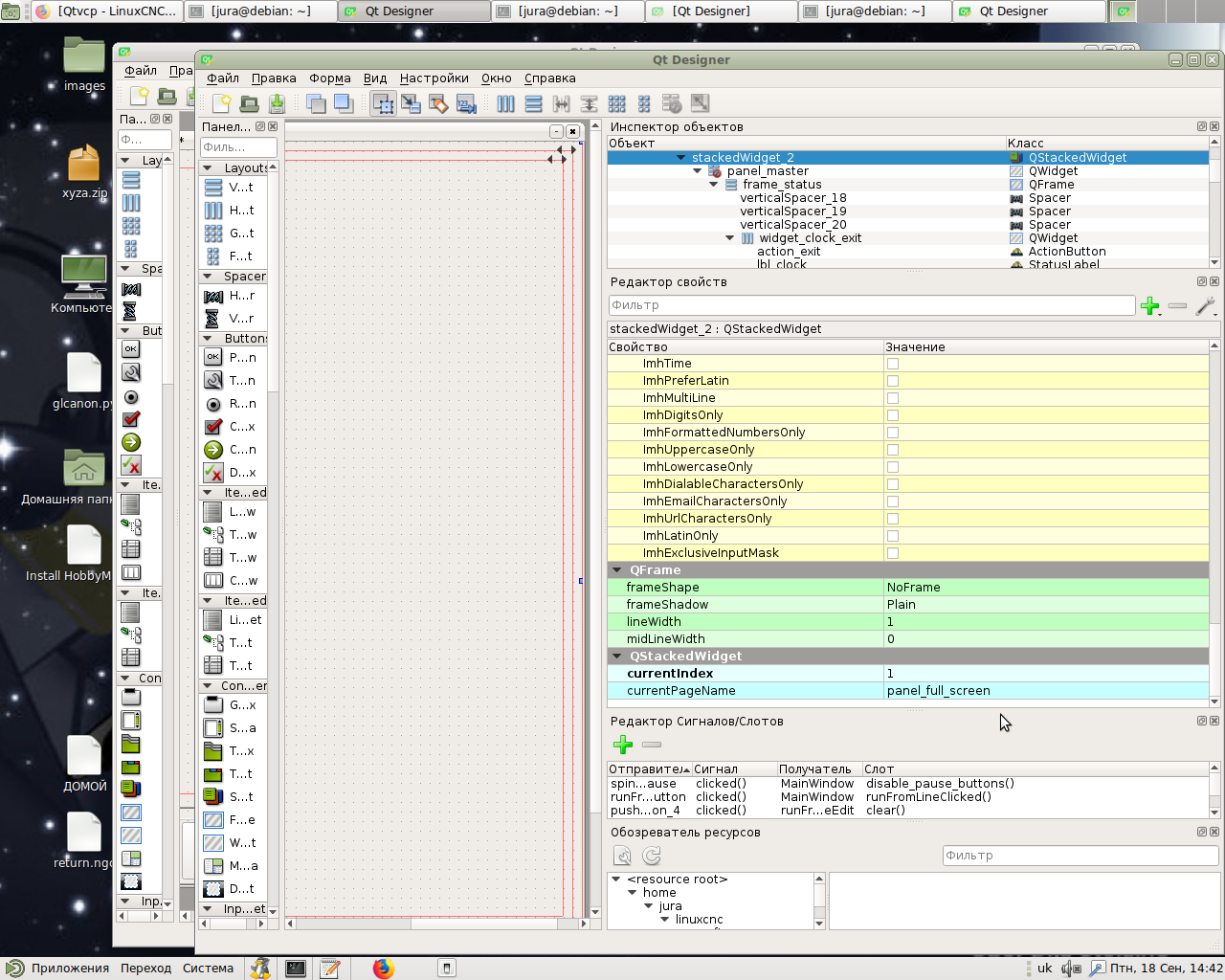
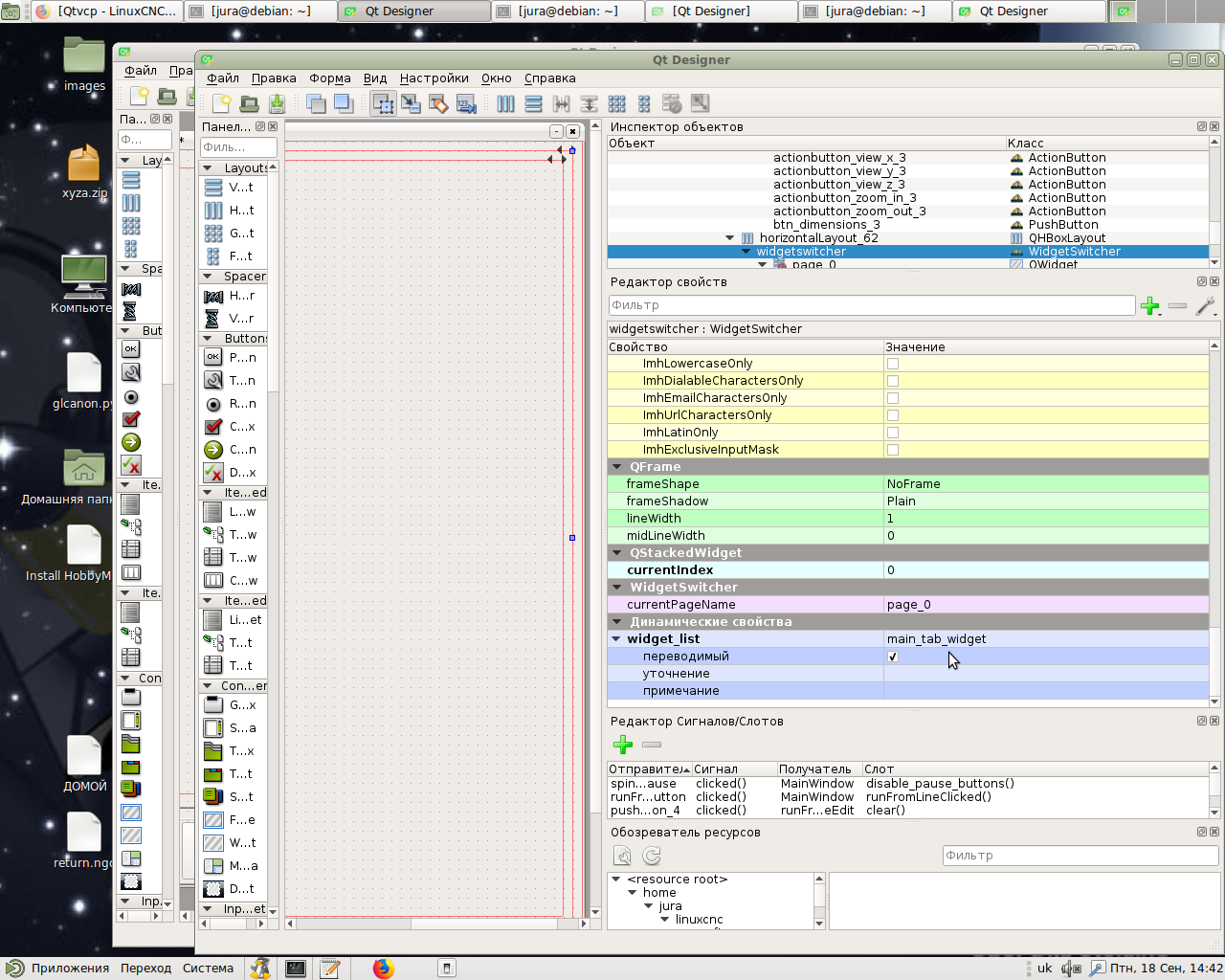
Thanks for your attention! As I understand it, you need to correctly specify the path gcode_graphics in widgetswitcher (widget_list). I do everything the same way with x1mill. But it doesn't work. Here is the code in the handler: x1mill
or qtdragon
plus sceenshot. Probably wrong with the panels, I'll figure it out. So it happened, made a hybrid x1mill + qtdragon, fixed it.
Code:
def full_screen(self, state):
if state:
self.w.stackedWidget_0.setCurrentIndex(1)
self.w.widgetswitcher.show_id_widget(1)
else:
self.w.stackedWidget_0.setCurrentIndex(0)
self.w.widgetswitcher.show_id_widget(0)
Code:
def full_screen(self, state):
if state:
self.w.stackedWidget_2.setCurrentIndex(1)
self.w.widgetswitcher.show_id_widget(1)
else:
self.w.stackedWidget_2.setCurrentIndex(0)
self.w.widgetswitcher.show_id_widget(0)

Last edit: 6 years 1 month ago by hottabich.
Please Log in or Create an account to join the conversation.
Moderators: cmorley
Time to create page: 0.864 seconds