
- Posts: 574
- Thank you received: 96
Сustomization QTvcp
- hottabich
- Offline
- Platinum Member
-

Less
More
6 years 1 month ago #183807
by hottabich
Replied by hottabich on topic Сustomization QTvcp
Hello! Please help me make a full screen in QtDragon. I'm out of
variant. The brain boils with confusion. Thanks!
variant. The brain boils with confusion. Thanks!
Please Log in or Create an account to join the conversation.
- cmorley
- Offline
- Moderator
-

Less
More
- Posts: 7368
- Thank you received: 2181
6 years 1 month ago #183879
by cmorley
Replied by cmorley on topic Сustomization QTvcp
try this.
The problem was, the widgetswitcher pages did not have layouts set in them.
You can tell by the red circle-with-slash icon in the Object inspector list.
I set it up so any main tab can be 'full screen' rather then just the gcode graphics display.
You could change that if you don't like it.
Chris
The problem was, the widgetswitcher pages did not have layouts set in them.
You can tell by the red circle-with-slash icon in the Object inspector list.
I set it up so any main tab can be 'full screen' rather then just the gcode graphics display.
You could change that if you don't like it.
Chris
The following user(s) said Thank You: hottabich
Please Log in or Create an account to join the conversation.
- hottabich
- Offline
- Platinum Member
-
Less
More
- Posts: 574
- Thank you received: 96
6 years 1 month ago - 6 years 1 month ago #183935
by hottabich
Replied by hottabich on topic Сustomization QTvcp
There are no words for gratitude! Everything works as desired! I realized my mistake. After the alteration, you need to comment on these lines in qtdragon_postgui.hal
.What's wrong?
Here's a worker qtdragon (1024x768) in window x1Mill. In the images folder is missing probe_help.png (did not fit the file size). There are two widgets in the replace folder. Thanks again !!!
Code:
#net tool-change hal_manualtoolchange.change <= iocontrol.0.tool-change
#net tool-changed hal_manualtoolchange.changed <= iocontrol.0.tool-changed
#net tool-prep-number hal_manualtoolchange.number <= iocontrol.0.tool-prep-number
Here's a worker qtdragon (1024x768) in window x1Mill. In the images folder is missing probe_help.png (did not fit the file size). There are two widgets in the replace folder. Thanks again !!!
Last edit: 6 years 1 month ago by hottabich.
Please Log in or Create an account to join the conversation.
- cmorley
- Offline
- Moderator
-
Less
More
- Posts: 7368
- Thank you received: 2181
6 years 1 month ago #183939
by cmorley
Replied by cmorley on topic Сustomization QTvcp
make sure 'tool_dialog' is selected in the screenoptions widget's properties.
Other wise the HAL pins for the tool dialog is not made.
Chris
Other wise the HAL pins for the tool dialog is not made.
Chris
The following user(s) said Thank You: hottabich
Please Log in or Create an account to join the conversation.
- hottabich
- Offline
- Platinum Member
-
Less
More
- Posts: 574
- Thank you received: 96
6 years 3 weeks ago #185381
by hottabich
Replied by hottabich on topic Сustomization QTvcp
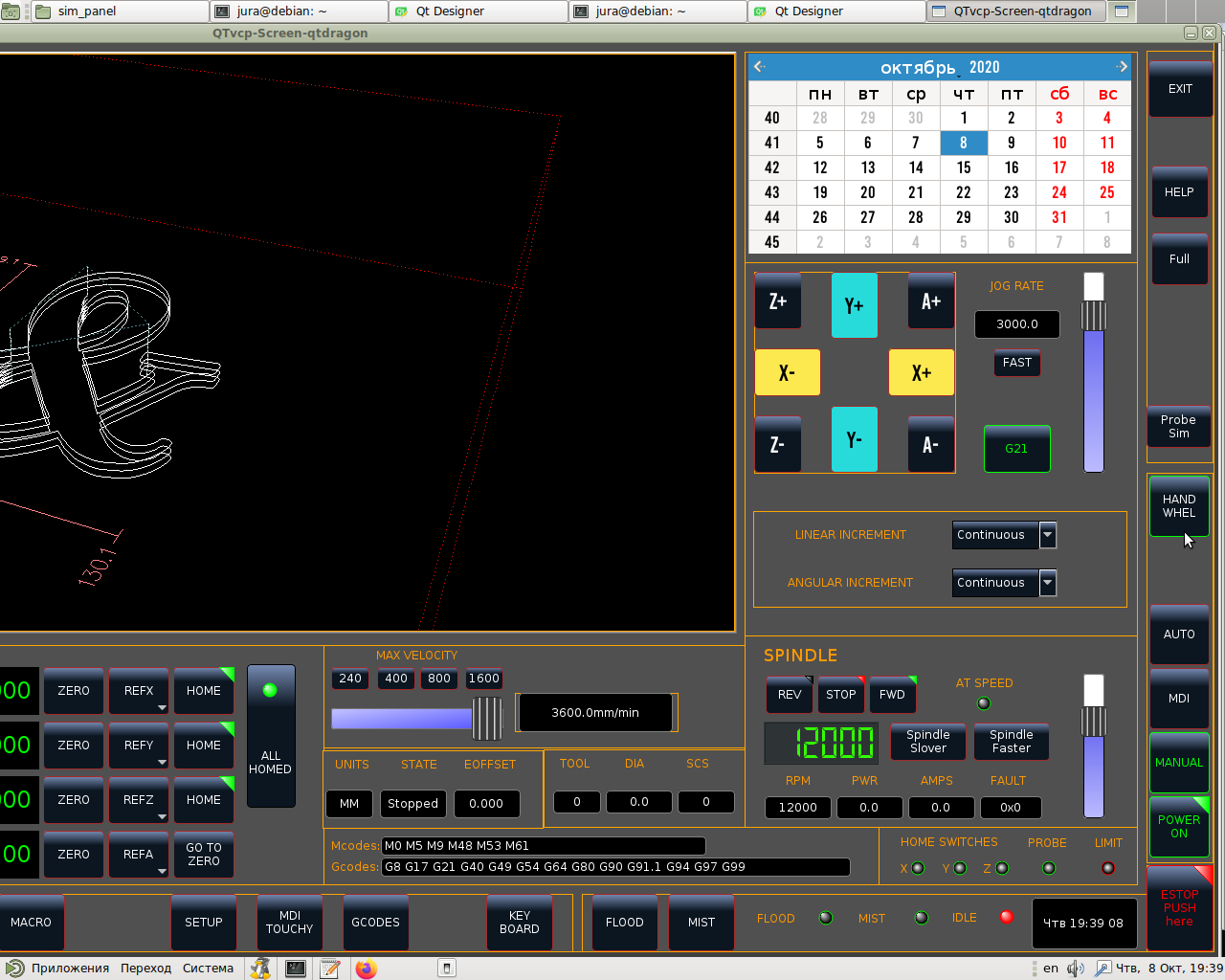
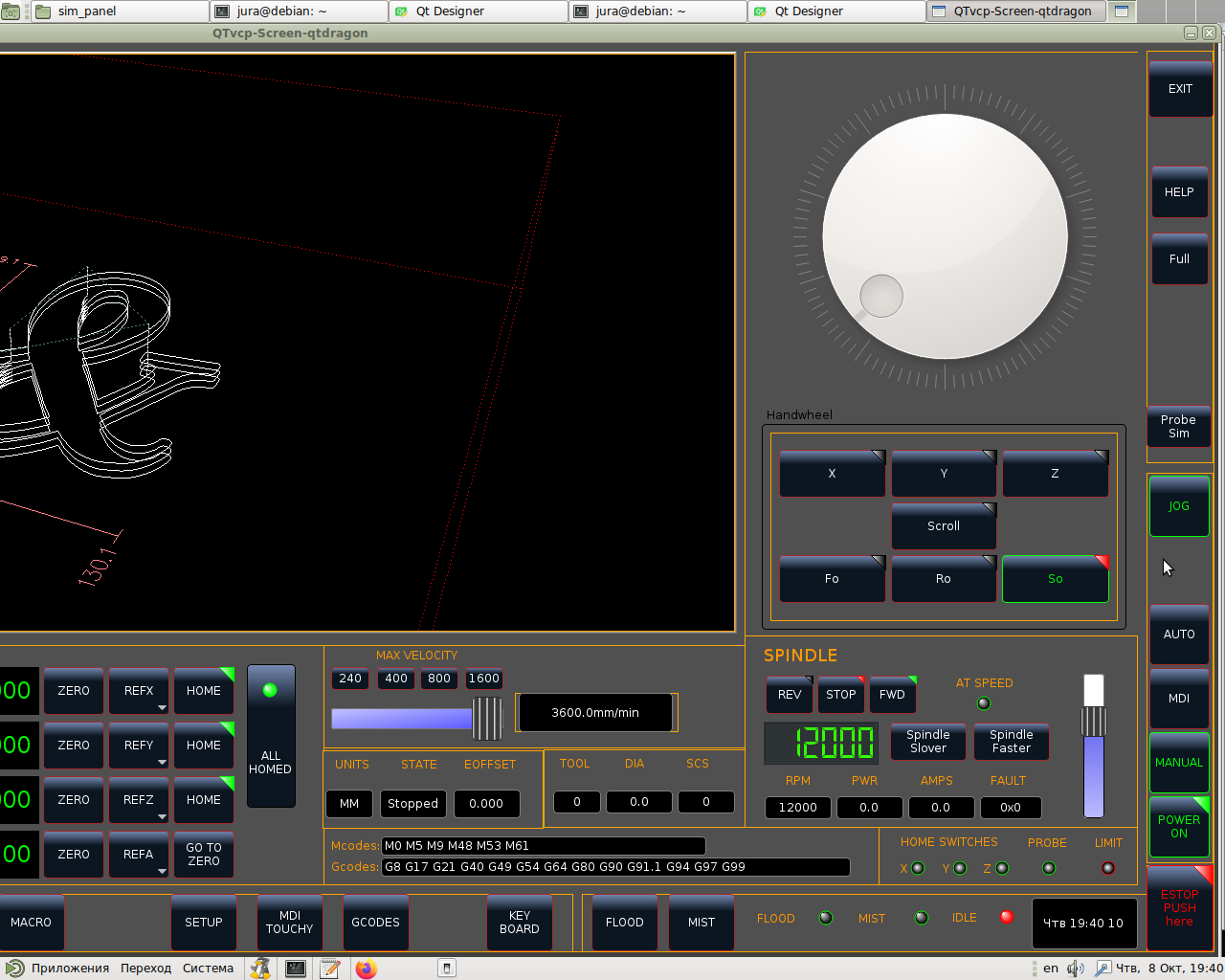
Hello! I am eager to integrate the sim panel into a full hd interface. Please tell me how to register
eto in the handler or where to read. Thanks!
eto in the handler or where to read. Thanks!
Please Log in or Create an account to join the conversation.
- cmorley
- Offline
- Moderator
-
Less
More
- Posts: 7368
- Thank you received: 2181
6 years 3 weeks ago #185403
by cmorley
Replied by cmorley on topic Сustomization QTvcp
Currently you can't combine separate panels (even qtvcp ones) unless you use the X11 embedding process which has a few limitations and warts.
The best way to incorporate the panels is to use designer to copy and paste the panel into the original design. Then if the panel has a handler file to move the relevant code into the dragon handler file.
The intended way was to have the jog panel float as it's just for testing.
You can see the idea with TOUCHY sim (though it use GLADEvcp)
Chris
The best way to incorporate the panels is to use designer to copy and paste the panel into the original design. Then if the panel has a handler file to move the relevant code into the dragon handler file.
The intended way was to have the jog panel float as it's just for testing.
You can see the idea with TOUCHY sim (though it use GLADEvcp)
Chris
Please Log in or Create an account to join the conversation.
Moderators: cmorley
Time to create page: 1.000 seconds