
- Posts: 19899
- Thank you received: 4655
5 Axis ParPort Stepper Setup with RTCP
- andypugh
- Offline
- Moderator
-

Less
More
11 years 1 month ago #62712
by andypugh
Replied by andypugh on topic 5 Axis ParPort Stepper Setup with RTCP
[quote="fery15sty" post=62707i can not find folder kinematic, 5axiskins.c, pumakins.c, scarakins.c, ..... etc.[/quote]
You need the source code.
(and, also, probably, the linuxcnc-dev package from the package manager)
To get all the source code you would want to install git and clone the repository: linuxcnc.org/docs/html/code/contributing-to-linuxcnc.html
But to work on just a single kinematics file you can probably just get the file from: git.linuxcnc.org/gitweb?p=linuxcnc.git;a...98763c65a3e58199e14e
(right-click the "raw" link of the files you want)
You need the source code.
(and, also, probably, the linuxcnc-dev package from the package manager)
To get all the source code you would want to install git and clone the repository: linuxcnc.org/docs/html/code/contributing-to-linuxcnc.html
But to work on just a single kinematics file you can probably just get the file from: git.linuxcnc.org/gitweb?p=linuxcnc.git;a...98763c65a3e58199e14e
(right-click the "raw" link of the files you want)
The following user(s) said Thank You: fery15sty
Please Log in or Create an account to join the conversation.
- fery15sty
- Offline
- Premium Member
-

Less
More
- Posts: 88
- Thank you received: 12
11 years 1 month ago #62714
by fery15sty
Replied by fery15sty on topic 5 Axis ParPort Stepper Setup with RTCP
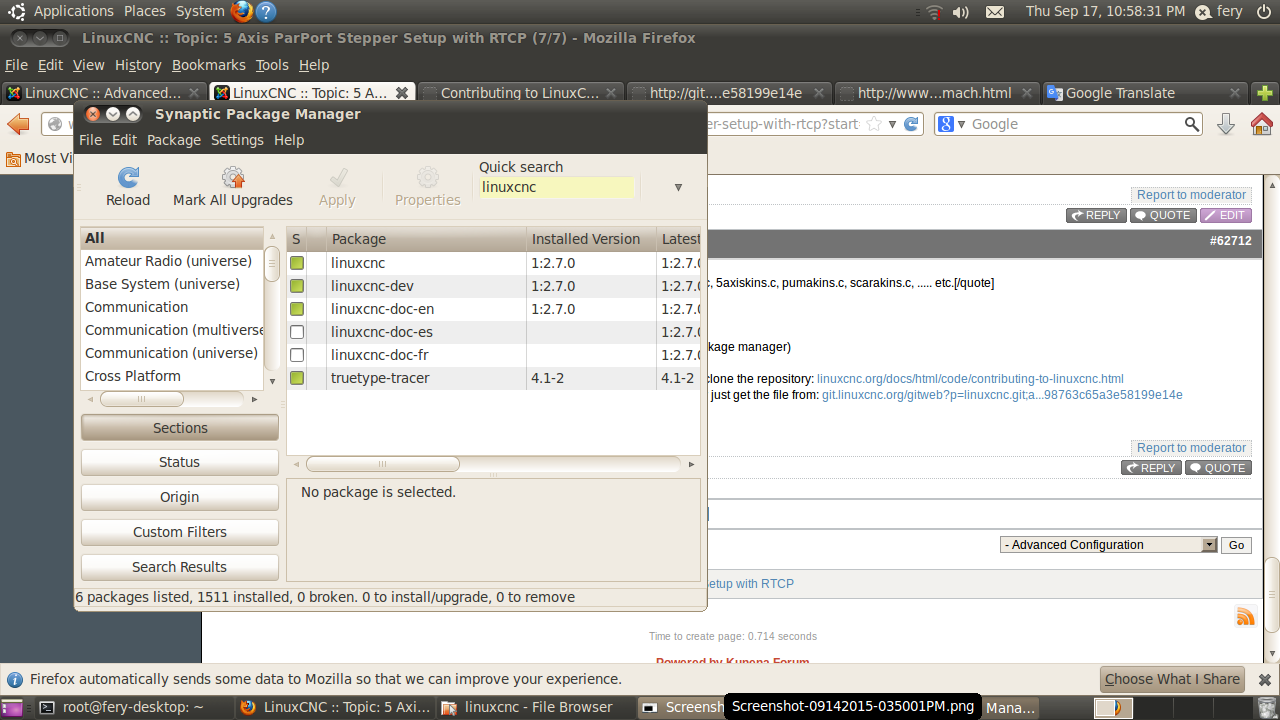
i was upgrde linuxcnc-dev package on package manager but i can not find kinematics file on my pc..
Please Log in or Create an account to join the conversation.
- andypugh
- Offline
- Moderator
-
Less
More
- Posts: 19899
- Thank you received: 4655
11 years 1 month ago #62715
by andypugh
You won't find _any_ source code files unless you download the source code.
But you can get individual files from the second link.
Replied by andypugh on topic 5 Axis ParPort Stepper Setup with RTCP
fery15sty wrote: i was upgrde linuxcnc-dev package on package manager but i can not find kinematics file on my pc..
You won't find _any_ source code files unless you download the source code.
But you can get individual files from the second link.
The following user(s) said Thank You: fery15sty
Please Log in or Create an account to join the conversation.
- fery15sty
- Offline
- Premium Member
-
Less
More
- Posts: 88
- Thank you received: 12
11 years 1 month ago #62717
by fery15sty
Replied by fery15sty on topic 5 Axis ParPort Stepper Setup with RTCP
Okey Andy, thanks for this link..
git.linuxcnc.org/gitweb?p=linuxcnc.git;a...98763c65a3e58199e14e
I try to learn it..
git.linuxcnc.org/gitweb?p=linuxcnc.git;a...98763c65a3e58199e14e
I try to learn it..
Please Log in or Create an account to join the conversation.
- fery15sty
- Offline
- Premium Member
-
Less
More
- Posts: 88
- Thank you received: 12
11 years 1 month ago #62810
by fery15sty
Replied by fery15sty on topic 5 Axis ParPort Stepper Setup with RTCP
I tried to compile kinematics file, but the result is like this:
what i am doing??
what i am doing??

Please Log in or Create an account to join the conversation.
- fery15sty
- Offline
- Premium Member
-
Less
More
- Posts: 88
- Thank you received: 12
11 years 1 month ago #62814
by fery15sty
by jstoquica
Hi,
For the new Linuxcnc users, the best thing for start with linuxcnc simulation (in my case, robotics manipulators) is:
1. Copy a new folder of any default project (.../configs/puma/). Like Puma or Puma 560 for robotic arms.
2. Copy the python file (vismach simulation) to be edited later. (/usr/bin/*.py)
3. Edit the *.py file with the custom design.
4. Test the simulation with halrun -> loadusr /usr/bin/*.py
5. Edit the name and the DOF hal signals in the python simulation in the *.HAL file /configs/new folder.
6. Copy some kinematics file for your custom machine. Like pumakins.c
7. Edit the kinematics parameters in *.c file.
8. Edit Makefile in the the linuxcnc source for your actually version. (.../usr/Makefile)
8. Then you have to compile the *.c file with the source package. (vim .../build/docs/INSTALL)
9. Run linuxcnc in RIP environment (Run In Place)
10. Test your configuration.
I hope that basics steps help with yours projects. Regards.
can you explain to me for the step 8,8,9,10..?? I am very confused..
Replied by fery15sty on topic 5 Axis ParPort Stepper Setup with RTCP
by jstoquica
Hi,
For the new Linuxcnc users, the best thing for start with linuxcnc simulation (in my case, robotics manipulators) is:
1. Copy a new folder of any default project (.../configs/puma/). Like Puma or Puma 560 for robotic arms.
2. Copy the python file (vismach simulation) to be edited later. (/usr/bin/*.py)
3. Edit the *.py file with the custom design.
4. Test the simulation with halrun -> loadusr /usr/bin/*.py
5. Edit the name and the DOF hal signals in the python simulation in the *.HAL file /configs/new folder.
6. Copy some kinematics file for your custom machine. Like pumakins.c
7. Edit the kinematics parameters in *.c file.
8. Edit Makefile in the the linuxcnc source for your actually version. (.../usr/Makefile)
8. Then you have to compile the *.c file with the source package. (vim .../build/docs/INSTALL)
9. Run linuxcnc in RIP environment (Run In Place)
10. Test your configuration.
I hope that basics steps help with yours projects. Regards.
can you explain to me for the step 8,8,9,10..?? I am very confused..
Please Log in or Create an account to join the conversation.
Time to create page: 0.546 seconds