
- Posts: 171
- Thank you received: 3
5 Axis ParPort Stepper Setup with RTCP
- marq_torque
- Offline
- Elite Member
-

Less
More
11 years 1 month ago #62583
by marq_torque
Replied by marq_torque on topic 5 Axis ParPort Stepper Setup with RTCP
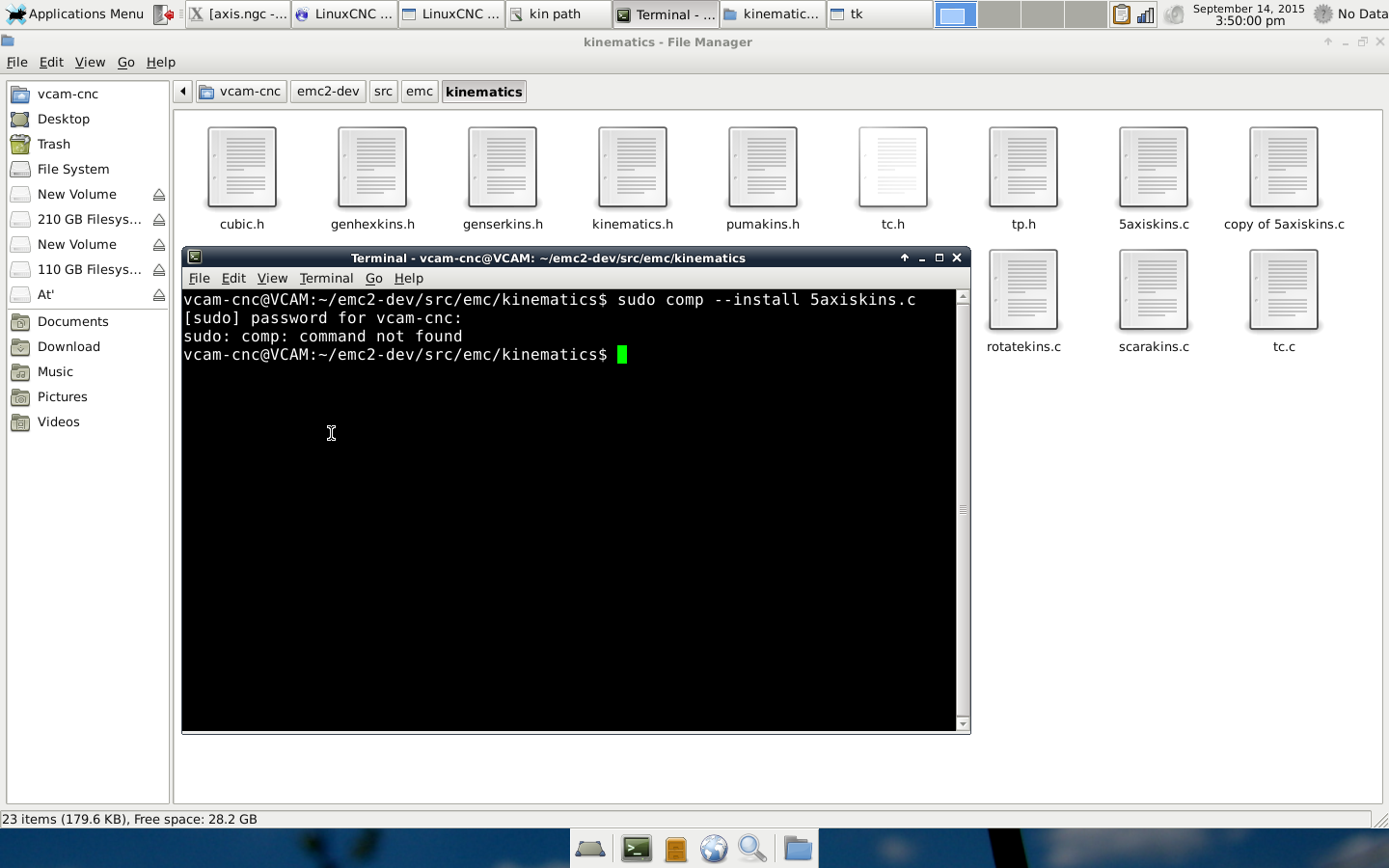
i tried
sudo comp --install 5axiskins.c
sudo comp --install 5axiskins.c
Please Log in or Create an account to join the conversation.
- marq_torque
- Offline
- Elite Member
-
Less
More
- Posts: 171
- Thank you received: 3
11 years 1 month ago #62584
by marq_torque
Replied by marq_torque on topic 5 Axis ParPort Stepper Setup with RTCP
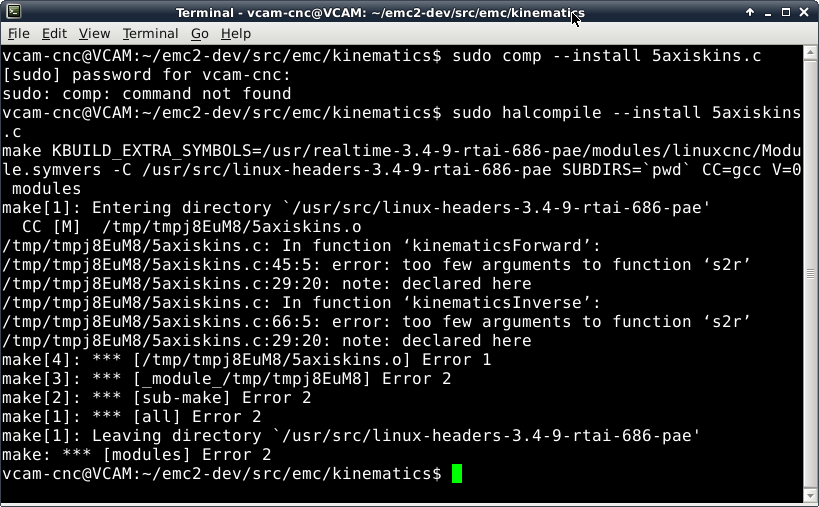
and i got this whe used
sudo halcompile --install 5axiskins.c
sudo halcompile --install 5axiskins.c
Please Log in or Create an account to join the conversation.
- andypugh
- Offline
- Moderator
-

Less
More
- Posts: 19899
- Thank you received: 4655
11 years 1 month ago #62587
by andypugh
You can copy and paste from the terminal window, which is a bit easier than attaching screen shots.
As you have noticed, max5kins might actually work perfectly for you. I think that it is approximately identical but with a different pivot length.
try "maxkins" in your HAL file and see if that works.
As for 5axiskins:
It looks like you just deleted the references to C and joint 5. You can't do that, you needed to replace them with 0 so that the s2r function has the right number of arguments.
First, go back to the original 5axiskins and see if that works. If it does, then you can change things. But try maxkins first.
Replied by andypugh on topic 5 Axis ParPort Stepper Setup with RTCP
marq_torque wrote: sudo halcompile --install 5axiskins.c
You can copy and paste from the terminal window, which is a bit easier than attaching screen shots.
As you have noticed, max5kins might actually work perfectly for you. I think that it is approximately identical but with a different pivot length.
try "maxkins" in your HAL file and see if that works.
As for 5axiskins:
It looks like you just deleted the references to C and joint 5. You can't do that, you needed to replace them with 0 so that the s2r function has the right number of arguments.
First, go back to the original 5axiskins and see if that works. If it does, then you can change things. But try maxkins first.
The following user(s) said Thank You: marq_torque
Please Log in or Create an account to join the conversation.
- marq_torque
- Offline
- Elite Member
-
Less
More
- Posts: 171
- Thank you received: 3
11 years 1 month ago #62589
by marq_torque
Replied by marq_torque on topic 5 Axis ParPort Stepper Setup with RTCP
i tried maxkins. it has connection with C axis and Tool tip, i mean i am again at the start point if i need to change from C to B and i have machine with Moving head, so its bit of pain .. i realized now ... btw i changed when you were typing reply. and checked, but found one weird error when was MDi B axis = "linear move on line0 would exceed joint 2's positive limit"
any clues ?
any clues ?
Please Log in or Create an account to join the conversation.
- andypugh
- Offline
- Moderator
-
Less
More
- Posts: 19899
- Thank you received: 4655
11 years 1 month ago #62590
by andypugh
Line 0 just means MDI. It probably means that there is something wrong with the kinematics calculations to that it returns a very large number for the Z correction.
Replied by andypugh on topic 5 Axis ParPort Stepper Setup with RTCP
Ah, yes, I forgot it has a Y axis that you don't have.marq_torque wrote: i tried maxkins. it has connection with C axis and Tool tip
found one weird error when was MDi B axis = "linear move on line0 would exceed joint 2's positive limit"
Line 0 just means MDI. It probably means that there is something wrong with the kinematics calculations to that it returns a very large number for the Z correction.
The following user(s) said Thank You: marq_torque
Please Log in or Create an account to join the conversation.
- marq_torque
- Offline
- Elite Member
-
Less
More
- Posts: 171
- Thank you received: 3
11 years 1 month ago #62591
by marq_torque
Replied by marq_torque on topic 5 Axis ParPort Stepper Setup with RTCP
many times i saw error that Must be in MDI mode to issue MDI command what is that ??? when i am already in MDI ?? then i need to restart EMC
Please Log in or Create an account to join the conversation.
Time to create page: 0.732 seconds