
- Posts: 476
- Thank you received: 52
Work with probe
- alkabal
- Offline
- Platinum Member
-

Less
More
4 years 9 months ago - 4 years 9 months ago #232195
by alkabal
Replied by alkabal on topic Work with probe
Hello all.
The actual fork for probe screen next gen seem to be dead (i haven't the admin stuff...).
So i have actually created a new project on github, your welcome for test comment and propose change if you like it.
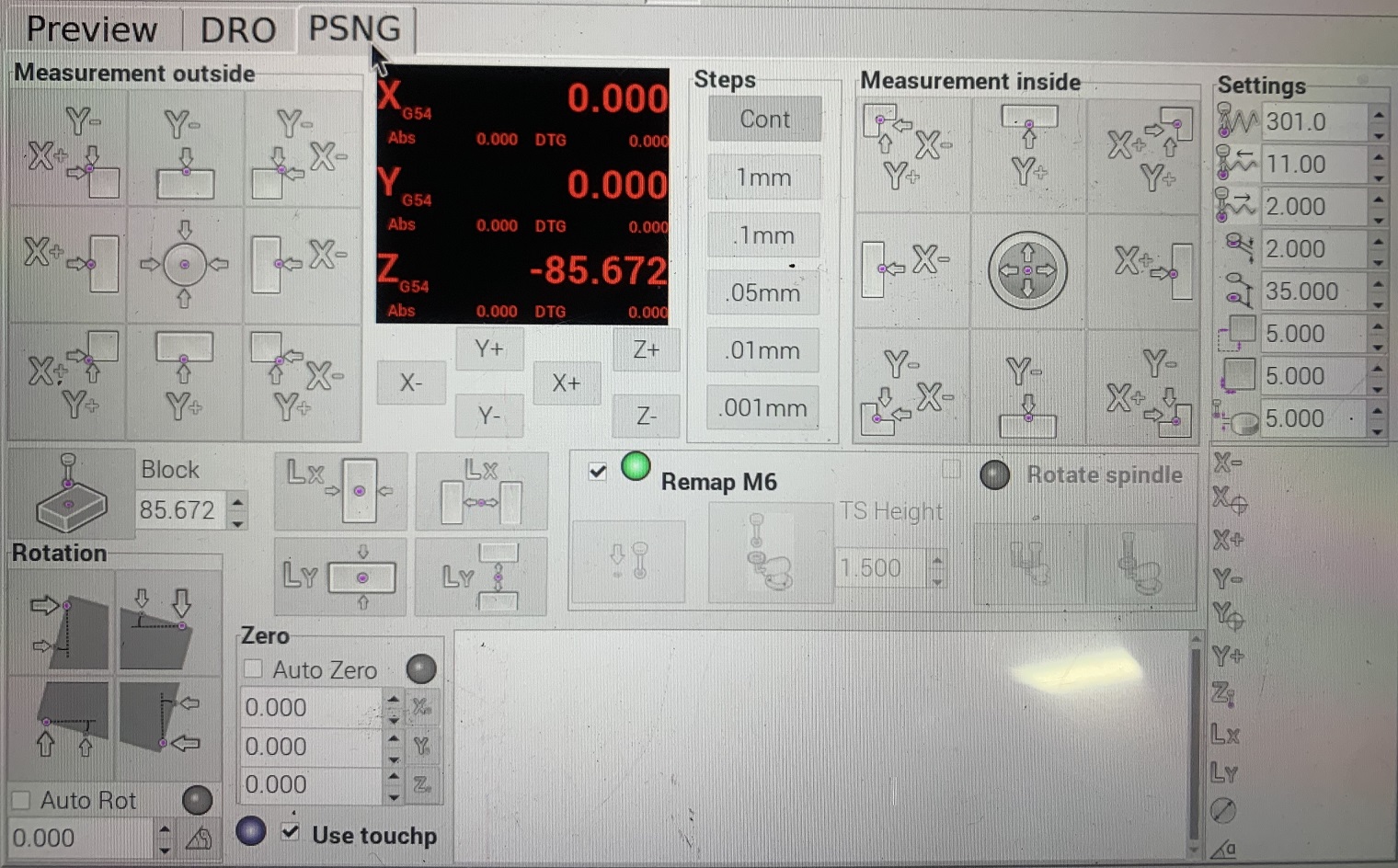
Some little change done to GUI, but stuff completly revised :
-Possibility to swap from 3D touch probe to Touchplate with a simple tickbox.
-Manual tool change with auto length use now built in python stglue remap. (i think about going back to a ngc version)
-You can bypass the auto length stuff with a simple tickbox.
-Config is done for use separate input for Touch Probe (or Touchplate) and Tool setter and the status is checked before each move.
Of course status is something like beta, use with precaution.
github.com/alkabal/PSNG_V3
Br
The actual fork for probe screen next gen seem to be dead (i haven't the admin stuff...).
So i have actually created a new project on github, your welcome for test comment and propose change if you like it.
Some little change done to GUI, but stuff completly revised :
-Possibility to swap from 3D touch probe to Touchplate with a simple tickbox.
-Manual tool change with auto length use now built in python stglue remap. (i think about going back to a ngc version)
-You can bypass the auto length stuff with a simple tickbox.
-Config is done for use separate input for Touch Probe (or Touchplate) and Tool setter and the status is checked before each move.
Of course status is something like beta, use with precaution.
github.com/alkabal/PSNG_V3
Br
Last edit: 4 years 9 months ago by alkabal.
The following user(s) said Thank You: robertspark, ChironFZ16, Vector
Please Log in or Create an account to join the conversation.
- HaroldH
- Visitor
-

4 years 8 months ago #234463
by HaroldH
Replied by HaroldH on topic Work with probe
Interesting post
Please Log in or Create an account to join the conversation.
- juwi
- Offline
- New Member
-

Less
More
- Posts: 7
- Thank you received: 1
4 years 8 months ago #234552
by juwi
Replied by juwi on topic Work with probe
Hi!
I have a probe attached to a slide that drops it if needed.
Therefore it is offset in x, y and z.
The probe comes down beneath the spindle.
How do I configure this?
Best regards
Julian
I have a probe attached to a slide that drops it if needed.
Therefore it is offset in x, y and z.
The probe comes down beneath the spindle.
How do I configure this?
Best regards
Julian
Please Log in or Create an account to join the conversation.
- rodw
- Offline
- Platinum Member
-
Less
More
- Posts: 12170
- Thank you received: 4153
4 years 8 months ago #234601
by rodw
Replied by rodw on topic Work with probe
Work offsets will be your friend. G54 et al. You might also be able to define those offsets in your tool table.
Please Log in or Create an account to join the conversation.
- sudocrapo
- Offline
- New Member
-
Less
More
- Posts: 6
- Thank you received: 0
4 years 7 months ago #238834
by sudocrapo
Replied by sudocrapo on topic Work with probe
After a few days of stumbling around with probe screen NG I am at a loss. Z probing works fine, but XY seems to be reversed.
The machine jogs correctly in all axis from the PSNG screen.
When I want to find a X+ edge it starts probing in the X- direction??
Any pointers would be appreciated.
The machine jogs correctly in all axis from the PSNG screen.
When I want to find a X+ edge it starts probing in the X- direction??
Any pointers would be appreciated.
Please Log in or Create an account to join the conversation.
- andypugh
- Offline
- Moderator
-

Less
More
- Posts: 19899
- Thank you received: 4655
4 years 7 months ago #238940
by andypugh
Replied by andypugh on topic Work with probe
Are you 100% sure that your machine is set up right? It is not uncommon to configure an axis to move in the wrong direction.
X+ should move the tool right or the table left if Y+ moves the tool away from you are the table towards you.
X+ should move the tool right or the table left if Y+ moves the tool away from you are the table towards you.
Please Log in or Create an account to join the conversation.
Time to create page: 0.172 seconds