Jason
Running LinuxMint xfce 32bit with Rtai kernel
Setup as in post:
forum.linuxcnc.org/forum/9-installing-li...-help?start=80#66528
Also I waited as you suggested to install latency measures after linuxcnc was installed, it did cut down on time.
This is with grub parameters:
quiet splash lapic noxsave -original paramters- intel_idle.max_cstate=0 processor.max_cstate=0 isolcpus=1 acpi_irq_nobalance noirqbalance
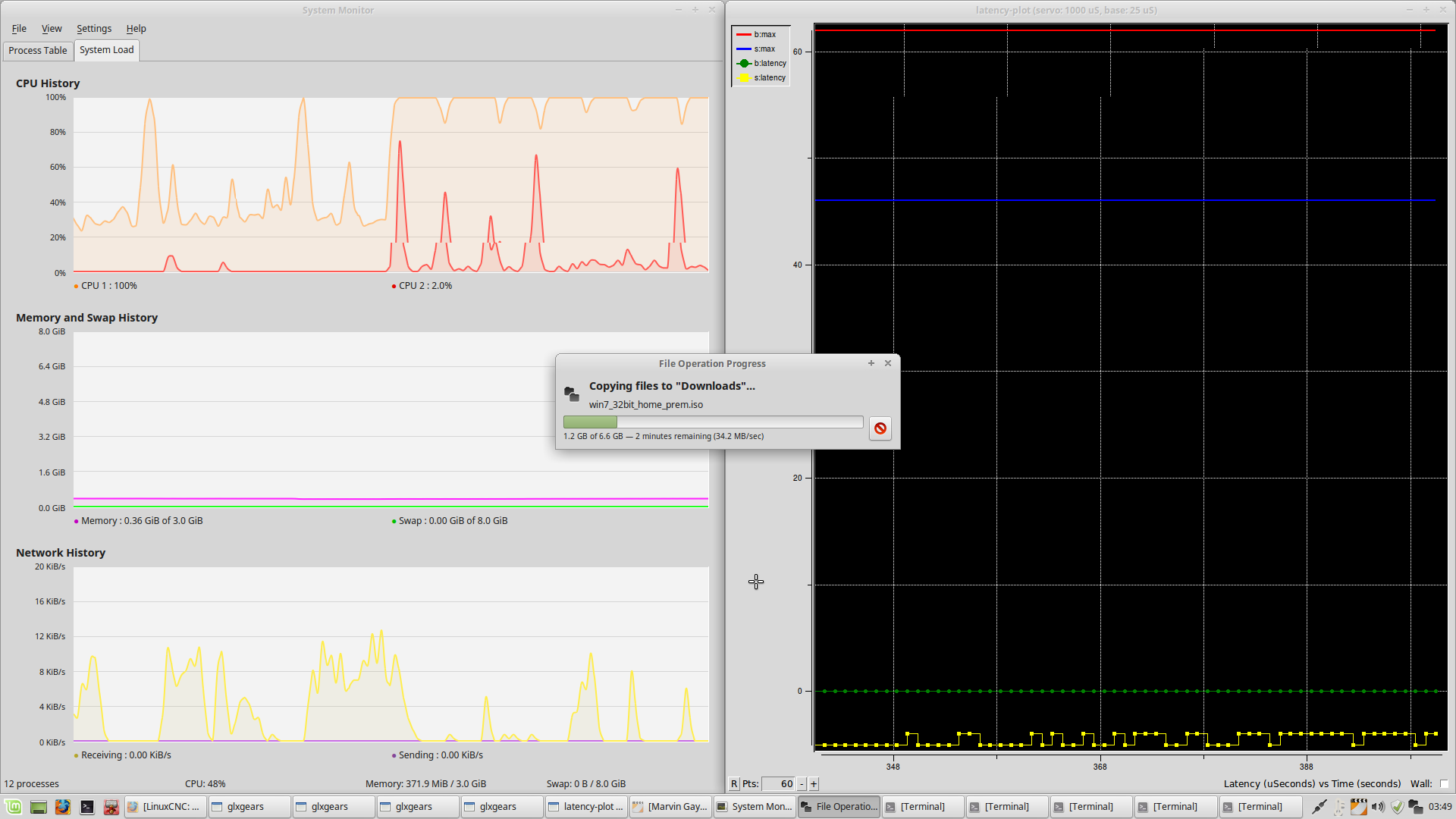
When first starting latancy plot I get a spike that is the red b.max in screenshot pic of latancy plot same as 64 bit. I took screen shots just as large file write started and finished. As you can see while transfer was taking place CPU1 usage was 100%, CPU2 was not at full load much different than 64 bit system which CPU1 & 2 where both at full load during transfer of files. After transfer CPU1 is still carrying a modest load not over 90% unlike 64 bit system, CPU2 dropped to 0%. Latency stayed low during test, (below 10000us) for base latency had a few spikes on servo base but not bad. This was done with 4 instances of glxgears, Firefox open on wired connection, music playing in repeat mode, file manager open with large file write, (6.6GB) to hard drive same as on 64 system. I did also notice CPU1's load is much less than 64 bit system had during this short pretest run. I also reset histogram after starting like on 64 bit test to avoid program start spike.
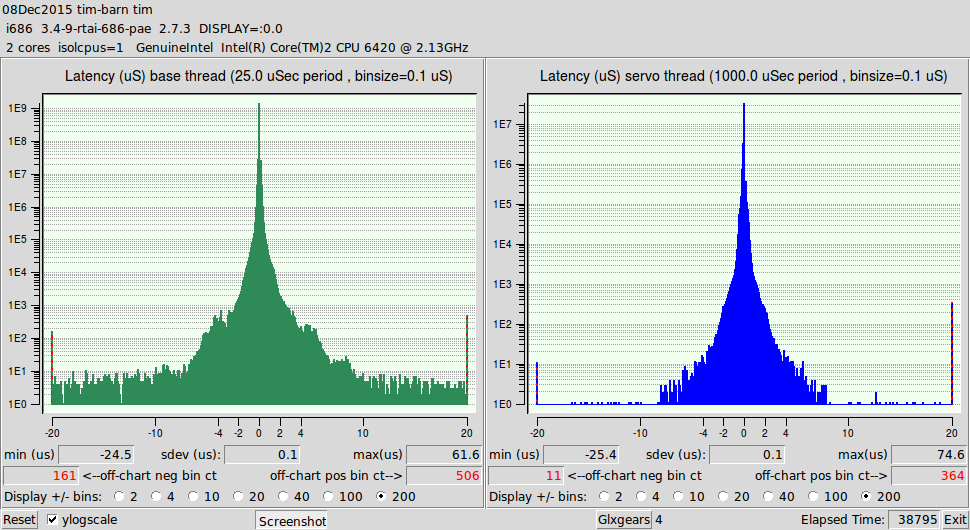
Started Histogram it is now 4:30am will let run till about 1:45pm that will be about 9 hours. will update post afterwards with screen shot as before. Changed my mind ran test for 11 hours same as I did with 64 bit Rt kernel screen shots of test results below
Tim