Advanced Search

Search Results (Searched for: )

  • tommylight
  • tommylight's Avatar
27 Apr 2025 01:05
Replied by tommylight on topic Homemade, cheap, plasma CNC

Homemade, cheap, plasma CNC

Category: Show Your Stuff

Where is the arc ok derived from? Plasma? Reed switch? or from THCAD?
For first two, check the plasma source, not LinuxCNC/Mesa/THCAD
  • Mother Canucker
  • Mother Canucker
27 Apr 2025 00:55
Tandem Y Axis in stepconf assistance. was created by Mother Canucker

Tandem Y Axis in stepconf assistance.

Category: StepConf Wizard

I have spent quite a while trying to get one of our older CNC's to run again. I had a lot of issues with getting the gantry properly setup and I heard that 2.9.4 has support for tandem motor pin outs so I downloaded it and I have managed to get the gantry to move. The problem is that if i'm in the test axis in stepconf only 1 motor moves and in the actual jog interface the motors are separate joints so if I jog the gantry then I have to jog joint 1 and then joint 2 instead of pressing one button. As a result I move it incredibly slowly to avoid skewing it as much as possible. I would imagine I did something wrong or that their is some way to combine the two joints too run at the same time? would I need to do this in the HAL or INI files?. My other question is about how i'm supposed to setup the limits because I have just been setting up as: both limit X, both limit Y, and the same for the other two motors. I did get an error about limits on one of the Y's  but it didn't say much other than something along the lines of "Error limits Joint 2"
www.probotix.com/CNC-ROUTERS/CNC-ROUTER-GX2525 Here is the machine (It only says Comet on it but I am very sure this the same one)
www.probotix.com/wiki/index.php/Unity_Controller  Here is the controller its using as the old one had some fried chips that couldn't be replaced. It also has the pin outs where I got the limits from.
Sorry if I it's something obvious because I really haven't used linuxCNC ever before (Also disclaimer: I haven't set the latency test right yet because I only got it working in a test setup yesterday and I didn't have time for it but I know I need to do it)
 
  • RNJFAB
  • RNJFAB
27 Apr 2025 00:09
Replied by RNJFAB on topic Homemade, cheap, plasma CNC

Homemade, cheap, plasma CNC

Category: Show Your Stuff

Thanks Tommy,

Here now trying to fix it.

First cut is fine. Second cut won’t create an arc ok. Everything off including thc.

Light on the Mesa goes the first time, but second time halshow and hardware all show that arc ok doesn’t change and the input on the Mesa board doesn’t change.
  • scotta
  • scotta's Avatar
26 Apr 2025 23:44 - 26 Apr 2025 23:49

Remora - Rpi Software Stepping Using External Microcontroller via SPI

Category: Computers and Hardware

I've been a little quite online lately. Been busy working on the STM32H7xx version of Remora with a lot of refactoring and hardware abstraction in preparation for the next steps to a common code base. I've also managed to get PlatformIO up and running for development and debugging. Important to be able to support multiple boards.

For those interested, the testing repo is:https://github.com/scottalford75/Remora-STM32H7xx-PIO

Inspired by the great work done by Sean McCully, github.com/seanmccully , the Remora code base has been significantly been reworked:

Remora is now a class of it's own
Communication is now handled via a comms handler, with hardware abstraction via a CommsInterface class
Hardware agnostic by creating hardware specific classes in main and then passing them over to the Remora constructor

The next steps....
Setup a organisation repo for Remora. We need a repo name as Remora is already taken :-(
Setup the core Remora repo
Test the submodule approach with the STM32H7 work to date
Test with STM32F4 etc

BTW, TMC5160 support is working in the H7 testing repo so were not too far off having this across other boards as well.
  • tommylight
  • tommylight's Avatar
26 Apr 2025 23:32
Replied by tommylight on topic How to open QT ui file in LinuxCNC

How to open QT ui file in LinuxCNC

Category: Qtvcp

Excellent!
Cool colors too by the way!

I was just about to say the same thing.
  • cmorley
  • cmorley
26 Apr 2025 23:29
Replied by cmorley on topic How to open QT ui file in LinuxCNC

How to open QT ui file in LinuxCNC

Category: Qtvcp

Excellent!
Cool colors too by the way!
  • tommylight
  • tommylight's Avatar
26 Apr 2025 23:28
Replied by tommylight on topic Homemade, cheap, plasma CNC

Homemade, cheap, plasma CNC

Category: Show Your Stuff

Does the VAD led remain ON during this?
Always, always disable automation when checking stuff, and enable one by one after fixing things, so auto volts off, void lock off, VAD off, etc.
Only leave THC ON, and do check the Active led while cutting.
  • hakinen2255
  • hakinen2255
26 Apr 2025 22:47
Replied by hakinen2255 on topic How to open QT ui file in LinuxCNC

How to open QT ui file in LinuxCNC

Category: Qtvcp

Hi again,

i got it, there was an indentation error, fixed it also changed self.w.gcodegraphics.colors = (1.0, 1.0, 1.0) to self.w.gcodegraphics.color = (100, 100, 100) so i have a grid on perspective view now

Thanks Chris
  • hakinen2255
  • hakinen2255
26 Apr 2025 22:26
Replied by hakinen2255 on topic How to open QT ui file in LinuxCNC

How to open QT ui file in LinuxCNC

Category: Qtvcp

Thanks for the detailed reply Chris,

I disabled all the lines i added to the code and added some of your code under init_widgets() function and put the rest where other functions or patches are defined, when i run the linuxCNC i got the attached error, did i miss something?
  • RNJFAB
  • RNJFAB
26 Apr 2025 22:14
Replied by RNJFAB on topic Homemade, cheap, plasma CNC

Homemade, cheap, plasma CNC

Category: Show Your Stuff

So in its new home now.

Guy has upgraded to 2.9.3.

Now the arc ok only works once per job. So if it’s got 4 cuts, arc ok and thc works on the first cut, but after this it fails out until you select ignore arc ok.

Doesn’t happen on my new machine setup the same.

Heading there now to check it out.

Any ideas?
  • IB_CnC
  • IB_CnC
26 Apr 2025 22:13

Probe Basic and Carousel ATC with Geneva and Stepper

Category: QtPyVCP
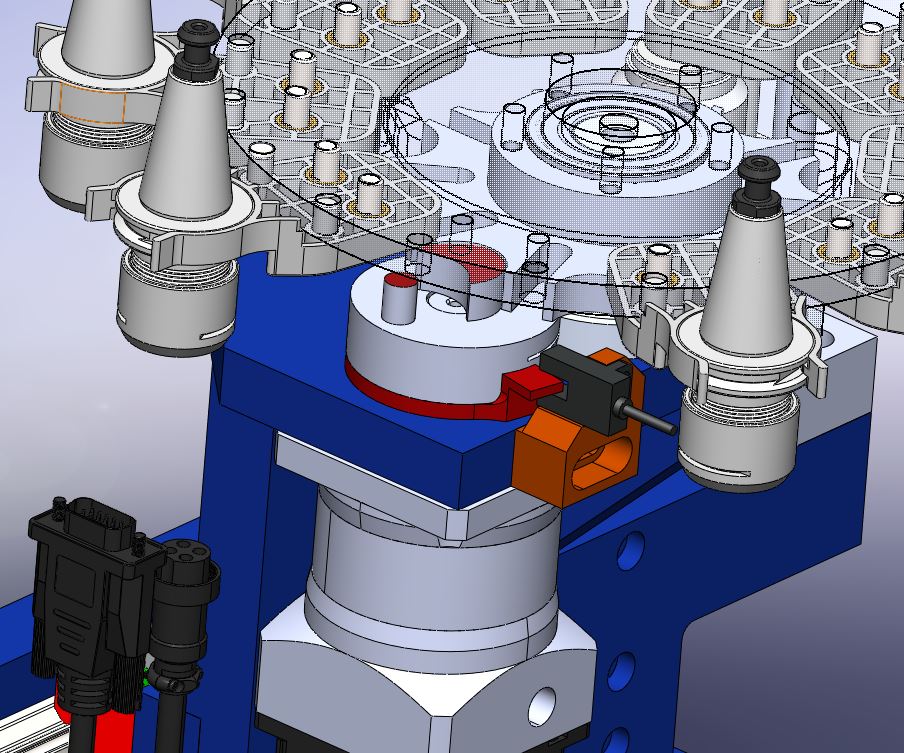
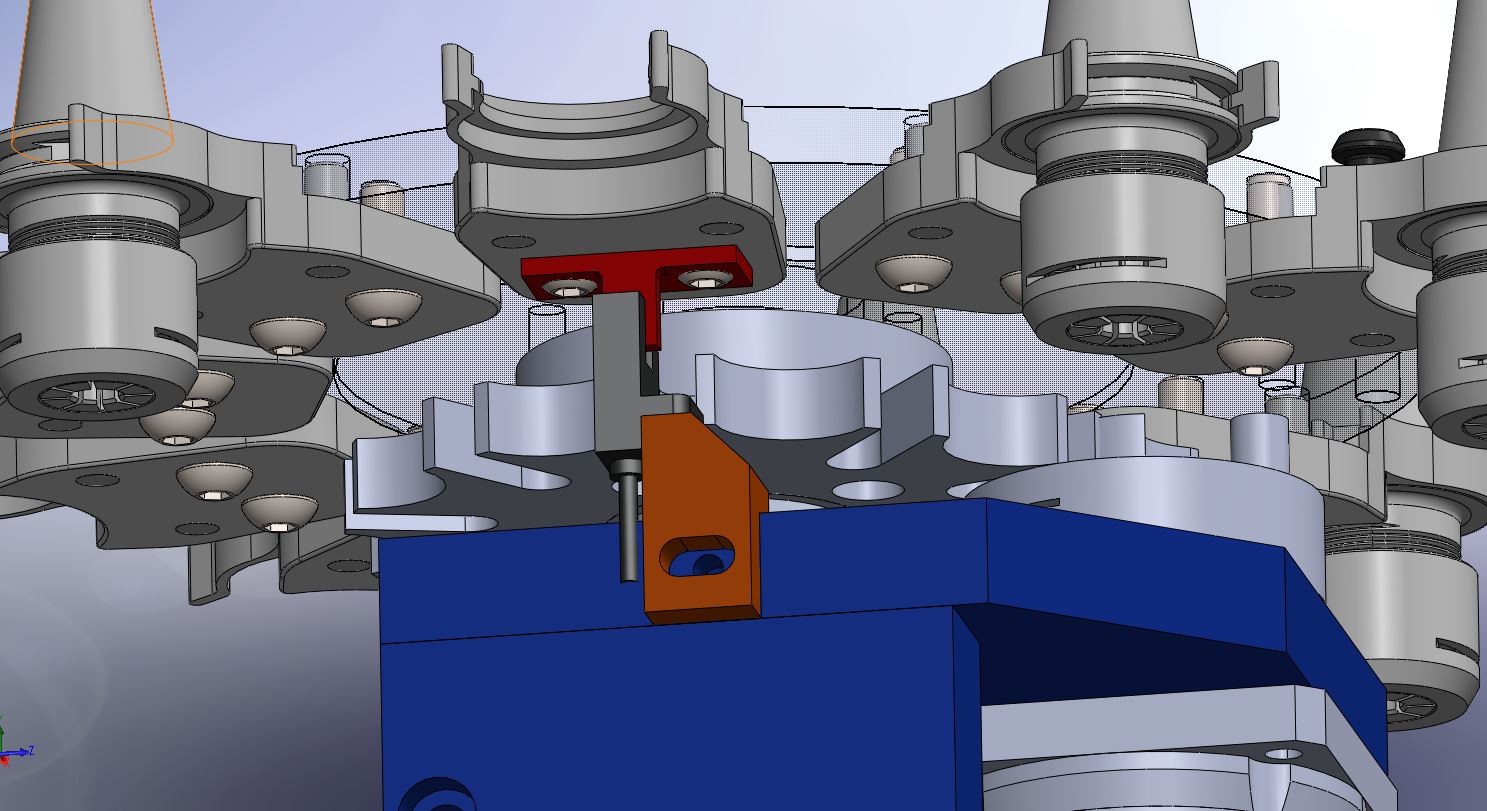
Thanks, I will try to set it up the same way with both sensors needing to be high for homing.

I've made a little setup with optical sensors and for indexing just added a "flag" to my drive wheel.
The homing sensor and flag are below the pocket which is the pickup location for the spindle, as it just happened to be a good spot.


  • Thayloreing
  • Thayloreing
26 Apr 2025 21:57
Replied by Thayloreing on topic Remora - ethernet NVEM / EC300 / EC500 cnc board

Remora - ethernet NVEM / EC300 / EC500 cnc board

Category: Computers and Hardware

I managed to do so far, but when I give the command
sudo pyocd flash remora-rt1052-3.1.3.bin --target mimxrt1050_quadspi
nothing happens, it doesn't compile for the nvem board, but if I give the command pyocd list the address appears
  • cmorley
  • cmorley
26 Apr 2025 21:19
Replied by cmorley on topic qtdragon mod

qtdragon mod

Category: Qtvcp

Here the initial last count variable:
github.com/LinuxCNC/linuxcnc/blob/master...ragon_handler.py#L95

here you see how it calculates the count difference:
github.com/LinuxCNC/linuxcnc/blob/master...gon_handler.py#L1927

here it decides up or down based on the calculated difference:
github.com/LinuxCNC/linuxcnc/blob/master...gon_handler.py#L1956

At the end of the function the last count is set:
github.com/LinuxCNC/linuxcnc/blob/master...gon_handler.py#L1986
  • cmorley
  • cmorley
26 Apr 2025 21:10
Replied by cmorley on topic How to open QT ui file in LinuxCNC

How to open QT ui file in LinuxCNC

Category: Qtvcp

Sorry for cryptic message - I am away from home for work.
I did not know that QtPlasmac was patched to show a grid in P view - those plasma guys are very crafty!
I also didn't realize QtDragon had no builtin way to show grids

(I assume your gcode graphics widget is called gcodegraphics in designer)

To get XYZ grids to show you must set a grid size:
self.w.gcodegraphics.grid_size = 1
setting the grid color is possible (Red,green,blue):
self.w.gcodegraphics.colors = (1.0, 1.0, 1.0)
add those to bottom of  init_widgets() function.

to get grid in perspective too require patching.
    def new_draw_grid(self):
        if self.w.gcodegraphics.get_view() == 3:
            rotation = math.radians(STATUS.stat.rotation_xy % 90)
            # permutation = lambda x_y_z2: (x_y_z2[0], x_y_z2[1], x_y_z2[2])  # XY Z

            def permutation(x_y_z2):
                return x_y_z2[0], x_y_z2[1], x_y_z2[2]  # XY Z
            # inverse_permutation = lambda x_y_z3: (x_y_z3[0], x_y_z3[1], x_y_z3[2])  # XY Z

            def inverse_permutation(x_y_z3):
                return x_y_z3[0], x_y_z3[1], x_y_z3[2]  # XY Z
            self.w.gcodegraphics.draw_grid_permuted(rotation, permutation, inverse_permutation)
        else:
            self.old_draw_grid()

add to bottom of  init_widgets() function:
        # patched gcodegraphics functions
        self.old_draw_grid = self.w.gcodegraphics.draw_grid
        self.w.gcodegraphics.draw_grid = self.new_draw_grid
I think I should modify the underlaying code so the patching is not necessary - on the todo list.
  • PCW
  • PCW's Avatar
26 Apr 2025 20:18
Replied by PCW on topic spindle with encoder

spindle with encoder

Category: Basic Configuration

I think maybe you don't understand how rigid tapping works.


When rigid tapping, the Z axis motion is synchronized (geared basically)
to the spindle rotation, the synchronized motion is continuous through
the downstroke, spindle reversal and upstroke. Any pause that interferes
with this "gearing" will break taps.
Displaying 16591 - 16605 out of 17167 results.
Time to create page: 0.460 seconds
Powered by Kunena Forum