Advanced Search

Search Results (Searched for: )

  • dschultz
  • dschultz
05 Jan 2025 04:50
Replied by dschultz on topic Beckhoff Compatibility

Beckhoff Compatibility

Category: EtherCAT

I am in the middle of building an EtherCAT system using a Beckhoff EK1100 and would like to use the el6021 module to drive my spindle VFD with RS485.
I've searched the forum and seen it mentioned briefly a couple times but I can't find where anyone has got a driver working for it?
How hard would that be to accomplish?
  • dmalcolm
  • dmalcolm
05 Jan 2025 02:24

STMBL V4.3 Setting smart serial node address

Category: General LinuxCNC Questions

Hi All
I have been trying to set the smart serial node addresses in stmbl config so I can use multiple stmbl modules with an 7i96s.
Could anyone enlighten me as to how to set node addresses in the stmbl?######## software info ########STMBL v0.9.18 v0.9.18-184-g9590cb33Branch masterCompiled 2024-12-28 15:41:15 by scott on scott-Ubuntu-iMacGCC 10.3.1 20210621 (release)newlib 3.3.0CMSIS 4.30StdPeriph 1.6.0size: 340888 crc:65008998######## Bootloader info ########STMBL-Bootloader v0.9.18 v0.9.18-184-g9590cb33######## HV info ########STMBL-hv-f303 v0.9.18 v0.9.18-184-g9590cb33hv start:0x801024c ,size:0x1a54c ,end0x802a798

Many thanks in advance.
Dean
  • spumco
  • spumco
05 Jan 2025 02:09
Replied by spumco on topic Mcode out of range, greater than 199 error

Mcode out of range, greater than 199 error

Category: G&M Codes

its been a while since i tested this, and i currently have a large project pulled that i don't want to exist until finished as we are preparing a release for qtpyvcp and probe basic.

based on spumco's response above does this mean that a remap for 200+ mcodes is required? i think spumco is running probe basic also if memory serves so his experience should be the same as the pb sim.
 

Lcvette -

I'm running PB on my mill, and will use PB on the lathe when it's mechanically done.

My suggestion is to use remap for everything when you have a bunch of custom M-codes.  In fact, I may change my M100-M103 to m100.ngc remaps.

Reason being is that if you have some m-codes as User Defined Commands, and some as remaps... they're going to be in different folders and 'look' different to anyone poking around in the folders or trying to edit them.

I think for clarity it'd be better to have everything in one place, in the same basic format.  And once you've got the remap for one m-code, it's easy enough to paste a bunch more in the INI file.

Using remaps also lets you organize the m-code numbers somewhat logically without running out of headroom.  In my case, since I've got about 3 different 'mist' functions and 3 or 4 different pneumatic cyls/grippers planned, I could use M700-M702 for the mist, and maybe M900-M904 for the automation stuff.

You could also number all the Probe Basic probing routines as M200-Mnn instead of the long text names.

If your list gets long enough, you can also put a "MCODES.txt" file in the subroutines folder with a (hopefully current) list of what they all do.
  • RobotMatic
  • RobotMatic's Avatar
05 Jan 2025 02:05
Replied by RobotMatic on topic Agregar un 5to Eje.

Agregar un 5to Eje.

Category: Español

muestra tus archivos de configuración para poder ayudarte. saludos
  • Cant do this anymore bye all
  • Cant do this anymore bye all's Avatar
05 Jan 2025 02:02
Replied by Cant do this anymore bye all on topic Arduino IO Expansion

Arduino IO Expansion

Category: Show Your Stuff

Oh here we go, something that someone thinks else that is foreign to you, you allude to some sort of mental issues.......confirmation umber 2, thank you once again.

You really are the archetypal NPC.
  • kb0thn
  • kb0thn
05 Jan 2025 01:46
Replied by kb0thn on topic Inhibit tool when z is above set point

Inhibit tool when z is above set point

Category: HAL

Thanks for the guidance. I implemented the following code and it seems to work. The logic is that the laser has to be 0.375" of less (relative) above the surface. AND the laser engraver tool number (8) must be selected. And the motion input (triggered by a M62 P21 or M64 P21) must be true.

Currently I program z=0 as the top of the work surface. This code won't work if I program z=0 as the spoilboard or somewhere else. I guess I could use another M code to set a laser safety height or something. We'll see how this works first.

-Jim

 # inhibit laser engraver when at unsafe height (relative)
addf comp.0 servo-thread
setp comp.0.in1 0.375 # okay to have engraver on below this (relative) z height
setp comp.0.hyst 0.005 # hysteresis
net engraver-height-current comp.0.in0 <= halui.axis.z.pos-relative

# engraver tool (T8) must be the active tool and height must be safe
addf conv-u32-float.0 servo-thread
net tool_number_u32 <= halui.tool.number => conv-u32-float.0.in
net tool_number_float <= conv-u32-float.0.out

addf comp.1 servo-thread
setp comp.1.in0 8 # engraver tool number
setp comp.1.hyst 0.0001 # floating point is never equal
net tool_number_float => comp.1.in1

addf and2.3 servo-thread
net engrave-safe-height <= comp.0.out => and2.3.in0
net engrave-safe-selected <= motion.digital-out-21 => and2.3.in1
net engrave-signal <= and2.3.out

# make sure comp.1.equal and engrave_signal are both true, if so we turn on optimat_o_laser_engraver_pwm
addf and2.4 servo-thread
net engrave-signal => and2.4.in0
net engrave-tool-match => comp.1.equal => and2.4.in1
net engrave_pwm <= optimat_o_laser_engraver_pwm <= and2.4.out

 
  • blazini36
  • blazini36
05 Jan 2025 01:30
Replied by blazini36 on topic Arduino IO Expansion

Arduino IO Expansion

Category: Show Your Stuff

I think maybe you need to take some time off and work some things out. That's beyond bizarre.
  • zmrdko
  • zmrdko's Avatar
05 Jan 2025 01:19 - 05 Jan 2025 01:23
Delta B3 index homing was created by zmrdko

Delta B3 index homing

Category: EtherCAT

Hello,
I am trying to accomplish index homing on Delta B3 EtherCAT drives. Index signal is not available within SDOs, so I think the only way is to use servo internal homing procedure. I know there is a component for cia402 external homing by rodw. I am gathering info, so any input is appreciated!
i am using linuxcnc-ethercat deasda:

github.com/linuxcnc-ethercat/linuxcnc-ethercat

thanks

 
  • Cant do this anymore bye all
  • Cant do this anymore bye all's Avatar
05 Jan 2025 01:04
Replied by Cant do this anymore bye all on topic LinuxCNC on Raspberry Pi 5

LinuxCNC on Raspberry Pi 5

Category: Installing LinuxCNC

I think starting a new thread would cause less confusion, generally it's a tool not required for the average user, and it helps to a have a good working knowledge of Linux, Linuxcnc and practical experience with the RPi platform. Oh and a bit of patience depending on the hardware one has access to.

I would of the opinion that too many images floating around could cause confusion, so generally once I have built and tested an image I tend to limit access to the created images.

These are just my thoughts on the matter.
  • Beovoxo
  • Beovoxo
05 Jan 2025 00:54
Replied by Beovoxo on topic Deckel FP4A Retrofit

Deckel FP4A Retrofit

Category: Milling Machines

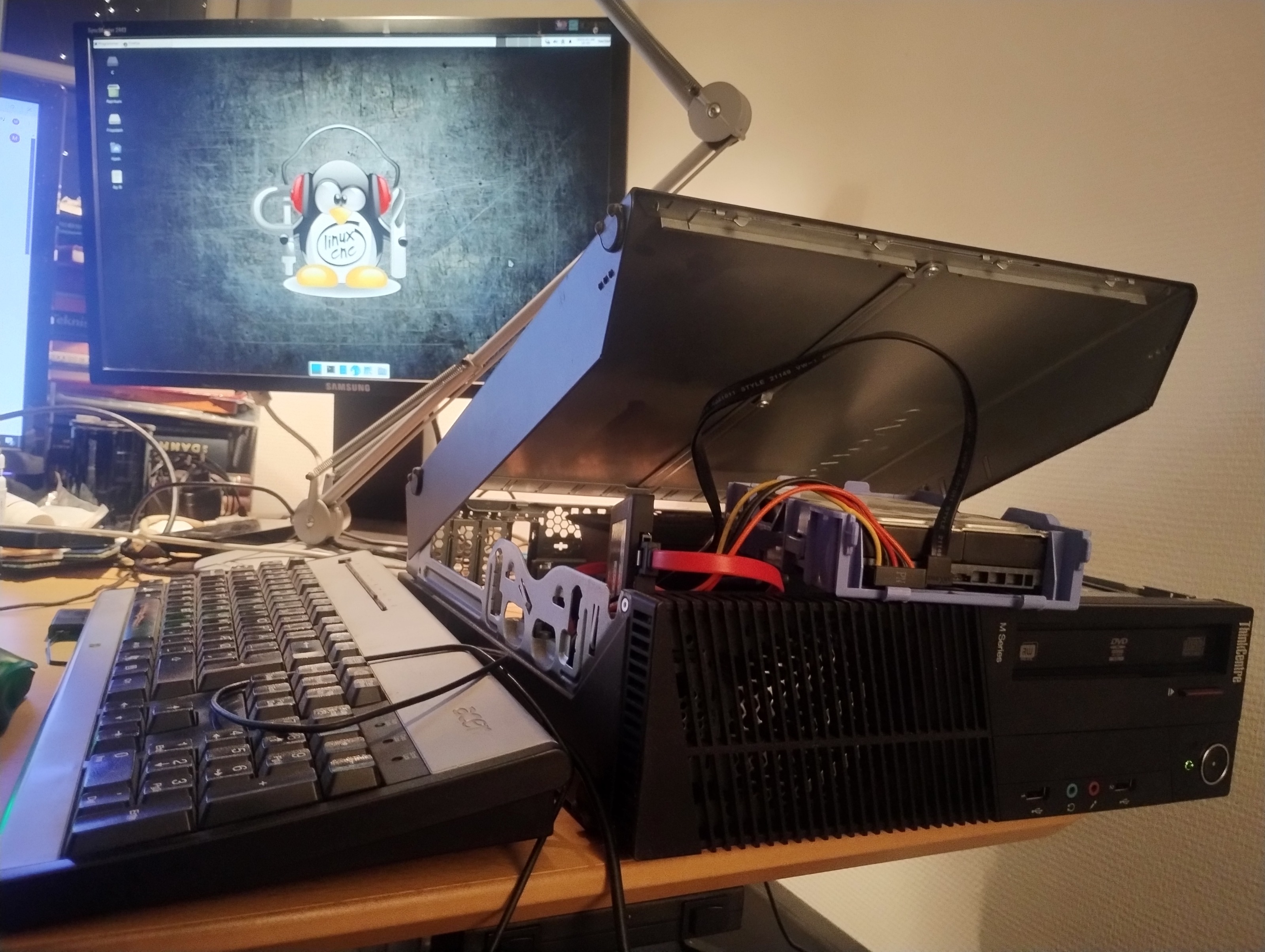
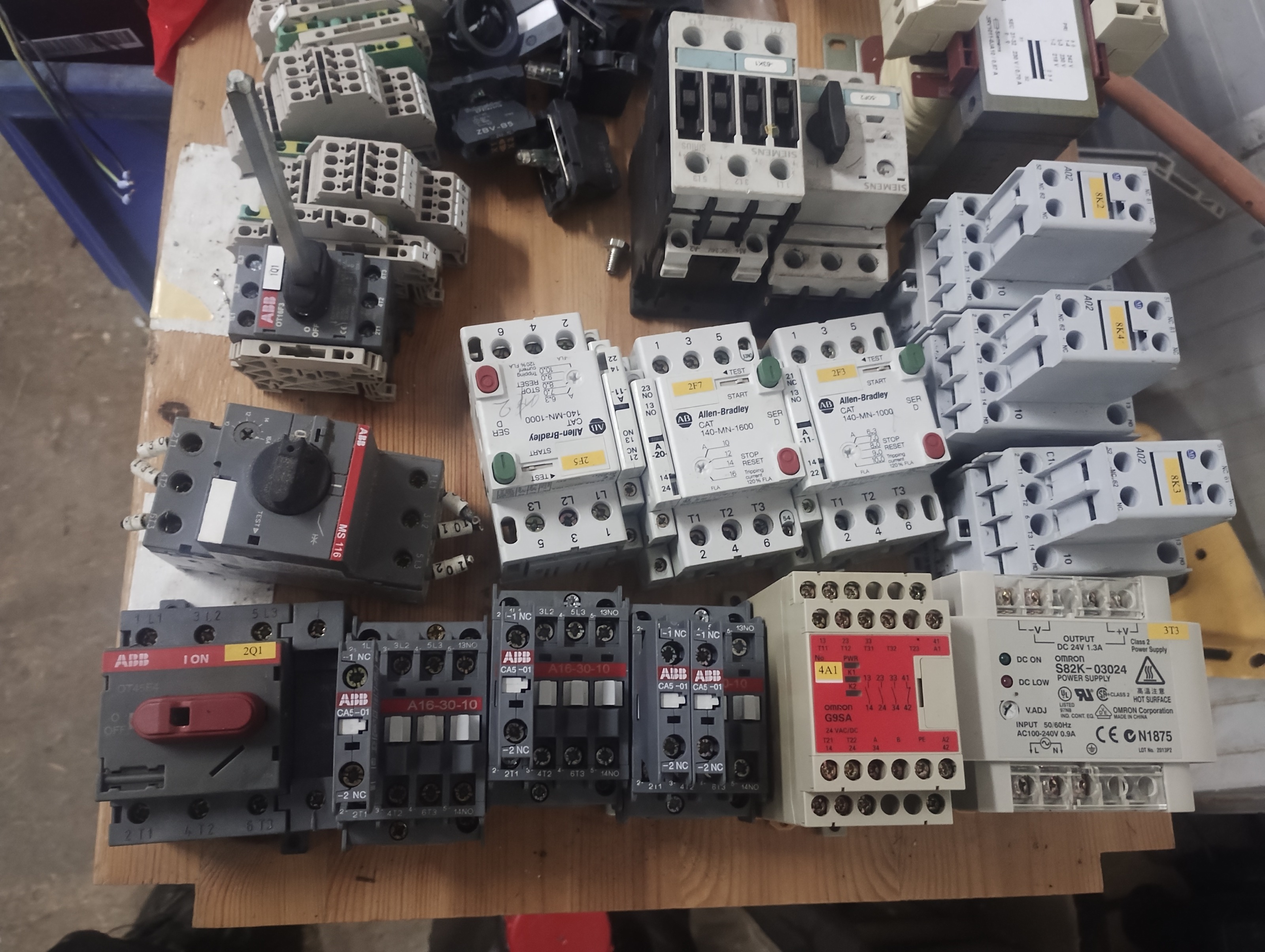
Today i got Linuxcnc and a bunch of other software installed on a old IBM M78. With new upgrades "SSD harddrive + extra Ram". 
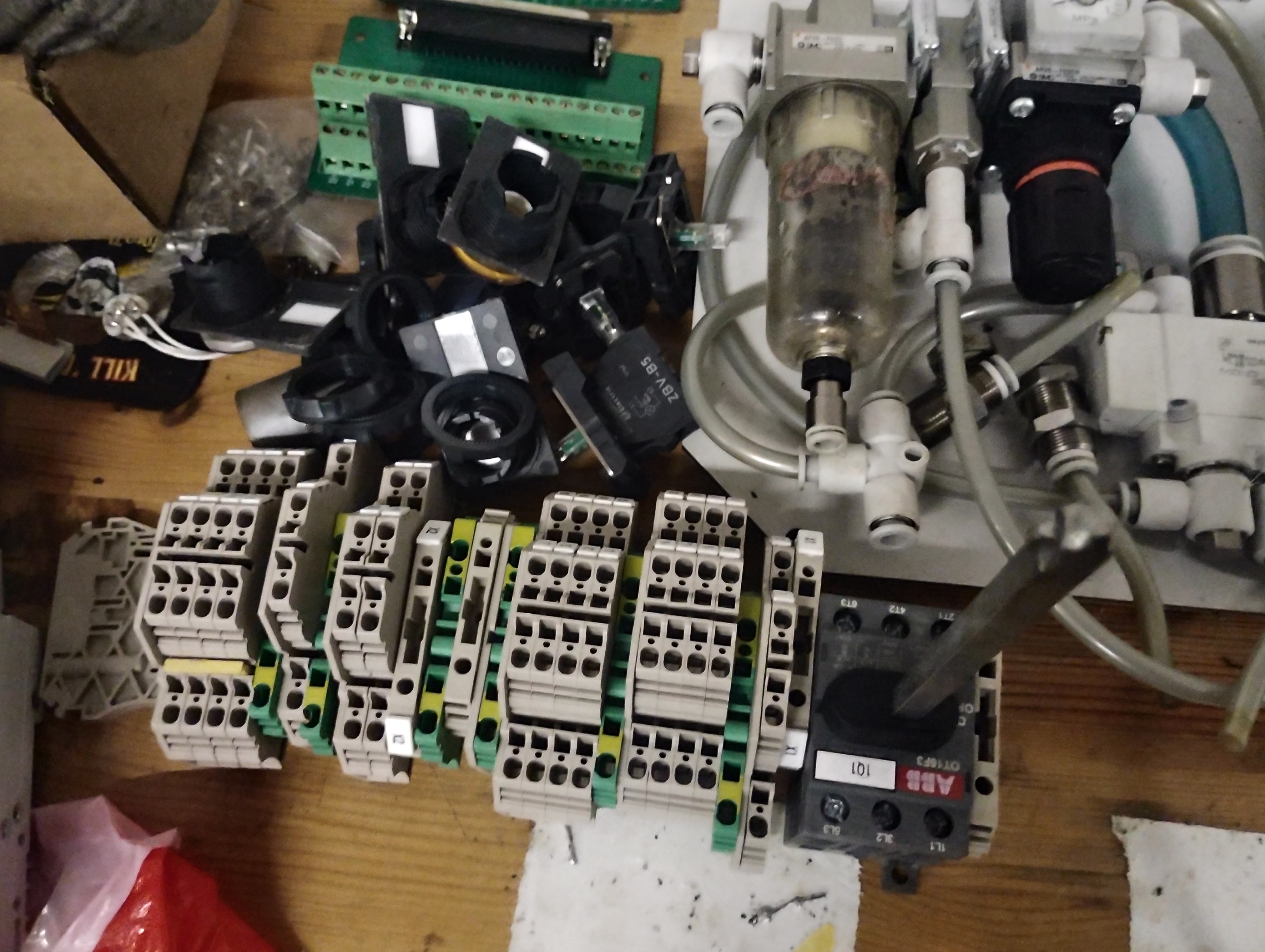
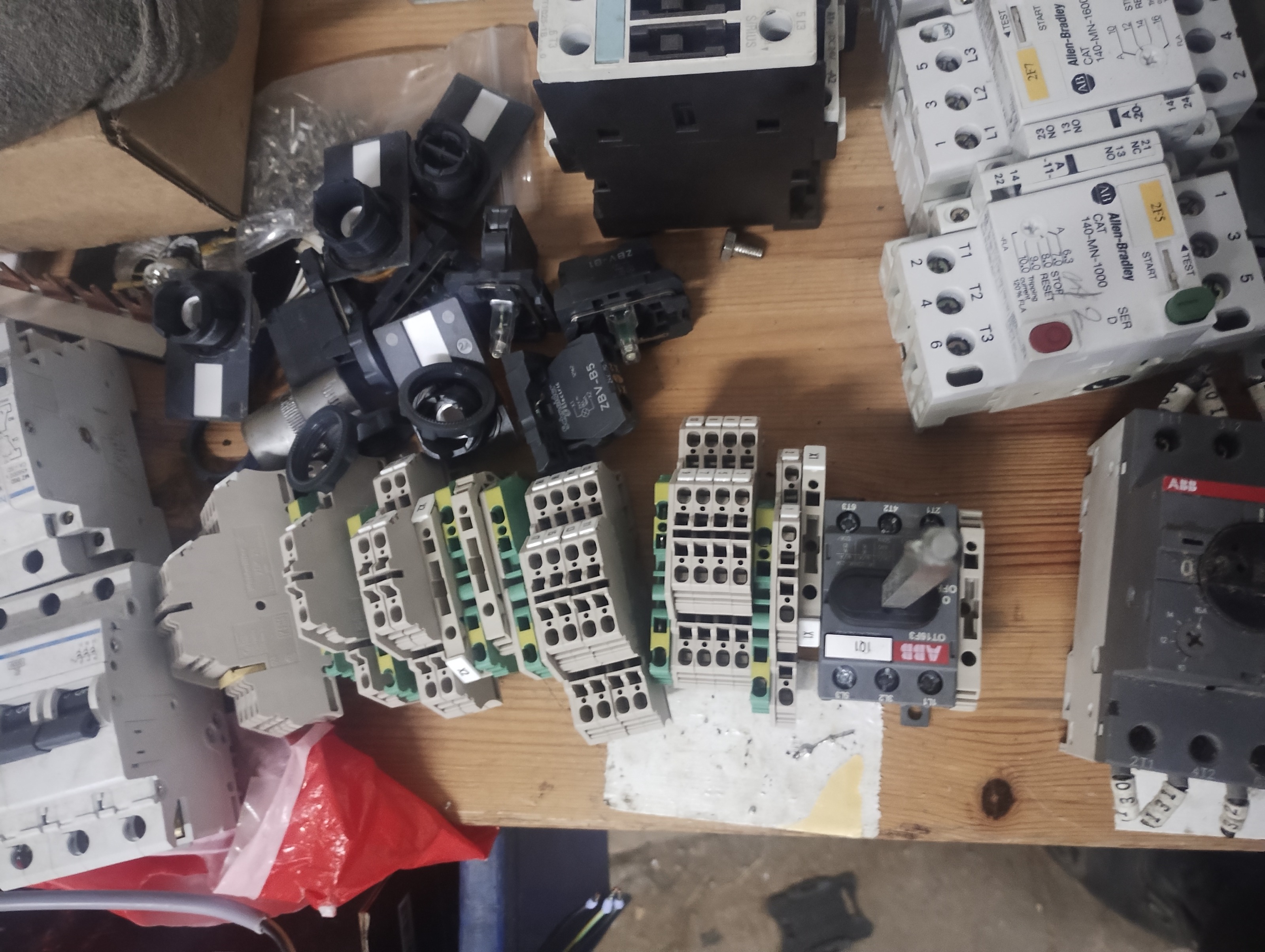
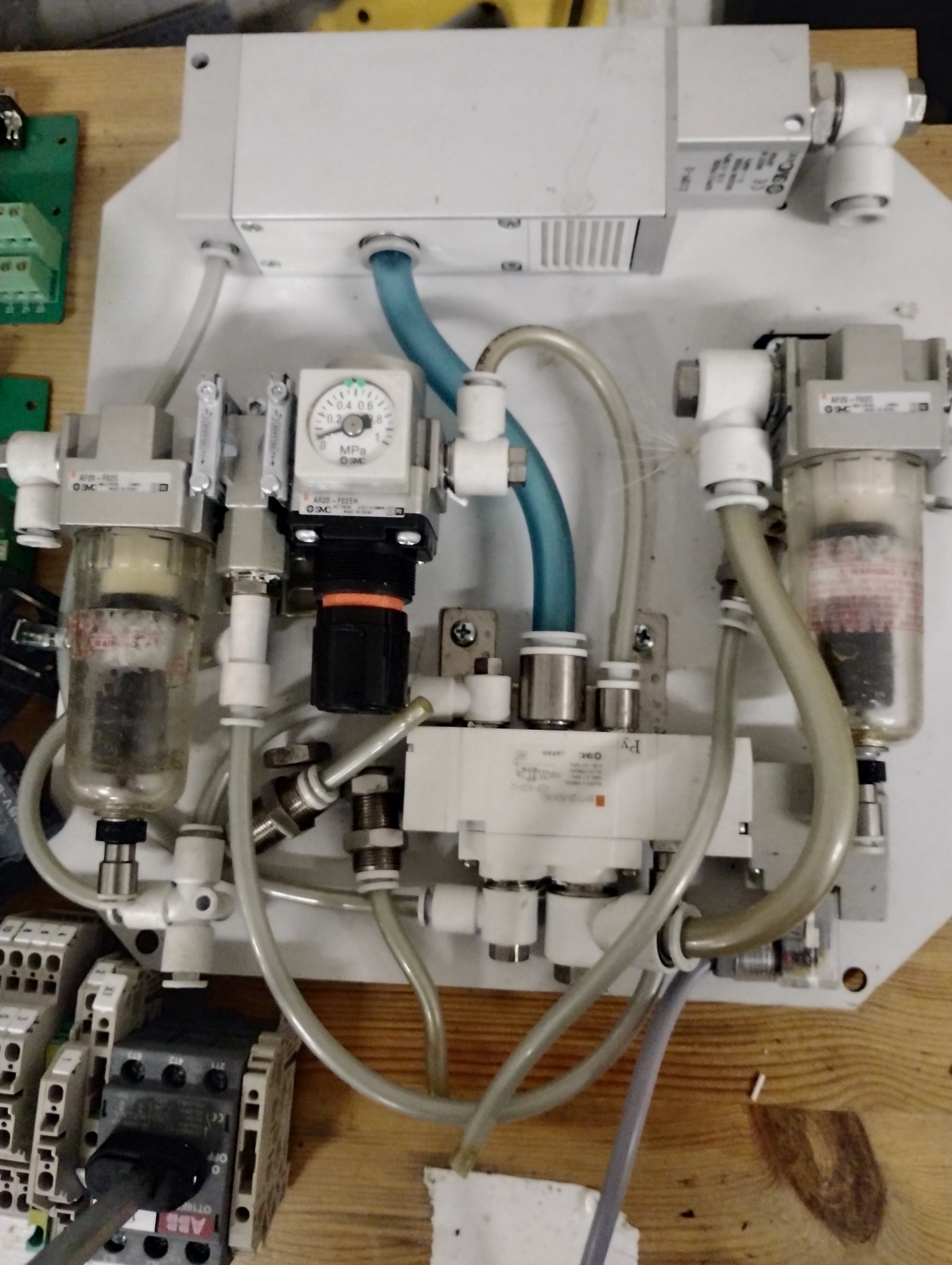
I had some old electrical cabinets laying arround witch i got stripped down, for the reuse of the parts. 
  • Cant do this anymore bye all
  • Cant do this anymore bye all's Avatar
05 Jan 2025 00:54
Replied by Cant do this anymore bye all on topic Arduino IO Expansion

Arduino IO Expansion

Category: Show Your Stuff

Thank you for confirming that as soon as you say you will not think someone of being something they deny it.
  • RogEnk
  • RogEnk
05 Jan 2025 00:49 - 05 Jan 2025 00:52

Working Lathe config with Mesa 7196s + Encoder (no probing yet)

Category: QtPyVCP

Hi all,

Thought I would share, on the off chance other(s) may benefit from what I have learnt converting from Axis Lathe to Prob Basic Lathe.
  1.  I am using a Mesa 7i96s without any add-ons, an Omron 100P (E6B2-CWZ1X Differential) rotary encoder from Ebay.
  2. I configured a new base config for an Axis Lathe using MesaCT (no encoder at this point)
  3. Followed the excellent instructions from here: kcjengr.github.io/probe_basic/machine_config.html
  4. Tested and confirmed working
  5. Copied previously working Encoder section from Axis lathe base hal file to Probe Basic Lathe main.hal
  6. Correct PNCConf vs MesaCT encoder name (was referenced as ENCODER_SCALE by PNCConf but referenced as ENCODER by MesaCT) in both ini and main.hal
  7. Edited line 13 (in my case) from:
    loadrt [HM2](DRIVER) board_ip=[HM2](ADDRESS) config=" sserial_port_0=00000000" to:
    loadrt [HM2](DRIVER) board_ip=[HM2](ADDRESS) config="num_encoders=1 num_pwmgens=1 num_stepgens=5 sserial_port_0=00000000"
  8. Added:
    net spindle-speed-fb hm2_7i96s.0.encoder.00.velocity-rpm
    net spindle-speed-fb => qtpyvcp.spindle-encoder-rpm.in
    To end of probe_basic_postgui.hal
  9. Enjoyed a Whiskey when RPM worked!

    I have attached the files in question, new_lathe.ini is the Probe version, other file names should be clear.
    Hope this helps someone!

    Rog
  • Beovoxo
  • Beovoxo
05 Jan 2025 00:47
Replied by Beovoxo on topic Deckel FP4A Retrofit

Deckel FP4A Retrofit

Category: Milling Machines

thx :) i have already read most of the logs, yes i think almost all uses the mesa but i think it will be a nice thight setup with the ethercat and a beckhoff ek1100 + 2 ethercat IO boards. :)
  • Jdolecki
  • Jdolecki
05 Jan 2025 00:31
Replied by Jdolecki on topic Lathe project

Lathe project

Category: Turning

So the machine has
5i20
7i47
7i37 TA
  • tommylight
  • tommylight's Avatar
05 Jan 2025 00:22
Replied by tommylight on topic PCI’s cards

PCI’s cards

Category: Computers and Hardware

Get 2 of USB flash drives, on one burn the LinuxCNC image from the downloads page, from the pictures i would say use the Wheezy ISO, then
-boot the PC from that USB drive with ISO image
-use it in LIVE mode to browse the Compact Flash card contents, navigate to /home/USER_NAME/EMC2/configs/ and copy the configuration folder by right clicking on it
-insert the SECOND USB flash drive, wait 5 seconds it should open another file browser, if it does not, find it on the left side of the existing file browser and click on it, right click on the empty space on the right pane and click on paste.
-turn OFF the PC
-
Or just turn on the PC and see if it starts, then copy the above mentioned folder to another USB. :)
Displaying 20581 - 20595 out of 21764 results.
Time to create page: 0.714 seconds
Powered by Kunena Forum