NativeCam on LinuxCNC 2.9.3

More
1 year 6 months ago - 1 year 6 months ago #325886 by gmouer
Replied by gmouer on topic NativeCam on LinuxCNC 2.9.3
Hi Giovanni !

Step #1     I misread that as python3-lxml being already installed with the install of Linuxcnc.      Wrong of course and caused problems

Step#3     I didn't know where to expand the zip file.      Later I seen it didn't matter moved to the gladevcp folder

Step #5   "sudo ln "   I misread that as a upper case I at first.    

Step #8   I misread   {XID}  as (XID)  which also caused problems

Misc:    aux_gladevcp  should be changed to gladevcp as already mentioned

Much of the problems were due to me printing out the instructions and the pdf being in a quite small font which lead to me misreading some things.   A larger font would help here.

Thanks again for all your work !!
Last edit: 1 year 6 months ago by gmouer.

Please Log in or Create an account to join the conversation.

More
1 year 6 months ago #325902 by hermann1976
Hi Giovanni,
Thank you very much for your efforts in integrating the NativeCAM plugin into the current version of LinuxCNC 2.9.4. Thanks to everyone else as well.
I've been looking for a way to generate simple programs within the LinuxCNC control system for a while. I only came across the NativeCAM plugin late. I installed NativeCAM according to the instructions and have now got it running as a plugin in the axis environment.

However, I have the problem that I can access the NativeCAM preferences, but the settings aren't saved. Can anyone else confirm this?

I also can't run NativeCAM as a standalone program with the command: "ncam -i (path to ini file) -c mill." This results in error messages. I'll add them later.
I would like to run NativeCAM alongside the QTDragon screen (as a standalone program) if possible. Would that be possible?

Thank you very much, and I ask for your help.
(translated from German to English via Google translate)

Please Log in or Create an account to join the conversation.
More
1 year 6 months ago - 1 year 6 months ago #326007 by michaeln
yes, i can confirm the setting are not saved.
There is an error.

Start with the option -i and -s don't work, there are errors, too.

Dear Giovanni, thanks for your manual.
For me point 9 doesn't worked. The start as standalone doesn't worked because there are errors.
For me it is working with a softlink and you don't have to copy and delete:
sudo ln -s /usr/share/linuxcnc/gladevcp/NativeCAM/ncam.py /usr/bin/ncam

For point 1 (and 2) i think it's easier with the command:
sudo apt install python3-lxml git

For point 2:
Code:
git clone https://github.com/freemoore/NativeCAM

Point 6: You use gedit, but it is not installed by default. Geany is installed by default from LinuyCNC.

Best regards

Michael
Last edit: 1 year 6 months ago by michaeln.
The following user(s) said Thank You: Giovanni

Please Log in or Create an account to join the conversation.

More
1 year 6 months ago - 1 year 6 months ago #326152 by Giovanni
For the prefs saving problem, try to replace the existing file, with the attached file.
Maybe the repository is not updated.

Thanks for the suggestions about the guide. They seem more professional than mine.
I'll update the doc.

Regards
Giovanni 
Last edit: 1 year 6 months ago by Giovanni.
The following user(s) said Thank You: hermann1976

Please Log in or Create an account to join the conversation.

More
1 year 6 months ago - 1 year 6 months ago #326214 by hermann1976
Thank you, Giovanni. Replacing pref_edit.py fixed the problem with saving preferences.
I've been playing around a bit.
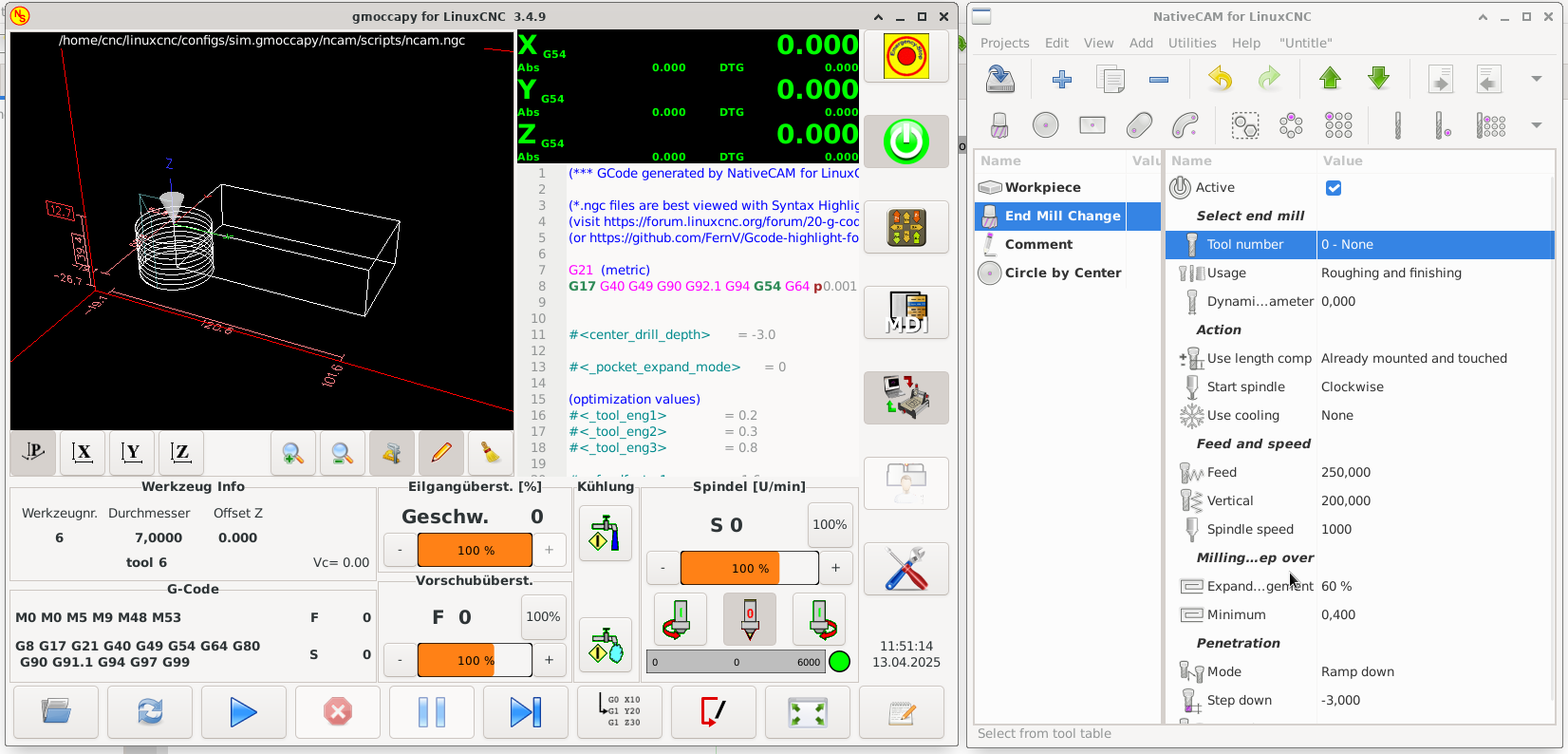
I've now figured out how to start NativeCAM in standalone mode.
It works for me by running ncam.py  with  '/usr/share/linuxcnc/gladevcp/NativeCAM/ncam.py -i /home/cnc/linuxcnc/configs/sim.gmoccapy/gmoccapy.ini -c mill'.

 
Last edit: 1 year 6 months ago by hermann1976.

Please Log in or Create an account to join the conversation.

More
1 year 6 months ago #326219 by Giovanni
You could run ncam from any folder by creating a link in a folder which by deffault have a command path.

To do that you could type:

sudo ln -s /usr/share/linuxcnc/gladevcp/NativeCAM/ncam.py /usr/bin/ncam

Then you can call ncam from the terminal like any other command and from any folder.

Regards
Giovanni

Please Log in or Create an account to join the conversation.

Time to create page: 0.140 seconds
Powered by Kunena Forum
