New Project with Mesa 7I96 and THCAD-05

More
5 years 4 months ago #213059 by acourtjester
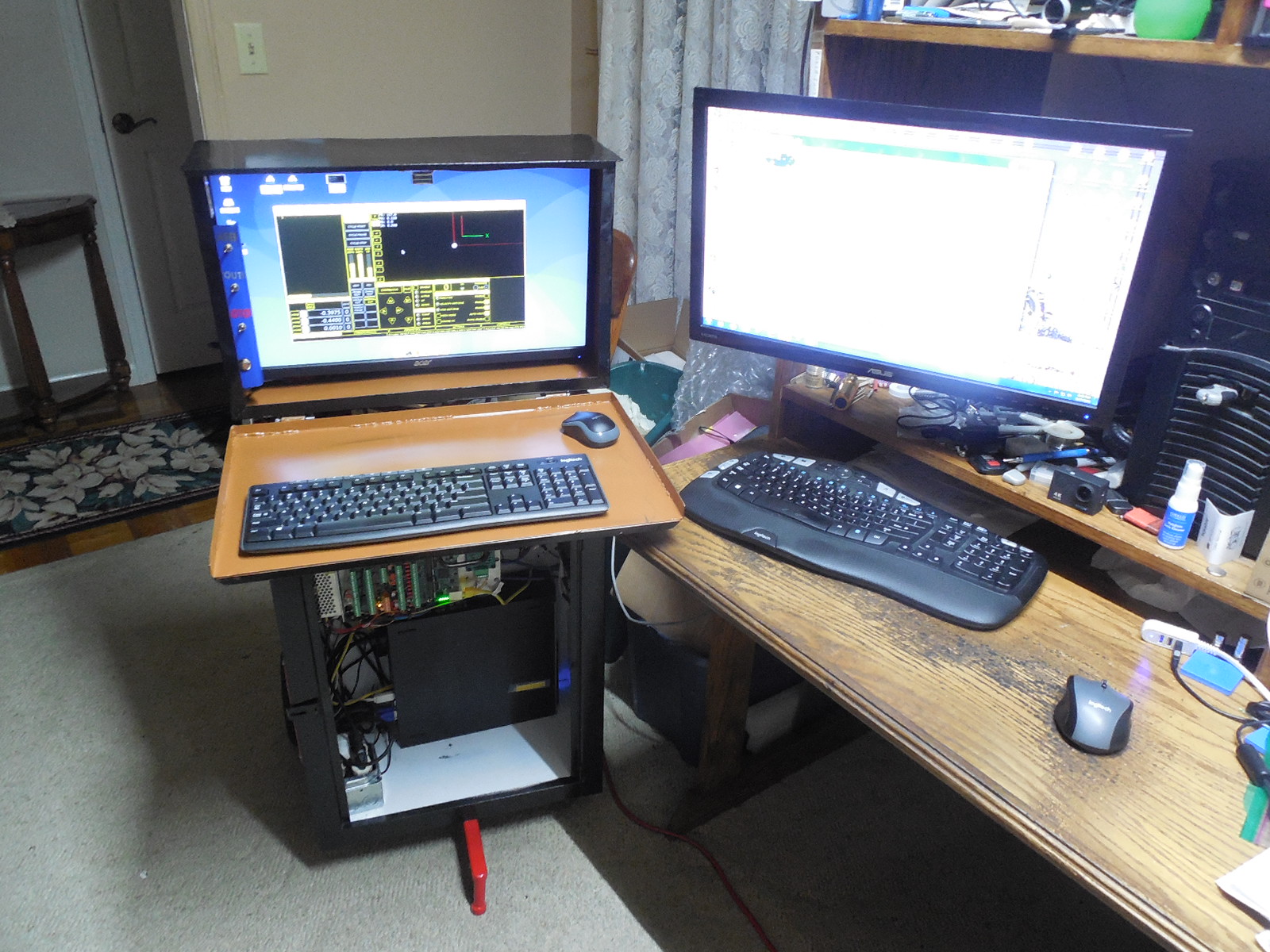
Small follow up had some help from Rod W, making progress, one foot in front of the other I will get there
Again thanks for helpimage missing /media/kunena/emoticons/smile.png
The following user(s) said Thank You: rodw

Please Log in or Create an account to join the conversation.
More
5 years 4 months ago - 5 years 4 months ago #213063 by phillc54
Try changing this line in the ini file from:
Code:
ESTOP_TYPE = 2

to:
Code:
ESTOP_TYPE = 0
Last edit: 5 years 4 months ago by phillc54.

Please Log in or Create an account to join the conversation.

More
5 years 4 months ago #213072 by acourtjester
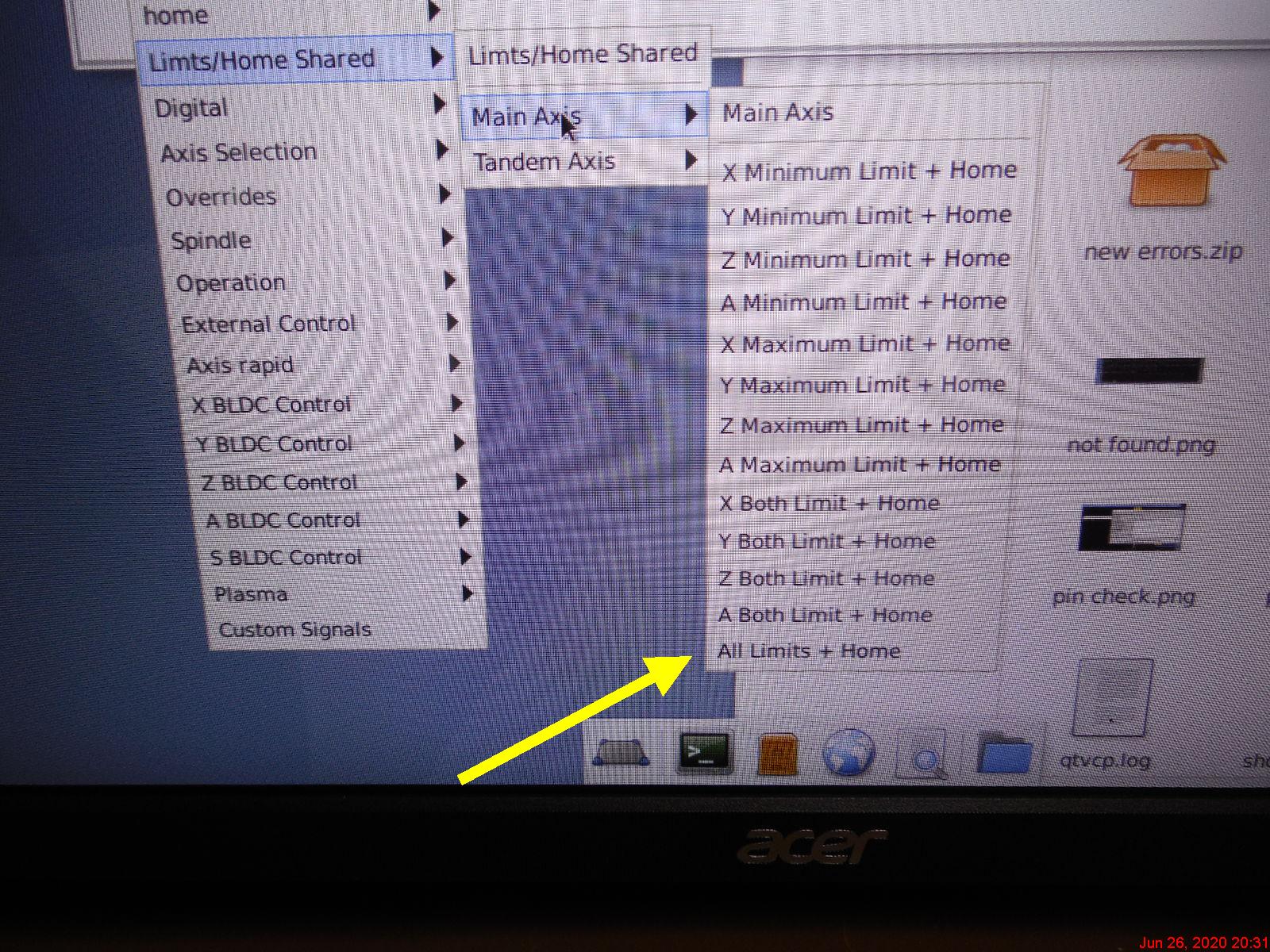
Thanks PhillC but it actually was the opposite for me, with ESTOP_TYPE + 0 I could not clear the e stop or get the power to lite. There seems to be odd thing going on with the Home All and the moving of the axis zeroing. I have moved the controller in the house so I can do research on the windows PC and have internet access for the linuxcnc PC. I will be moving it back in the morning to work on the home/limit switching setup. I wanted to combine the home/limits together in one signal, but not sure is that can be done with QTPlasmaC.
 

Please Log in or Create an account to join the conversation.
More
5 years 4 months ago #213074 by phillc54
You have an external estop in your hal file so you would need to use that to get out of estop.

It is not recommended to use a GUI button as an estop but if you want to do that then you need to do a bit of HAL interfacing to get them both to play well together. That is not discussed in the QtPlasmaC docs as that can vary greatly with folk doing all sorts of odd stuff for estop. It should in reality be kept simple, mechanical and out of the GUI.

For testing purposes you could set ESTOP_TYPE to 2 in the ini file and change this line in the HAL file:
Code:
net estop-ext => iocontrol.0.emc-enable-in

to:
Code:
net estop-out => iocontrol.0.emc-enable-in
This would use the GUI button as the only estop.

QtPlasmac has no effect on homing and/or limits, that is all controlled by LinuxCNC. You can do homing/limits in any combination tht is valid in LinuxCNC.
 
The following user(s) said Thank You: fernandosf

Please Log in or Create an account to join the conversation.

More
5 years 4 months ago #213146 by acourtjester
Thanks Phillc see attached cartoon, I need to move to your side to understand things betterMy problems are due to no experience with linuxcnc, and conflicts between what I could do with Mach and UCCNC software. With Mach and UCCNC I had all the limit/home/floating head switches in series to one pin. The software looked at the operation and would respond to any switch trip (from that pin input) as connected to that operation. This was due to only 5 input pins so the combinations were needed to cover a varied input coverage. It is clear that Linuxcnc has a large group of input and output pins that can be used.It seems that some of the signals need to be addressed by different locations and names to be active. When testing the other day I could see the limit switch changing state in the Hal show, but when I moved the axis and tripped the switch, it did not respond to it. I will be testing more today with the table wired to the controller. Have funTom


Please Log in or Create an account to join the conversation.

More
5 years 4 months ago #213197 by phillc54
image missing /media/kunena/emoticons/laughing.png Point taken...

Unfortunately I am not really the right person to discuss home/limit switches with. I have never used limit switches with LinuxCNC and the plasma table is the first time I have used home switches. Some here will say that home and limit switches are required, but I have not found that to be the case, although I must admit my lazy self likes the home switches.
I also have no experience with Mach or UCCNC so I cannot make any comparisons.
I would assume that having "all limits plus home" would require all N/C switches connected in series or all N/O switches connected in parallel and going on the fact that you see the state change in HalShow you must have the wiring correct.
Are you able to get the Power button to do the right thing yet? If so when you power up and press "Home All" do all axes move to their correct home position and the DROs all indicate by colour that they are homed?

Please Log in or Create an account to join the conversation.

Time to create page: 0.212 seconds
Powered by Kunena Forum
