
- Posts: 757
- Thank you received: 216
A Widescreen Blender-Style Interface
- islander261
- Offline
- Platinum Member
-

Less
More
8 years 4 months ago #111396
by islander261
Replied by islander261 on topic A Widescreen Blender-Style Interface
Here are my crude screens. They are all from various points in the development of my control.
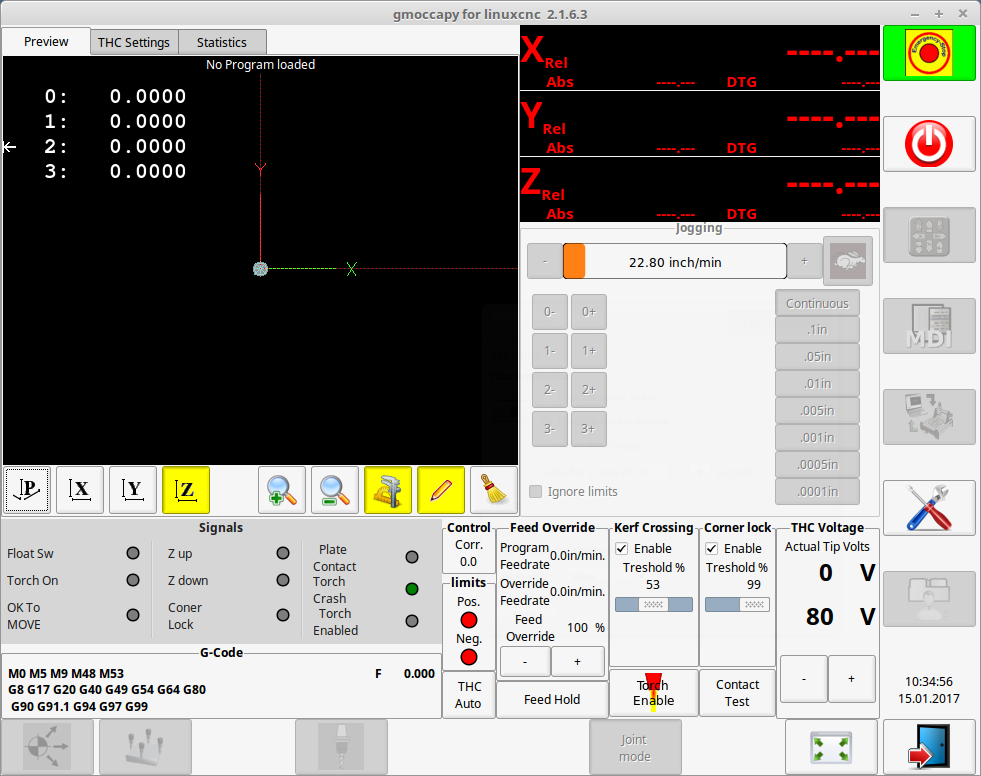
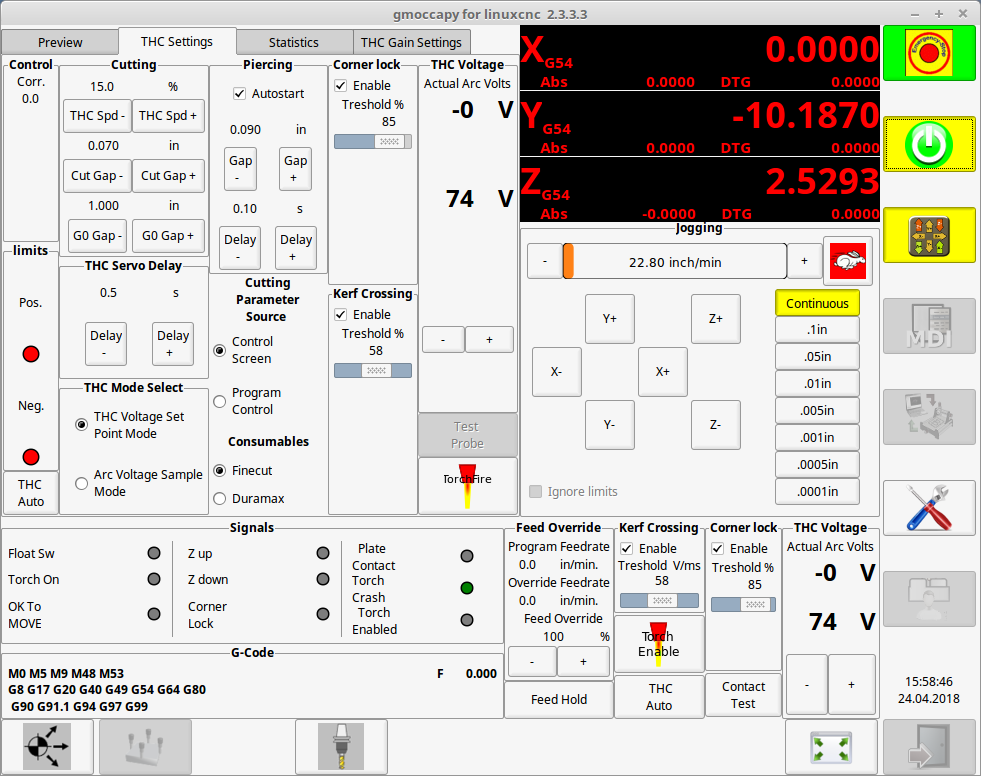
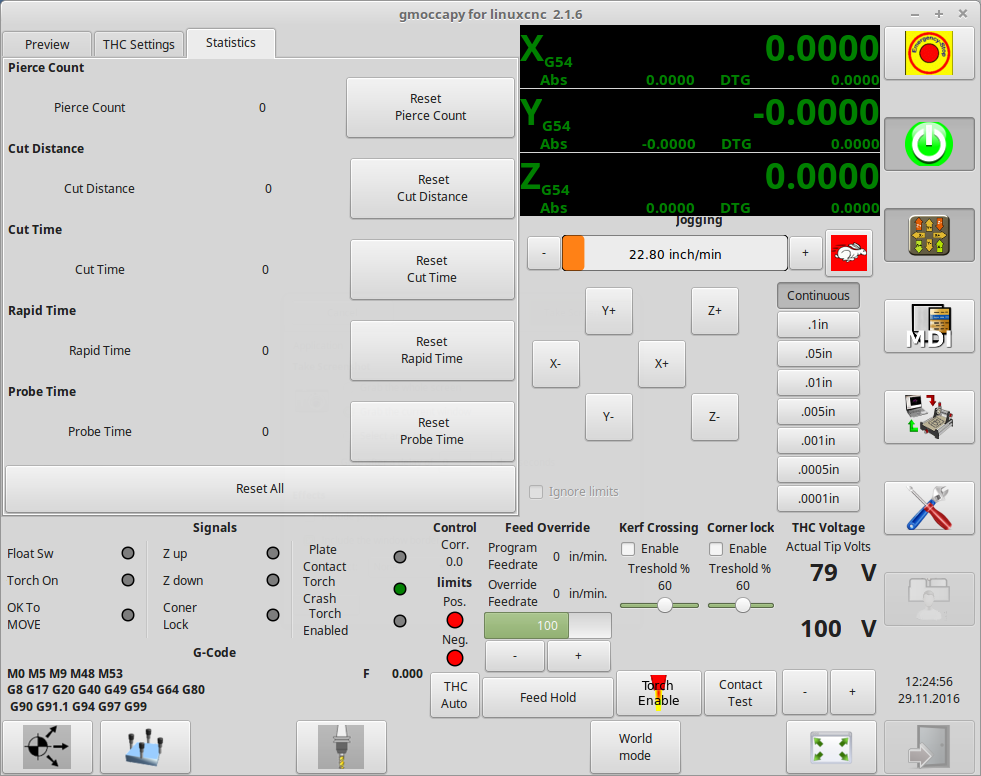
John
John
The following user(s) said Thank You: BrendaEM
- BrendaEM
- Offline
- Elite Member
-

Less
More
- Posts: 266
- Thank you received: 120
8 years 4 months ago - 8 years 4 months ago #111424
by BrendaEM
Replied by BrendaEM on topic A Widescreen Blender-Style Interface
Thank you all for your input.
I think that I still want a group of controls on the lower right to control several things about whatever machine.
I think the Menu Bar needs a "Settings" tab, number 2 below.
So, there would be a 3 tier way of doing things.
1.) Lower-right = Things that need adjusting during use.
2.) Settings Page
3.) On LinuxCNC standard tool-bar, the same HAL-related stuff that we normally see.
I will do some more work on the torch-panel.
BTW, Gmoccapy has a lot of good ideas going for it. It's one of the interfaces I am drawing ideas from.
For instance, the incremental controls in my interface mock-up, were based on Gmoccapy, but just a little more compact because there are 2 rows of legends on the inside of the indicator portion.
Axis is minimal and it fits a lot of controls.
I am also drawing inspiration from Pietvr's interface, and of course: Blender and Mint/Cinnamon.
~
[Unfortunately, I have some tedious work to do on the interface. I am drawing the interface in Inkscape, which is open and pretty good--except for the size input boxes.
Anyway, when I started the interface project I just wanted it 16 x 9 in aspect ratio; I was more worried about button sizes than anything else. Well, now that things are coming along, it occurred to me, that the controls and perimeters should all be sized along powers of two, such as 128, 64, 32, or some kind of combination, such as 112, and 160, and so I have to think about absolute pixel sizes. Though it's insane to think of vector anything in integer pixel sizes, yet that's where I am....
Oddly, with the interface being 16x9, Inkscape has settings for simulate absolute pixel sizes, and in this case I've chosen 1920x1080, yet someday, icons could be exported from the same file for 3840 x 2160 4K.
So, stuff should be resized. I've been changing most of the controls--every few days, anyway, it's that everything will need some adjusting before progressing.]
I think that I still want a group of controls on the lower right to control several things about whatever machine.
I think the Menu Bar needs a "Settings" tab, number 2 below.
So, there would be a 3 tier way of doing things.
1.) Lower-right = Things that need adjusting during use.
2.) Settings Page
3.) On LinuxCNC standard tool-bar, the same HAL-related stuff that we normally see.
I will do some more work on the torch-panel.
BTW, Gmoccapy has a lot of good ideas going for it. It's one of the interfaces I am drawing ideas from.
For instance, the incremental controls in my interface mock-up, were based on Gmoccapy, but just a little more compact because there are 2 rows of legends on the inside of the indicator portion.
Axis is minimal and it fits a lot of controls.
I am also drawing inspiration from Pietvr's interface, and of course: Blender and Mint/Cinnamon.
~
[Unfortunately, I have some tedious work to do on the interface. I am drawing the interface in Inkscape, which is open and pretty good--except for the size input boxes.
Anyway, when I started the interface project I just wanted it 16 x 9 in aspect ratio; I was more worried about button sizes than anything else. Well, now that things are coming along, it occurred to me, that the controls and perimeters should all be sized along powers of two, such as 128, 64, 32, or some kind of combination, such as 112, and 160, and so I have to think about absolute pixel sizes. Though it's insane to think of vector anything in integer pixel sizes, yet that's where I am....
Oddly, with the interface being 16x9, Inkscape has settings for simulate absolute pixel sizes, and in this case I've chosen 1920x1080, yet someday, icons could be exported from the same file for 3840 x 2160 4K.
So, stuff should be resized. I've been changing most of the controls--every few days, anyway, it's that everything will need some adjusting before progressing.]
Last edit: 8 years 4 months ago by BrendaEM.
- BrendaEM
- Offline
- Elite Member
-
Less
More
- Posts: 266
- Thank you received: 120
8 years 4 months ago - 8 years 4 months ago #111446
by BrendaEM
Replied by BrendaEM on topic A Widescreen Blender-Style Interface
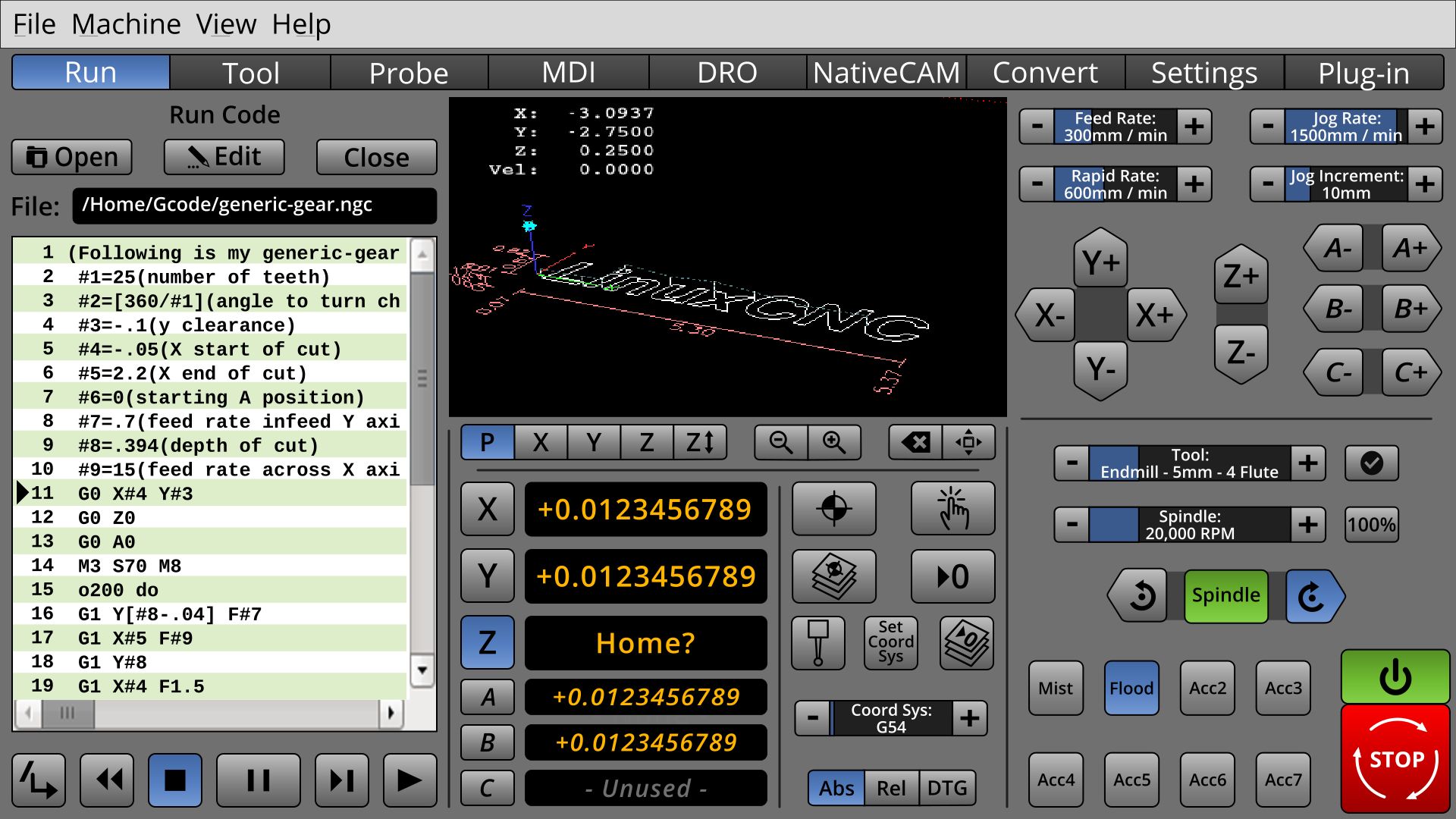
Well, I had to upload something. : )
* Added C axis. That should be enough for most people. The A,B, and C axis are in italic which give an additional clue to help the eye sort them out, aside from size.
* The controls have standardized sizes. At 1920x1080 all the button controls size difference would be 4 pixels from the next size. (I still have to do the DRO.)
* Main [strike]Enterprise[/strike] viewing screen is a bit larger.
* MIll: the Spindle controls use the shaded grouping.
I am sorry, I still have more work to do before I redo the torch controls.
("Flood" should have been lit green instead of blue.)
* Added C axis. That should be enough for most people. The A,B, and C axis are in italic which give an additional clue to help the eye sort them out, aside from size.
* The controls have standardized sizes. At 1920x1080 all the button controls size difference would be 4 pixels from the next size. (I still have to do the DRO.)
* Main [strike]Enterprise[/strike] viewing screen is a bit larger.
* MIll: the Spindle controls use the shaded grouping.
I am sorry, I still have more work to do before I redo the torch controls.
("Flood" should have been lit green instead of blue.)
Last edit: 8 years 4 months ago by BrendaEM.
- BrendaEM
- Offline
- Elite Member
-
Less
More
- Posts: 266
- Thank you received: 120
8 years 4 months ago - 8 years 4 months ago #111488
by BrendaEM
Replied by BrendaEM on topic A Widescreen Blender-Style Interface
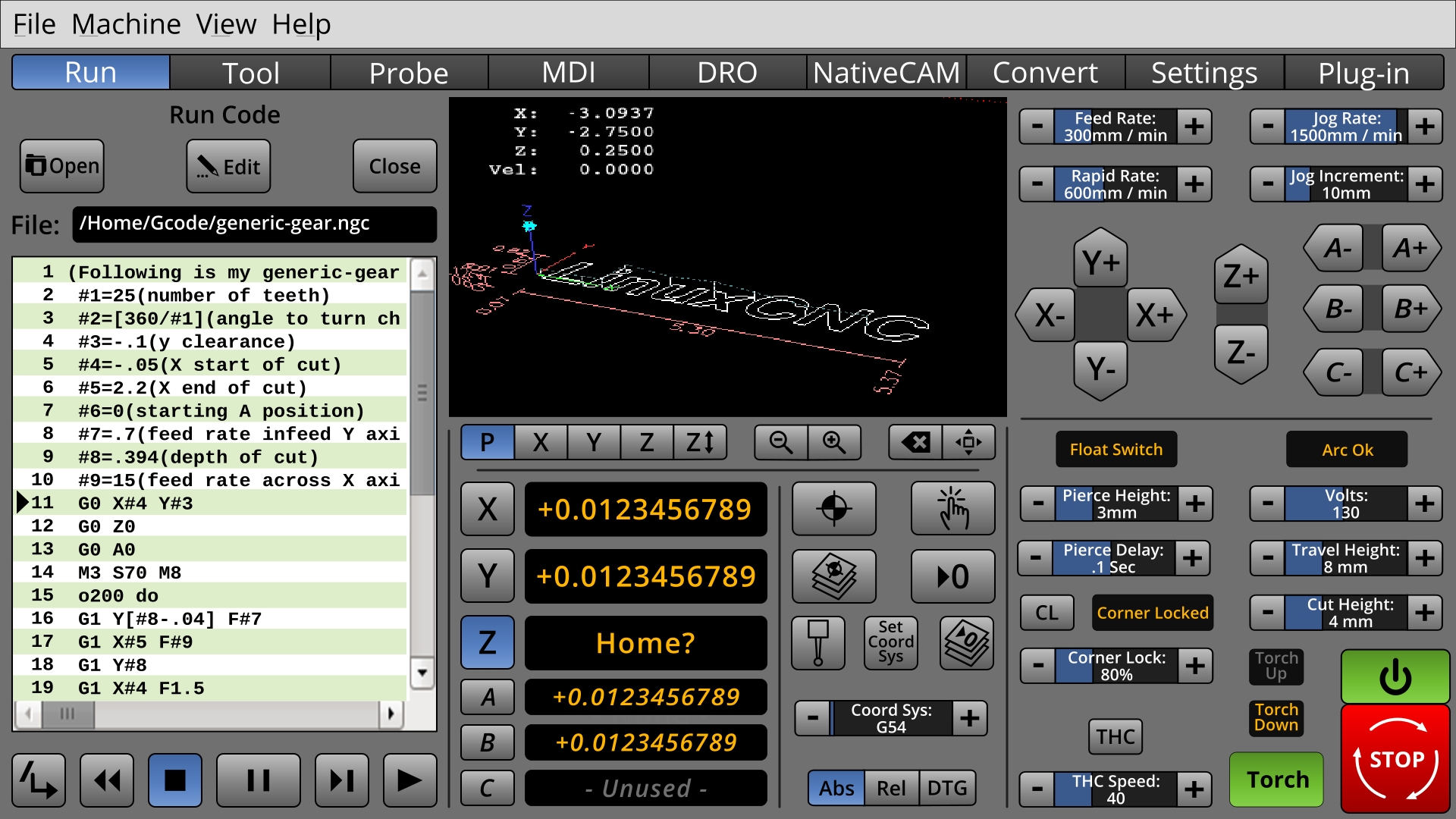
* Newer Torch Mini-Panel controls.
On this Torch mini panel attempt, I've tried to include everything on @Tommylight's list. There may not be enough here; there might be too much. I am sure that there are more settings which would need to go on the "Settings" page, but...
Which ones are used daily?
BTW, I find the LED's with legends space consuming, so I am still favoring good old-fashioned NASA control-room panel indicators, which go gray when not active.
When I look away from this for a while, I will know how to make it look better.
I want the only green things to be things which the user turns on.
I want red only to be things mean trouble.
On this Torch mini panel attempt, I've tried to include everything on @Tommylight's list. There may not be enough here; there might be too much. I am sure that there are more settings which would need to go on the "Settings" page, but...
Which ones are used daily?
BTW, I find the LED's with legends space consuming, so I am still favoring good old-fashioned NASA control-room panel indicators, which go gray when not active.
When I look away from this for a while, I will know how to make it look better.
I want the only green things to be things which the user turns on.
I want red only to be things mean trouble.
Last edit: 8 years 4 months ago by BrendaEM.
- BrendaEM
- Offline
- Elite Member
-
Less
More
- Posts: 266
- Thank you received: 120
8 years 4 months ago - 8 years 4 months ago #111493
by BrendaEM
Replied by BrendaEM on topic A Widescreen Blender-Style Interface
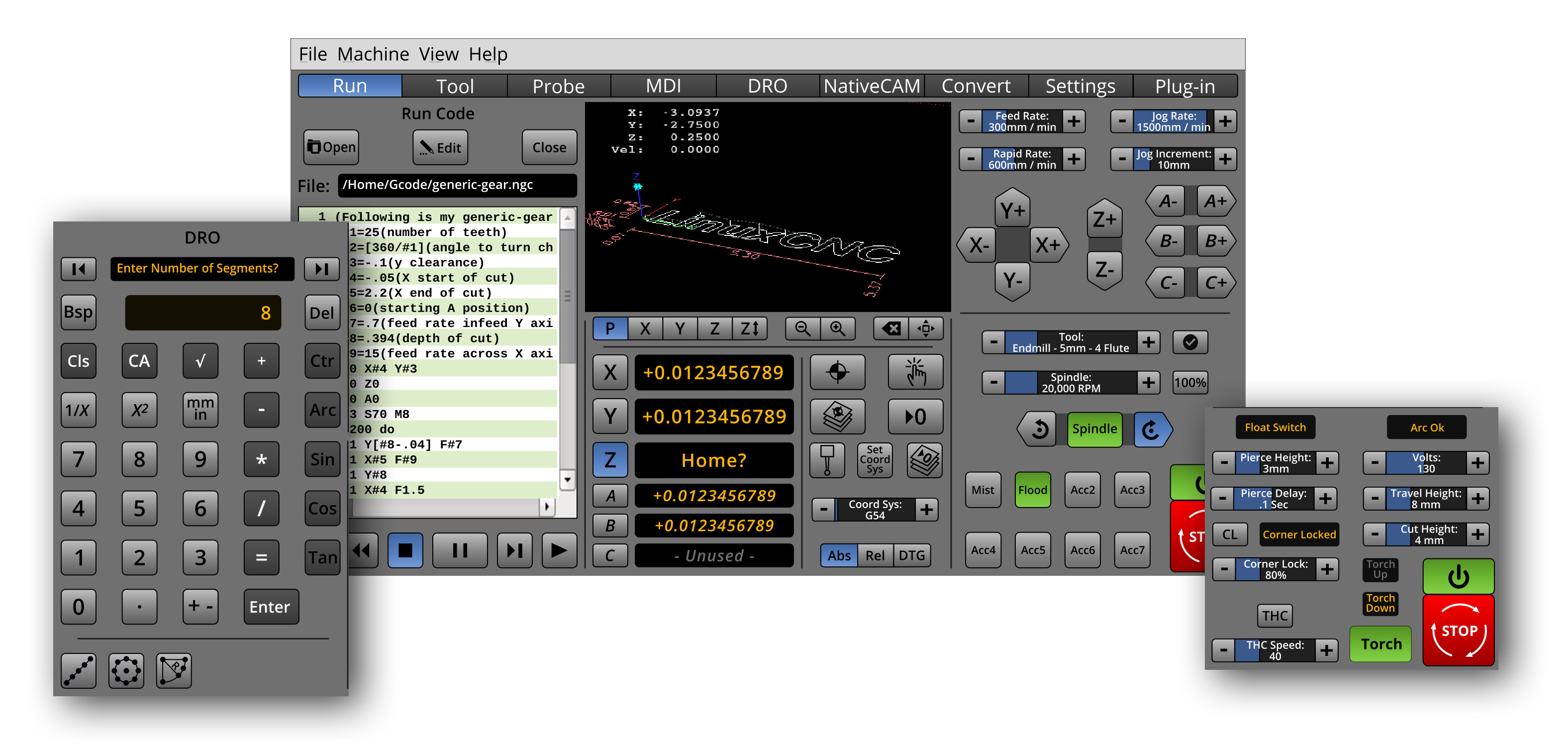
So, this is what there is so far.
I want to make an overlay for the lathe controls. I know it needs a diameter readout, and the A, B, C readouts would seem like the likely candidates. I think that X, Y, and Z, perhaps should stay the same for each. The italic font also seems to help for differentiating the axis groupings.
I want to make an overlay for the lathe controls. I know it needs a diameter readout, and the A, B, C readouts would seem like the likely candidates. I think that X, Y, and Z, perhaps should stay the same for each. The italic font also seems to help for differentiating the axis groupings.
Last edit: 8 years 4 months ago by BrendaEM.
- tommylight
- Offline
- Moderator
-

Less
More
- Posts: 22011
- Thank you received: 7491
8 years 4 months ago #111518
by tommylight
When can i start using this?????? Now ? Now ? No yet...........
That looks really nice and usable, although i prefer having a big window with the parts to be cut ( gremlin ).
Thank you.
Replied by tommylight on topic A Widescreen Blender-Style Interface
BrendaEM wrote: * Newer Torch Mini-Panel controls.
On this Torch mini panel attempt, I've tried to include everything on @Tommylight's list. There may not be enough here; there might be too much. I am sure that there are more settings which would need to go on the "Settings" page, but...
Which ones are used daily?
BTW, I find the LED's with legends space consuming, so I am still favoring good old-fashioned NASA control-room panel indicators, which go gray when not active.
When I look away from this for a while, I will know how to make it look better.
I want the only green things to be things which the user turns on.
I want red only to be things mean trouble.
When can i start using this?????? Now ? Now ? No yet...........
That looks really nice and usable, although i prefer having a big window with the parts to be cut ( gremlin ).
Thank you.
The following user(s) said Thank You: rodw, BrendaEM
Time to create page: 2.479 seconds