
- Posts: 139
- Thank you received: 9
Gmoccapy - A new screen for linuxcnc
- probamo
- Offline
- Premium Member
-

Less
More
13 years 1 month ago #39166
by probamo
Replied by probamo on topic Gmoccapy - A new screen for linuxcnc
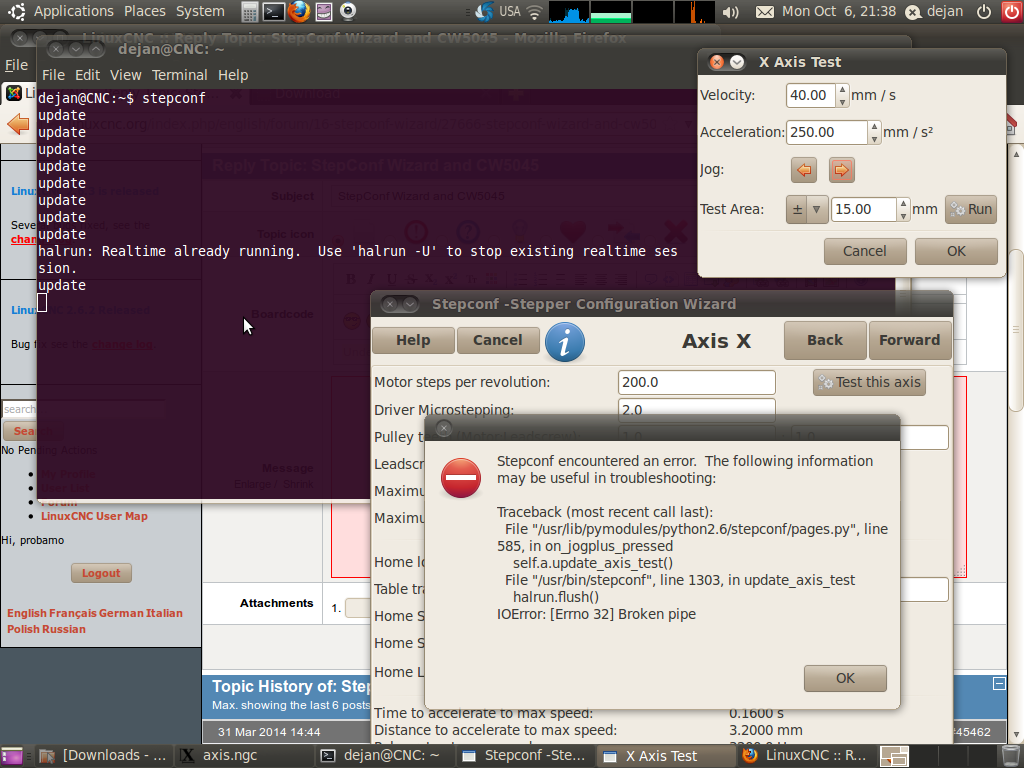
Hereafter attached is screenshot of my screen before selecting gmoccapy and press OK.
Please Log in or Create an account to join the conversation.
- newbynobi
- Offline
- Moderator
-

Less
More
- Posts: 1931
- Thank you received: 394
13 years 1 month ago #39167
by newbynobi
Replied by newbynobi on topic Gmoccapy - A new screen for linuxcnc
Halo probano,
As you told after the first Installation gmoccapy was working well, I do not think that the problems are caused by gmoccapy or gscreen.
What if you try running axis?
Or try just to delete the linuxcnc-devel directory and install the whole stuff again?
Please send me your translation files so I can check this side.
Norbert
As you told after the first Installation gmoccapy was working well, I do not think that the problems are caused by gmoccapy or gscreen.
What if you try running axis?
Or try just to delete the linuxcnc-devel directory and install the whole stuff again?
Please send me your translation files so I can check this side.
Norbert
Please Log in or Create an account to join the conversation.
- svenakela
- Offline
- New Member
-

Less
More
- Posts: 15
- Thank you received: 2
13 years 1 month ago #39169
by svenakela
Replied by svenakela on topic Gmoccapy - A new screen for linuxcnc
You don't happen to have any old settings in /home/[user]/linuxcnc/configs?
I had a problem earlier that was solved when I deleted the old config.
I had a problem earlier that was solved when I deleted the old config.
Please Log in or Create an account to join the conversation.
- cmorley
- Offline
- Moderator
-
Less
More
- Posts: 7368
- Thank you received: 2181
13 years 1 month ago #39171
by cmorley
Replied by cmorley on topic Gmoccapy - A new screen for linuxcnc
I would also check the .gmoccapy_preferences , the tool file (SOMETHING.tbl) and the variable file (SOMETHING.var) for corruption.
They should be plain text, no funny symbols. trash them if corrupt.
Chris M
They should be plain text, no funny symbols. trash them if corrupt.
Chris M
Please Log in or Create an account to join the conversation.
- probamo
- Offline
- Premium Member
-
Less
More
- Posts: 139
- Thank you received: 9
13 years 1 month ago - 13 years 1 month ago #39178
by probamo
Replied by probamo on topic Gmoccapy - A new screen for linuxcnc
@ newbynobi
hereafter is the translation.
I tried proposals from @svenakela and @cmorely but it seams no old files are elsewhere nor strange fonts in the file.
What would be steps to remove linuxcnc-dev from HDD besides moving the folder to the Trash. Eventually I moved it in the Trash, but still official version 2.5.3 is blocked. Something infected the whole LinuxCNC?
Any idea?
hereafter is the translation.
I tried proposals from @svenakela and @cmorely but it seams no old files are elsewhere nor strange fonts in the file.
What would be steps to remove linuxcnc-dev from HDD besides moving the folder to the Trash. Eventually I moved it in the Trash, but still official version 2.5.3 is blocked. Something infected the whole LinuxCNC?
Any idea?
Last edit: 13 years 1 month ago by probamo. Reason: no attachments found
Please Log in or Create an account to join the conversation.
- newbynobi
- Offline
- Moderator
-
Less
More
- Posts: 1931
- Thank you received: 394
13 years 1 month ago - 13 years 1 month ago #39182
by newbynobi
Replied by newbynobi on topic Gmoccapy - A new screen for linuxcnc
Halo probamo,
it seems to be a serious problem on your computer.
If you just followed the WIKI, then deleting the linuxcnc-dev folder will erase all master thinks.
If you then start linuxcnc from the menu, it should start as usual. I am sure this has nothing to do with gscreen or gmoccapy.
Next step: run as first latency test to check that your realtime kernel is OK, than try to get your 2.5.3 to start than reinstall master as descriped in the WIKI.
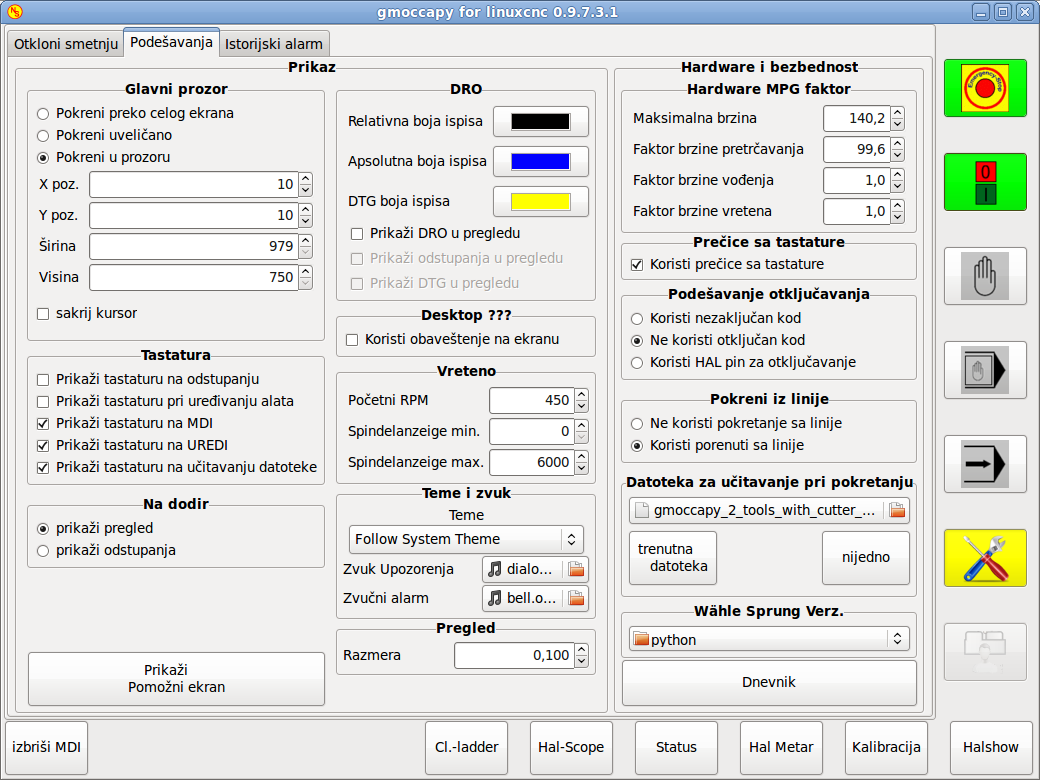
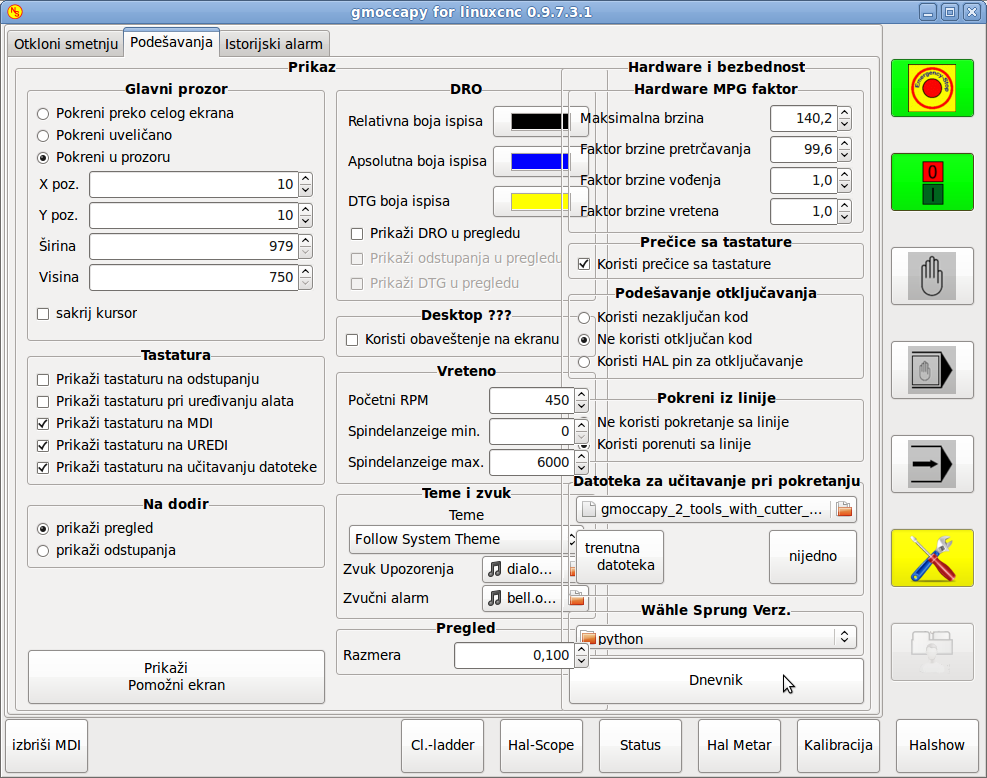
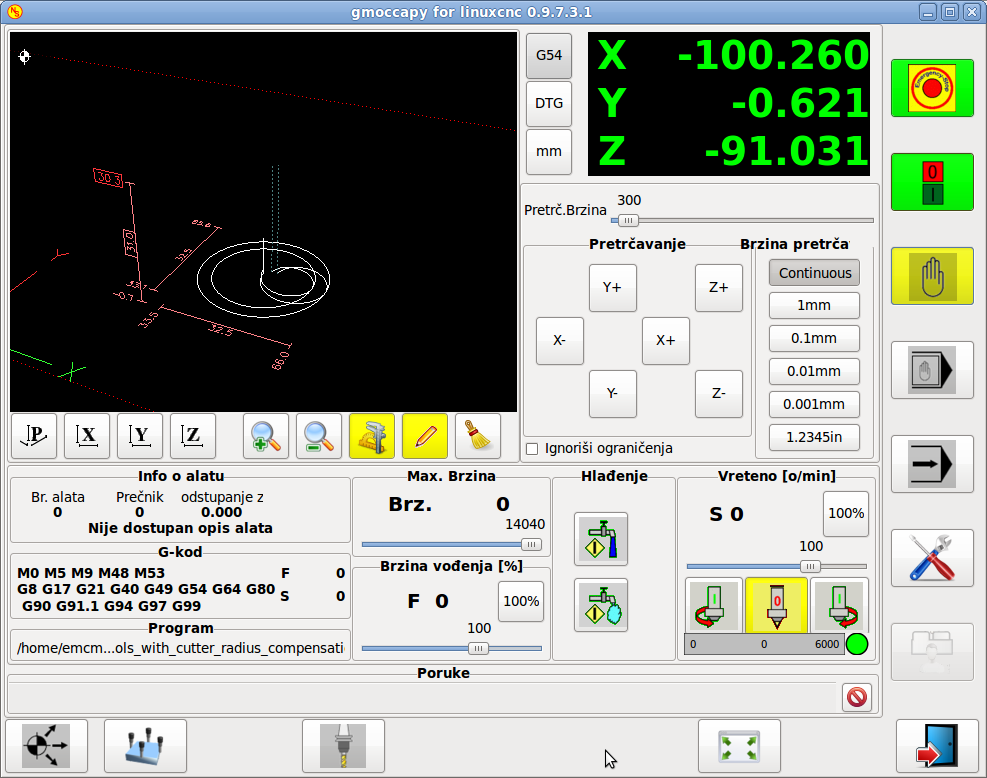
I can give you the good news, that your translation is working, see the attached screenshots. Just serbian seems to be a language of long words;-)
You will see in settings that you have to shorten some of the translations. And there are some mot translated words, or better you translated Spindle bar max and spindle bar min to german. I errased that ones and will push a new release with the translation included.
Norbert
it seems to be a serious problem on your computer.
If you just followed the WIKI, then deleting the linuxcnc-dev folder will erase all master thinks.
If you then start linuxcnc from the menu, it should start as usual. I am sure this has nothing to do with gscreen or gmoccapy.
Next step: run as first latency test to check that your realtime kernel is OK, than try to get your 2.5.3 to start than reinstall master as descriped in the WIKI.
I can give you the good news, that your translation is working, see the attached screenshots. Just serbian seems to be a language of long words;-)
You will see in settings that you have to shorten some of the translations. And there are some mot translated words, or better you translated Spindle bar max and spindle bar min to german. I errased that ones and will push a new release with the translation included.
Norbert
Last edit: 13 years 1 month ago by newbynobi.
Please Log in or Create an account to join the conversation.
Moderators: newbynobi, HansU
Time to create page: 0.334 seconds