New Project with Mesa 7I96 and THCAD-05

More
5 years 3 months ago #213578 by acourtjester
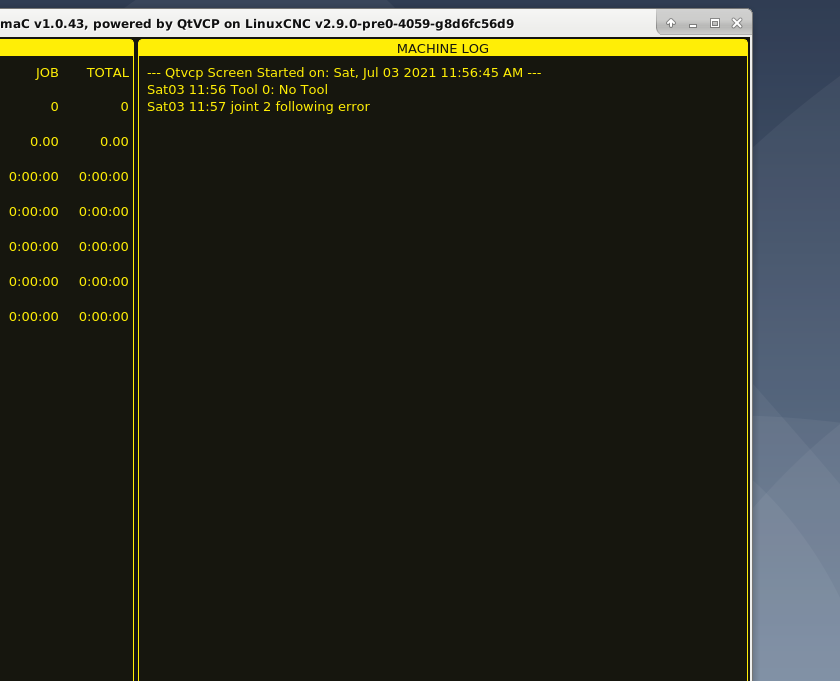
It was acting correctly but the finished back off may not be far enough as I am getting this error now.
 
here are the setting for the Z aixs
HOME_OFFSET = 0.20000
HOME_SEARCH_VEL = 0.050000
HOME_LATCH_VEL = -0.016667
HOME_FINAL_VEL = 0.0000
HOME_USE_INDEX = NO
HOME_IGNORE_LIMITS = YES
HOME_SEQUENCE = 0
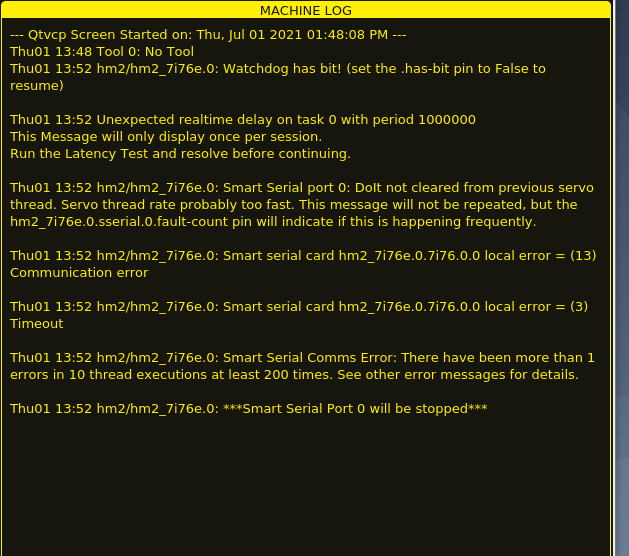
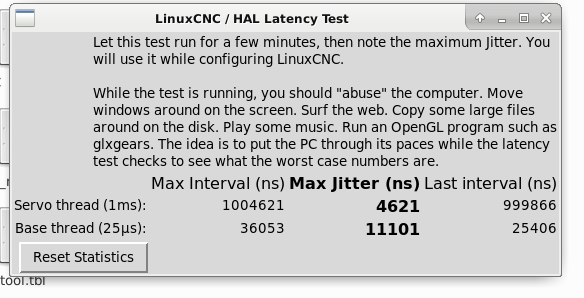
I am getting this error too below is the latency test I ran
   

Please Log in or Create an account to join the conversation.
More
5 years 3 months ago #213584 by Clive S
Ok. So it is homing correctly. image missing /media/kunena/emoticons/smile.png

The joint.2.following error is a different problem. Can you post the hal and ini files you are using

others will chime in  about the latency  problem.
 

Please Log in or Create an account to join the conversation.
More
5 years 3 months ago #213585 by acourtjester
Thanks for the reply here are the files
 

File Attachment:

File Name: PhillC.ini
File Size:5.17 KB


File Attachment:

File Name: PhillC.hal
File Size:11.61 KB

Please Log in or Create an account to join the conversation.

More
5 years 3 months ago - 5 years 3 months ago #213589 by PCW
"setp hm2_7i76e.0.watchdog.timeout_ns 5000000"

and a watchdog has bit error means a worse than 5 ms
delay has happened in communications (which can also cause all the other errors)

This may be an Ethernet setup error or a hardware error of some kind

To narrow down the cause:

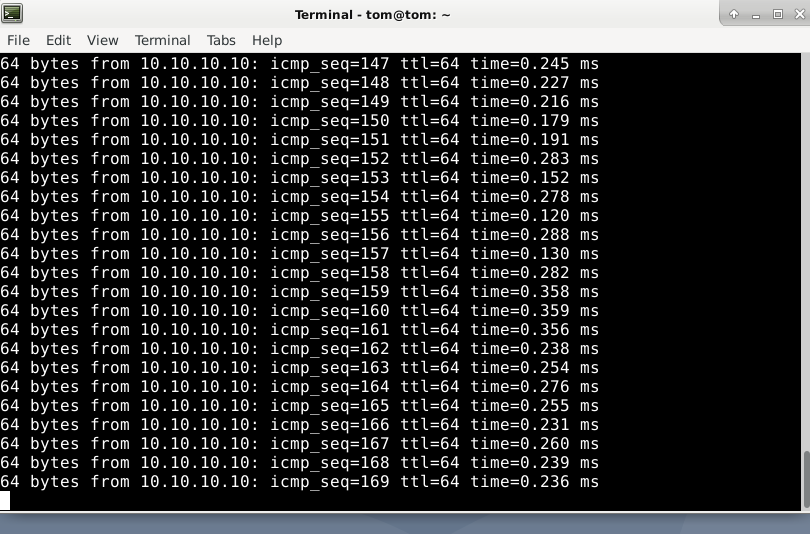
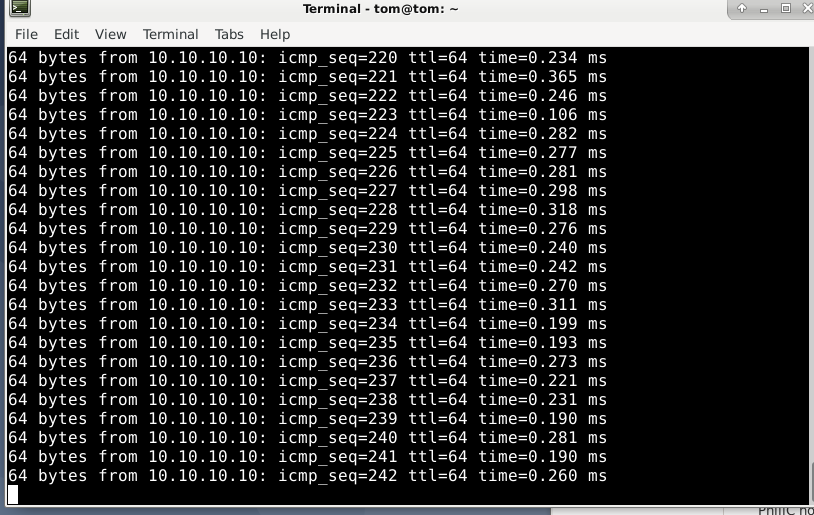
1. Can you ping the Mesa card (ping 10.10.10.10) wait for a few hundred echos and post the result here
2. What PC hardware do you have?
3. What Ethernet device to you have?
( lshw | grep -i eth )
Last edit: 5 years 3 months ago by PCW.

Please Log in or Create an account to join the conversation.

More
5 years 3 months ago #213600 by acourtjester
Thanks for the reply I am using a Dell SFF Optiplex 790,  Integrated NIC with internal LAN enabled. direct either connect dell to Mesa 7i76e.
I3 -2130 CPU 2 core 3.4G with 4 G  DDR3 SDRAM


Please Log in or Create an account to join the conversation.

More
5 years 3 months ago #213608 by PCW
The Dell 790 has an Intel MAC so needs the Ethernet driver instructed to
not coalesce packets (wait in the service routine for additional packets)
This is done by setting the "rx-usecs" coalesce parameter to 0

You can do this temporarily with the command:

sudo ethtool -C eno1 rx-usecs 0

(you may need to change the "eno1" to your Ethernet device name)

This should improve the ping times markedly but will only persist
until the next reboot. to make this change permanently, it best to edit
the interfaces file as described in the hm2_eth manual page

man hm2_eth

Please Log in or Create an account to join the conversation.

Time to create page: 0.458 seconds
Powered by Kunena Forum