
- Posts: 243
- Thank you received: 32
Another plasma component...
- JTknives
- Offline
- Elite Member
-

Less
More
7 years 6 months ago #130781
by JTknives
Replied by JTknives on topic Another plasma component...
I'm half tempted to just erase everything and start over. At least remove linux cnc and just install this version. I think half my problems is having multiple versions installed. How would I get all this off so I could start from scratch.
- JTknives
- Offline
- Elite Member
-
Less
More
- Posts: 243
- Thank you received: 32
7 years 6 months ago - 7 years 6 months ago #130783
by JTknives
Replied by JTknives on topic Another plasma component...
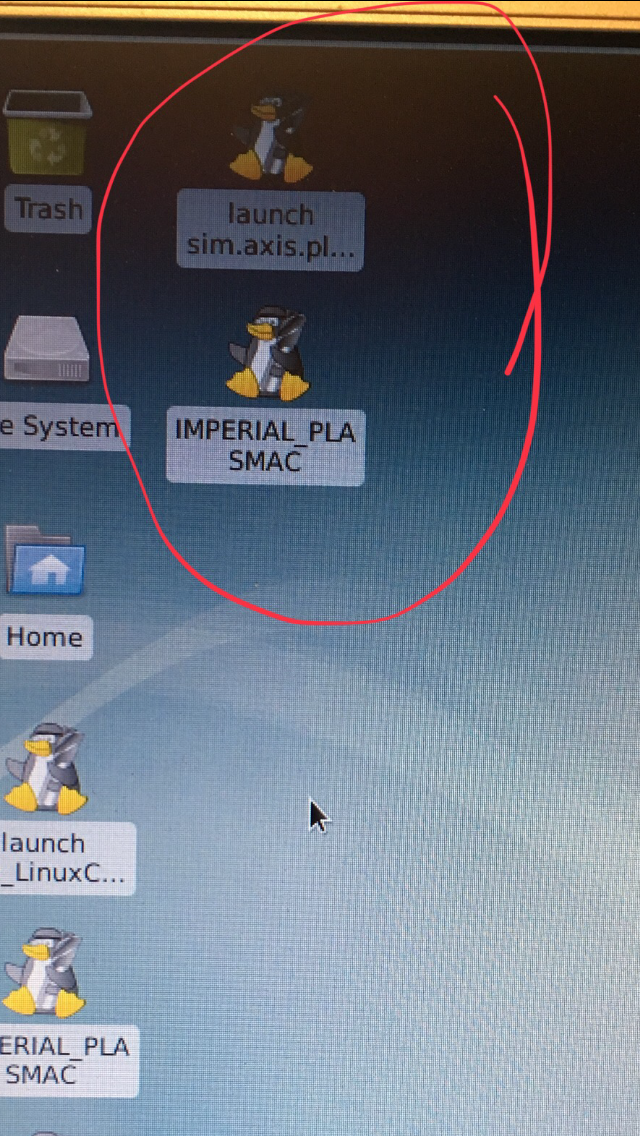
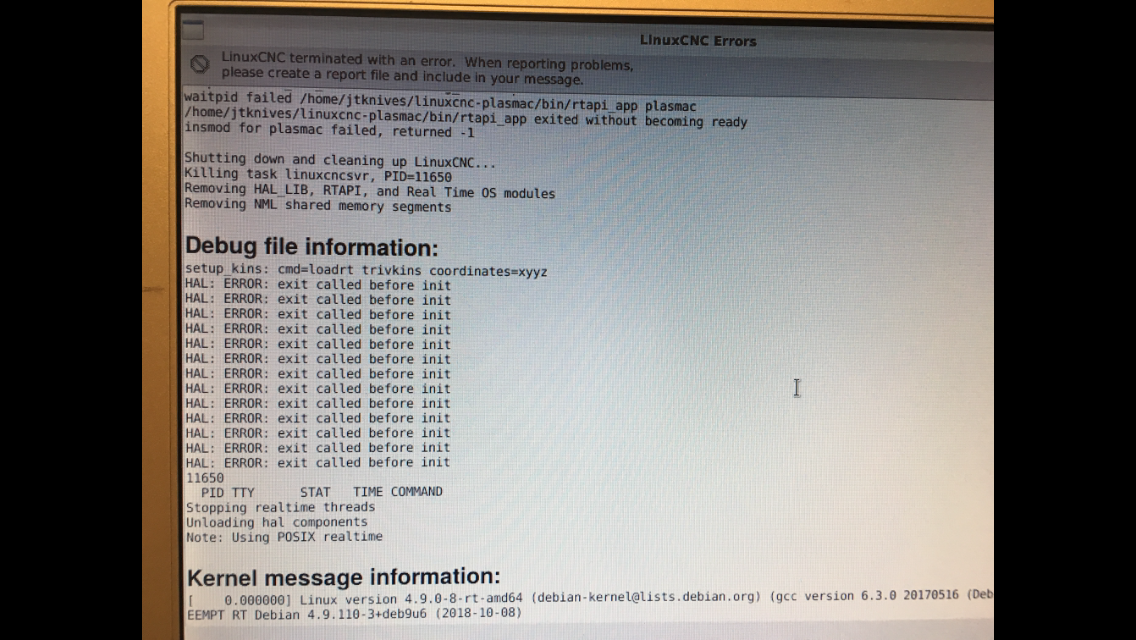
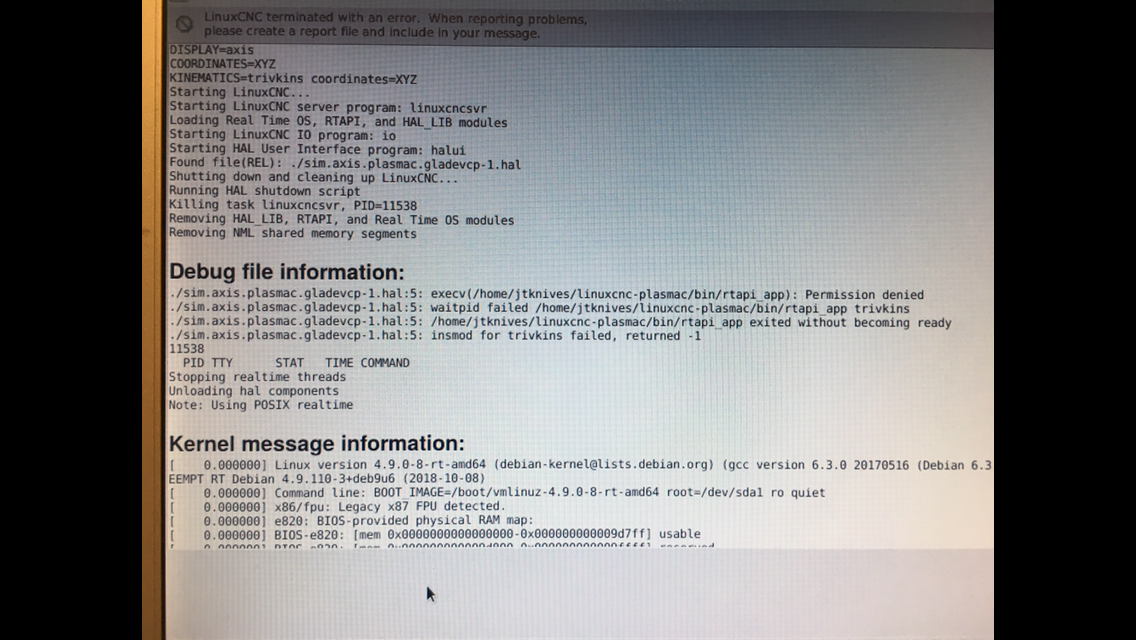
This is what it shows when I try and run the 2 icons I have circled.
Last edit: 7 years 6 months ago by JTknives. Reason: Add pictures
- islander261
- Offline
- Platinum Member
-

Less
More
- Posts: 757
- Thank you received: 216
7 years 6 months ago #130786
by islander261
Replied by islander261 on topic Another plasma component...
OK
You only ever run pncconf once to get an approximate .hal file, from then on hand editing only! Every time you run pncconf it overwrites and you loose ALL (usually very important) edits to your .hal. If you are having errors running a sim configuration your unique machine parameters (.hal you generated using pncconf and fixing) isn't needed.
Until you have a finished production configuration ALWAYS start your RIP install from a terminal session ( you can create a shortcut to a startup script later when all is working) . We will often need the exact startup errors to help you. Copying and pasting the text from the terminal to a text file or a <code> </code> section in a forum post is the best. Failing that a screen shot of the errors works.
Did you run the following command in the src directory after you successfully compiled linuxcnc: sudo make setuid?
Do you run the following command when you start a terminal session in the home directory before trying to start the sim:
. yourplasmacdirectory/scripts/rip-environment?
The usual, please post your current .ini and .hal files when asking for configuration help.
Sorry I've never run Axis so parts specific to it are beyond me. I do have working machine using the plasmac branch and the Gmoccapy UI.
John
You only ever run pncconf once to get an approximate .hal file, from then on hand editing only! Every time you run pncconf it overwrites and you loose ALL (usually very important) edits to your .hal. If you are having errors running a sim configuration your unique machine parameters (.hal you generated using pncconf and fixing) isn't needed.
Until you have a finished production configuration ALWAYS start your RIP install from a terminal session ( you can create a shortcut to a startup script later when all is working) . We will often need the exact startup errors to help you. Copying and pasting the text from the terminal to a text file or a <code> </code> section in a forum post is the best. Failing that a screen shot of the errors works.
Did you run the following command in the src directory after you successfully compiled linuxcnc: sudo make setuid?
Do you run the following command when you start a terminal session in the home directory before trying to start the sim:
. yourplasmacdirectory/scripts/rip-environment?
The usual, please post your current .ini and .hal files when asking for configuration help.
Sorry I've never run Axis so parts specific to it are beyond me. I do have working machine using the plasmac branch and the Gmoccapy UI.
John
- JTknives
- Offline
- Elite Member
-
Less
More
- Posts: 243
- Thank you received: 32
7 years 6 months ago - 7 years 6 months ago #130791
by JTknives
Replied by JTknives on topic Another plasma component...
I am not necessarily wanting yo run axis. I'm wanting to run the custom plasmac and its GUI.
1: yes when I installed this version I ran SUDO MAKE SETID
2: yes I run rip-environment
Are you saying I can’t run anything from the icons that are put on the desktop?
Only reaasion I was running pncconf was because the last time I did ran it was not with this plasmac. Also I was just trying anything to get somthing to work. I had the original LinuxCNC working with my mesa 7i76ed but that cnc gui is about useless for plasma. I'm not wanting to run a dimulation, I'm wanting to get it set up for my plasma table.
1: yes when I installed this version I ran SUDO MAKE SETID
2: yes I run rip-environment
Are you saying I can’t run anything from the icons that are put on the desktop?
Only reaasion I was running pncconf was because the last time I did ran it was not with this plasmac. Also I was just trying anything to get somthing to work. I had the original LinuxCNC working with my mesa 7i76ed but that cnc gui is about useless for plasma. I'm not wanting to run a dimulation, I'm wanting to get it set up for my plasma table.
Last edit: 7 years 6 months ago by JTknives.
- islander261
- Offline
- Platinum Member
-
Less
More
- Posts: 757
- Thank you received: 216
7 years 6 months ago - 7 years 6 months ago #130794
by islander261
Replied by islander261 on topic Another plasma component...
Can you run any of the plasmac branch sims successfully? If not start one from a terminal and post all of the terminal messages.
Have you created a working copy of a plasmac configuration to use with your machine? If so and it isn't working start it from a terminal and post the terminal messages.
The problem is we need the terminal error messages to fix LinuxCNC your problems. You can make and use shortcuts to launching scripts when everything is working.
Post the .hal and .ini files you are trying to use. We need these to help at all. If you don't have a working .hal file (doesn't matter which branch or configuration) that lets you move the machine correctly please post a list of 7i76e connections so we can figure out the .hal in as few tries as possible.
What are you using for stepper drivers?
I am using a 7i76e + THCad with the plasmac branch and other assorted hardware. I know this branch works with no hidden traps.
John
Have you created a working copy of a plasmac configuration to use with your machine? If so and it isn't working start it from a terminal and post the terminal messages.
The problem is we need the terminal error messages to fix LinuxCNC your problems. You can make and use shortcuts to launching scripts when everything is working.
Post the .hal and .ini files you are trying to use. We need these to help at all. If you don't have a working .hal file (doesn't matter which branch or configuration) that lets you move the machine correctly please post a list of 7i76e connections so we can figure out the .hal in as few tries as possible.
What are you using for stepper drivers?
I am using a 7i76e + THCad with the plasmac branch and other assorted hardware. I know this branch works with no hidden traps.
John
Last edit: 7 years 6 months ago by islander261. Reason: added text
- islander261
- Offline
- Platinum Member
-
Less
More
- Posts: 757
- Thank you received: 216
7 years 6 months ago #130795
by islander261
Replied by islander261 on topic Another plasma component...
Ok
First we need to make sure we are working with the same versions of files.
In a terminal go to your plasmac directory ( the place you originally cloned the plasmac branch).
If you can't get this to work post terminal text or screen shot.
John
First we need to make sure we are working with the same versions of files.
In a terminal go to your plasmac directory ( the place you originally cloned the plasmac branch).
Code:
git fetch
git reset --hard origin/master
cd src
make
sudo make setuid
If you can't get this to work post terminal text or screen shot.
John
Moderators: snowgoer540
Time to create page: 0.989 seconds